
RSVP · Workshop
Clay & Coffee
Event details, location and RSVP action in one mobile Card.
Built for
Create a Card
No coding.Just create.

Built for sharing.Spread anywhere.

Get real responses.From real people.
Build with CueCue
RSVP · Workshop
Event details, location and RSVP action in one mobile Card.
Beauty · Nail artist
Style, services, starting prices and a clear booking action.
Beauty · Hair stylist
A focused introduction to the stylist, signature looks and booking.
Profile · Consultant
Contact details, services and social links without an app download.
Creator · E-gift
Turn your story into a one-of-a-kind Card for someone you love.
RSVP · Community event
Invitation, event details and RSVP action in one shareable Card.
Why CueCue
Bring together the right content, visual proof and one clear next step—whether you’re inviting guests, promoting a service, sharing a profile or launching an offer.
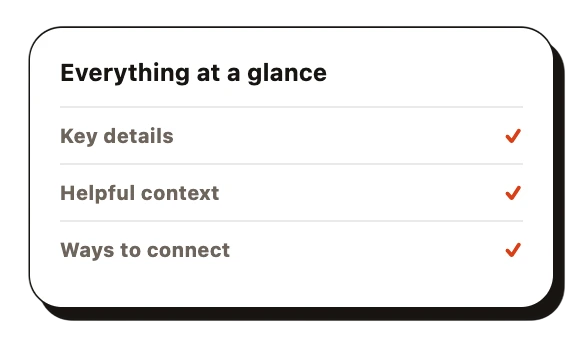
Bring together the essential details without sending people across multiple pages, messages or links.
Use images, examples and the right context to communicate your style, story or value.
Guide every visitor toward one clear action—RSVP, book, contact, buy, follow or learn more.
How it works
Start with the outcome, not a blank canvas. Tell CueCue about your event, service or offer and the action you want visitors to take.
Go to CreateDescribe your goal and CueCue will turn it into a focused Card.
Create an RSVP Card for my pottery workshop with the date, studio location, limited capacity and what guests should bring.
The Agent drafts the structure, copy and visual direction. Watch the Card take shape, then ask for changes in the same conversation.
Go to CreateA relaxed pottery morning for curious beginners.
Save my seatPreview the final result, publish it to one simple URL and share the same Card anywhere your audience already is.
Go to CreateSaturday · 10:00 AM · Pottery House
Save my seatShare it now, or return anytime to make an update with CueCue Agent.
“I shared one Cuecue card and guests immediately understood the event, found the venue and RSVP’d without messaging me for every detail.”

ColleenRSVP · Event host
“Clients can see my style and appointment link before contacting me. This saves me a lot of time.”

Cecilia WardBooking · Nail artist
“This is much simpler and more convenient than sending five different profile links.”

KevinProfile · Consultant
“Je peux savoir qui participe à mon événement avec une seule carte !”

Lune FaureRSVP · Workshop host
“Cuecue 让顾客一眼就能了解我提供的服务。”

Luhao ZhaoBooking · Hair stylist
“Gracias a la tarjeta, todo el mundo sabe que mi producto está en oferta, así que todos vienen a comprarlo.”

TrevorProduct promo · Small business
“My followers can see my links through the cards, and I can update those links at any time.”

LafeBio link · Creator
CueCue is a no-code web card creator that lets you build digital business cards, link in bio pages, RSVP cards, event pages, and product landing cards — all from one platform, no website needed.
No — CueCue goes beyond a link in bio tool. In addition to bio link pages, you can create digital business cards, RSVP cards, online invitations, product cards, and service offer pages, all with the same web card creator.
Yes. CueCue's digital business card includes your contact details, social links, services, and booking links. Share it by QR code, tap, link, or email signature — no app download required for recipients.
With CueCue, you can create an RSVP card or event page in minutes: add the date, venue, guest instructions, and RSVP form, then share the URL via social media, email, or printed invitation.
A basic link list is a stack of buttons. A link in bio website like CueCue adds visual hierarchy, featured offers, product showcases, embedded videos, and RSVP or booking actions — turning your bio link into a real destination.
Yes. Every CueCue web card and digital business card comes with a QR code you can place on printed business cards, event signage, product packaging, or invitations — anyone who scans it sees your live card instantly.
Yes. Your CueCue web card URL stays the same while you update the content — change your details, event information, bio links, or offer without resharing a new link.
CueCue digital cards are built for creators, freelancers, coaches, small business owners, event hosts, and DTC brands — anyone who needs a focused page that works instantly from a link or QR code.
Yes — a CueCue web card works as a focused product landing page for collecting signups, promoting a product drop, booking calls, or sharing event RSVPs.
No account or app is needed. Anyone can open a CueCue digital business card, web card, or RSVP card from a link or QR code in any browser.
CueCue Web Card Creator is live