
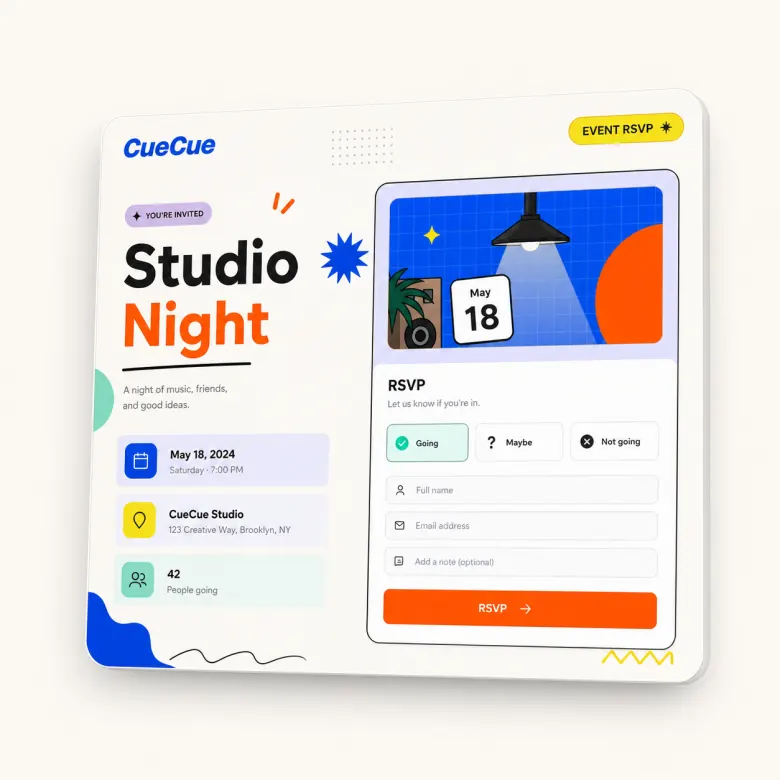
Create a mobile event page for the moments that do not need heavy event software. CueCue helps you share event details, collect RSVPs, answer basic guest questions, and send people to the right next action from one page.
Use it for workshops, pop-ups, meetups, launches, classes, watch parties, private events, and community gatherings.
Build a Lightweight Event Page for One Clear Action
An event page should help visitors decide quickly: what is this, who is hosting it, when is it, where is it, and how do I respond?
CueCue keeps that flow focused. Instead of building a large event site, create a mobile page around one action: RSVP, register interest, join a waitlist, or get the details.
What Every Event Page Should Include
Event details and location
Include the event name, date, time, venue, city, map link if relevant, and any arrival notes guests need.
RSVP or registration form
Ask for the guest’s name, contact details, attendance status, guest count, and any event-specific notes. For a form-first setup, use the RSVP form builder.
Speaker, host, or agenda highlights
If the event includes a host, speaker, performer, schedule, or theme, add a short section explaining why guests should attend.
How to Create an Event Page in CueCue
Start with the event type. Add the core details, then add the RSVP or registration action. Keep the page short enough for mobile but complete enough that guests do not need to message you for basic information.
For a simpler response flow, use an RSVP link maker.
Event Page Examples
CueCue works well for:
- Workshops and classes
- Product launches
- Creator meetups
- Local pop-ups
- Community dinners
- Fitness sessions
- Watch parties
- Small business events
CueCue vs Eventbrite and Google Forms
Eventbrite is useful for ticketing and larger event operations. Google Forms is useful for collecting responses. CueCue fits the middle: a branded mobile page with event context and a clear response action.
For tracking responses after the event, a Google Sheets RSVP template can help organize guest details.
FAQ
What is an event page?
An event page is a dedicated page that explains an event and gives visitors a way to respond. It usually includes the event name, time, location, host details, agenda, RSVP or registration action, and important notes.
Can I use CueCue for paid events?
CueCue is best for lightweight event pages and RSVP actions. If you need full ticketing, payments, refunds, seating, or large-scale check-in, use a dedicated event platform or payment system.
Can guests RSVP from an event page?
Yes. You can include RSVP fields or link to an RSVP action from the event page so guests can respond after reading the event details.
Can I share the event page with a QR code?
Yes. A single event page link can be shared through a QR code on posters, flyers, invitations, table signs, or venue materials.
What types of events work best?
CueCue works best for small to medium lightweight events: workshops, meetups, pop-ups, classes, launch events, watch parties, and private gatherings.
When should I use Eventbrite instead?
Use Eventbrite or another dedicated event platform when you need advanced ticketing, payment processing, refund handling, seating, attendee tiers, or large event operations.