
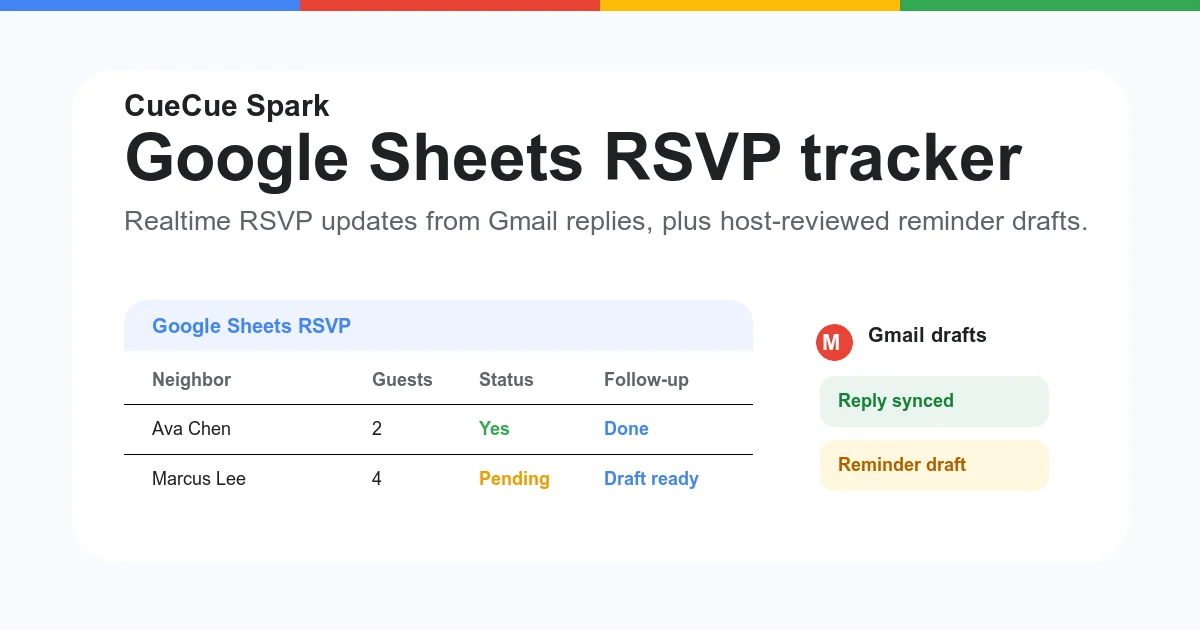
Google Sheets is a practical way to track event responses, guest details, attendance counts, and follow-up status. But a spreadsheet alone is not always the best front-end experience for guests.
CueCue helps you pair event tracking with a mobile RSVP page, so guests can understand the event and respond from one simple link.
What Is a Google Sheets RSVP Template?
A Google Sheets RSVP template is a spreadsheet used to organize event responses. It usually includes guest names, contact details, attendance status, guest count, notes, and follow-up status.
It is useful for organizers who need a lightweight way to manage a guest list without a heavy event platform.
What Your RSVP Tracker Should Include
Guest contact details
Track the guest name, email address, phone number if needed, and any other contact detail required for follow-up. Keep the form short if guests are responding from mobile.
Attendance status and headcount
Add a clear RSVP status such as attending, maybe, declined, waitlist, or not yet responded. Include guest count or plus-one details if capacity matters.
Follow-up status and reminders
Use a follow-up column to track whether you sent a confirmation, reminder, update, or post-event message. This helps avoid losing responses in chat threads or email.
Here is a typical RSVP tracking layout you can copy into a new Google Sheet:
| Guest Name | RSVP Status | Guest Count | Notes | Follow-up Sent | |
|---|---|---|---|---|---|
| Jane Smith | jane@example.com | Attending | 2 | Vegetarian | Confirmation sent |
| Tom Lee | tom@example.com | Declined | 鈥? | 鈥? | Reply sent |
| Maria Garcia | maria@example.com | Pending | 鈥? | 鈥? | 鈥? |
Standard columns: Guest Name, Email, RSVP Status (Attending / Declined / Maybe / Pending), Guest Count, Special Notes, and Follow-up Sent.
Google Sheets vs a Mobile RSVP Page
Google Sheets is useful for organizing responses. A mobile RSVP page is useful for collecting those responses in a guest-friendly way.
Use the RSVP page to explain the event, show time and location, answer basic questions, and collect the response. Use the sheet or response export workflow to manage the list after people submit.
For a front-end RSVP experience, use CueCue’s RSVP link maker.
How CueCue Works With RSVP Tracking
Create the event page first. Add the event name, date, location, host, and a short reason guests should attend. Then add RSVP questions and share the page link from email, social media, group chat, or QR code.
If you need a more form-focused version, use an RSVP form builder.
Best Use Cases for a Simple RSVP Tracker
This setup works well for workshops, fitness classes, creator meetups, pop-ups, private parties, launch events, watch parties, and community gatherings.
For complex ticketing, assigned seating, payments, or large event operations, a dedicated event platform may be more appropriate.
FAQ
Can I use Google Sheets for RSVP tracking?
Yes. Google Sheets is useful for tracking guest responses, especially for small and medium-sized events. It works best as the organizer’s tracking layer, not necessarily as the guest-facing experience.
What should a Google Sheets RSVP template include?
At minimum, include guest name, email, RSVP status, number of attendees, notes, and follow-up status. For events with logistics, add meal preference, session choice, arrival time, or accessibility needs.
Do I need a separate RSVP form?
Usually, yes. A form or mobile RSVP page gives guests a cleaner way to submit responses. The spreadsheet is better for organizing and reviewing the responses after they come in.
Can I use CueCue instead of Google Forms?
CueCue can be used when you want a branded event page around the RSVP action. Google Forms is still useful for simple response collection. CueCue is a better fit when you want event details, context, CTAs, and a mobile page in one place.
Can guests RSVP from mobile?
Yes. A CueCue RSVP page is designed for mobile sharing, which matters because many guests will open the link from social apps, messages, or QR codes.
When should I use a full event platform?
Use a full event platform when you need advanced ticketing, payment workflows, assigned seating, large attendee management, or complex check-in operations. Use CueCue for lightweight RSVP pages and small event actions.