
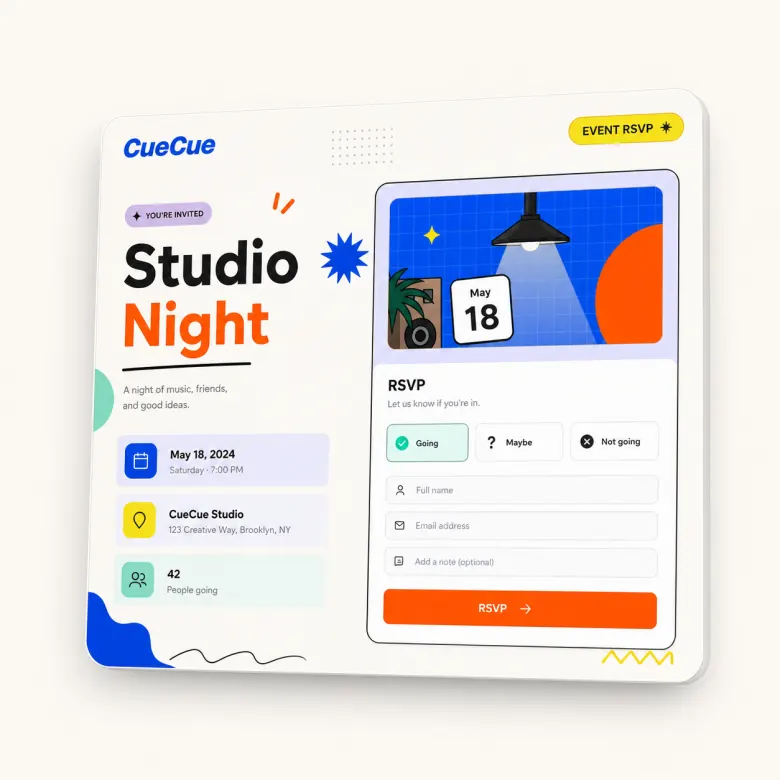
Build an RSVP form that feels like part of the event page, not an isolated questionnaire. CueCue helps event hosts collect responses while giving guests the context they need: what the event is, when it happens, where to go, and what to do next.
What Is an RSVP Form?
An RSVP form is a response form used to collect attendance information before an event. It usually asks who is coming, how many people are attending, and whether the guest has any notes or preferences.
For small events, the best RSVP form is short, mobile-friendly, and placed next to the event details.
RSVP Form Fields to Include
Required guest details
Ask for name and email first. Add phone number only if it is needed for event updates or urgent communication.
Attendance and plus-one questions
Ask whether the guest is attending, how many people are coming, and whether they are bringing a guest. If capacity is limited, make that clear.
Notes, preferences, and consent
Depending on the event, you may ask for meal preferences, accessibility needs, session choice, arrival time, or permission to send updates.
How to Build an RSVP Form in CueCue
Start from an RSVP template. Add your event context first, then add the form fields. A guest should know what they are responding to before they see the questions.
After the form, add a simple confirmation message or next-step note. If the event has a separate page, connect the form to your event page builder.
RSVP Form Examples by Event Type
A workshop form may ask about skill level or session time. A private party form may ask about plus-ones and meal preferences. A launch event form may ask for company, role, or interest area. A community meetup form may ask how guests heard about the event.
RSVP Form vs RSVP Link
An RSVP form is the response section. An RSVP link is the shareable page or URL that hosts the form. Most event hosts need both: a clear link to share and a form that collects the right details.
For a link-first version, use the RSVP link maker.
FAQ
What is the difference between an RSVP form and an RSVP link?
The form collects the response. The link is how guests access the page. A good RSVP experience includes both: a shareable link and a form placed inside a helpful event page.
What fields should I include in an RSVP form?
Include guest name, email, attendance status, number of attendees, and any event-specific details you need. Avoid asking too many questions if the event is simple.
Can guests fill out the form on mobile?
Yes. RSVP forms should be designed for mobile because many guests will open the page from messages, social apps, or QR codes.
Can I use an RSVP form for a wedding?
Yes. For weddings, include guest names, plus-ones, meal preferences, and any day-of notes. For a more specific setup, use a wedding RSVP website.
Is this better than Google Forms?
It depends on the event. Google Forms is useful for basic collection. CueCue is better when you want a mobile event page around the form, with details, context, and a clearer guest experience.
Can I use the same form for multiple events?
You can reuse the same structure, but each event should have its own details and questions. A workshop, wedding, and product launch usually need different RSVP fields.