
"Just DM me for a quote." I had that in my bio for months, and it worked right up until it didn't. In one week I answered the same three questions roughly forty times: what do you charge, when are you free, what's included. By Friday I wasn't booking clients, I was running a one-person FAQ desk. If you're a solo service pro looking at HoneyBook alternatives, you might be circling the same drain. You don't need a whole client-management machine yet. You need people to be able to inquire and book without the endless back-and-forth.
Short version: a solo service page is good at the front of the job. It shows what you do, answers the obvious questions, and captures a clean inquiry or booking. It is not client management software. It doesn't send contracts, run invoices, process payments, or track a client through a pipeline. If you need all of that in one place, you want a suite. If you mostly need to stop losing inquiries in your DMs, you may just need a better front door.
What is a HoneyBook alternative?
A HoneyBook alternative is any tool a solo pro uses instead of HoneyBook to handle client work. Some are full client-management suites that run contracts, invoices, payments, and a whole pipeline. Others are lighter service or inquiry pages that mainly capture leads and bookings. Which one you need comes down to how much of the client process you're actually running yet.
Why solo pros search for HoneyBook alternatives
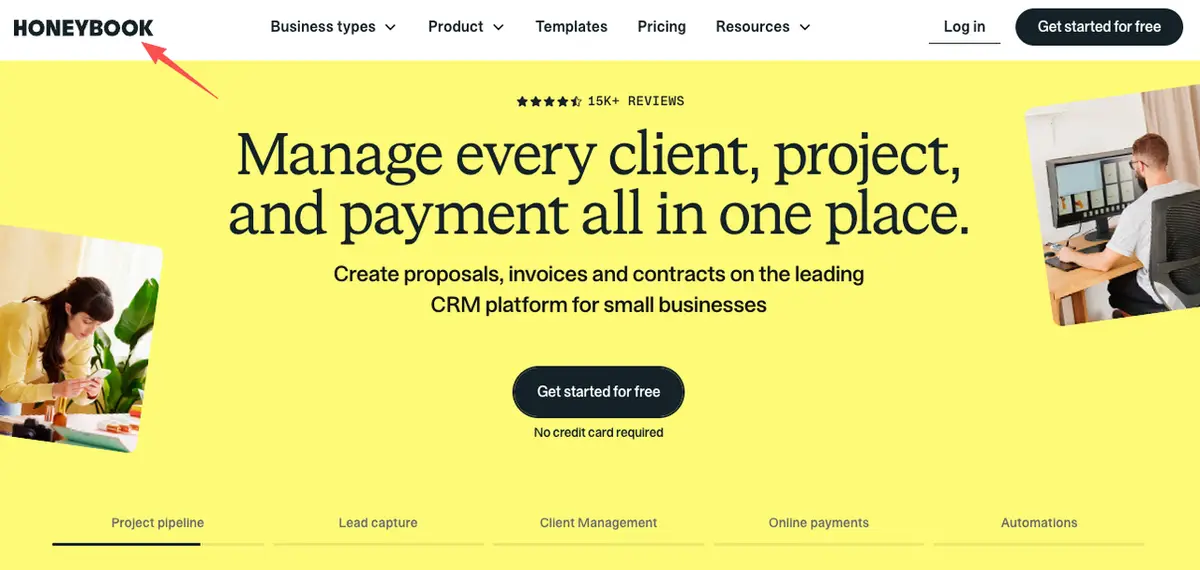
HoneyBook does a lot, and it's priced for doing a lot. That's exactly why solo pros go looking. A few honest reasons:
- Paying for a suite you half-use. If you're not sending contracts or invoices yet, a full client platform can feel like buying a delivery van to carry one bag.
- Too much to set up. You wanted to stop losing leads this week, not configure pipelines and templates this month.
- You just need the front door. Plenty of solo pros only need to capture an inquiry and a booking, not manage the whole client lifecycle.
- Starting lean. Early on, simpler is safer than committing to software you'll grow into later (or not).
Most of these searches for HoneyBook alternatives aren't really "find me a cheaper CRM." They're "I'm not ready for full client management, I just need to collect inquiries cleanly." Naming that early saves you both money and a weekend of setup.
HoneyBook alternatives, by what you actually need
Most "HoneyBook alternatives" roundups line up full suites and compare them feature for feature. That's useful if you already need a suite. It's less useful if you clicked because your DMs are a mess and you haven't sent a single contract yet. So here's the same decision sorted by what you're trying to do, not by which tool looks the most official.
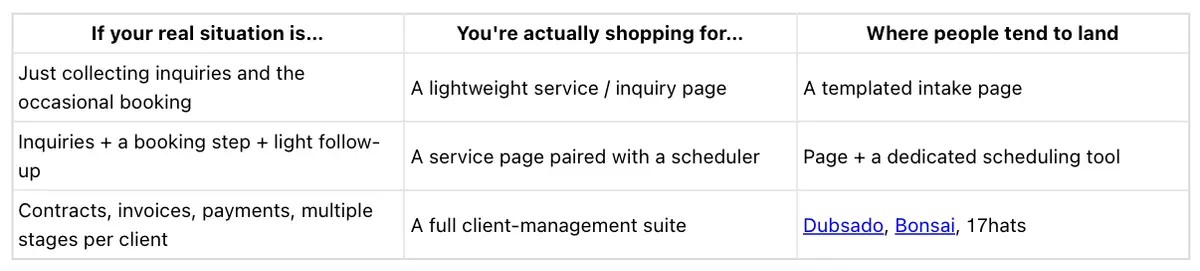
Tools and pricing change all the time, so take the names above as a starting point and check each one's site before you commit (accurate as of 2026). One thing to notice as you read down the table: the lower your row, the more you're paying for a back office, not a front door. Figure out which row is honestly yours before you start comparing plans.
Service page vs client management suite
These solve different problems, and that's the whole point. A service or inquiry page is the front door: it shows what you offer, gives a little proof, and gives someone a way to inquire or book. A client management suite like HoneyBook is the back office, running the whole client process from first inquiry to final invoice.
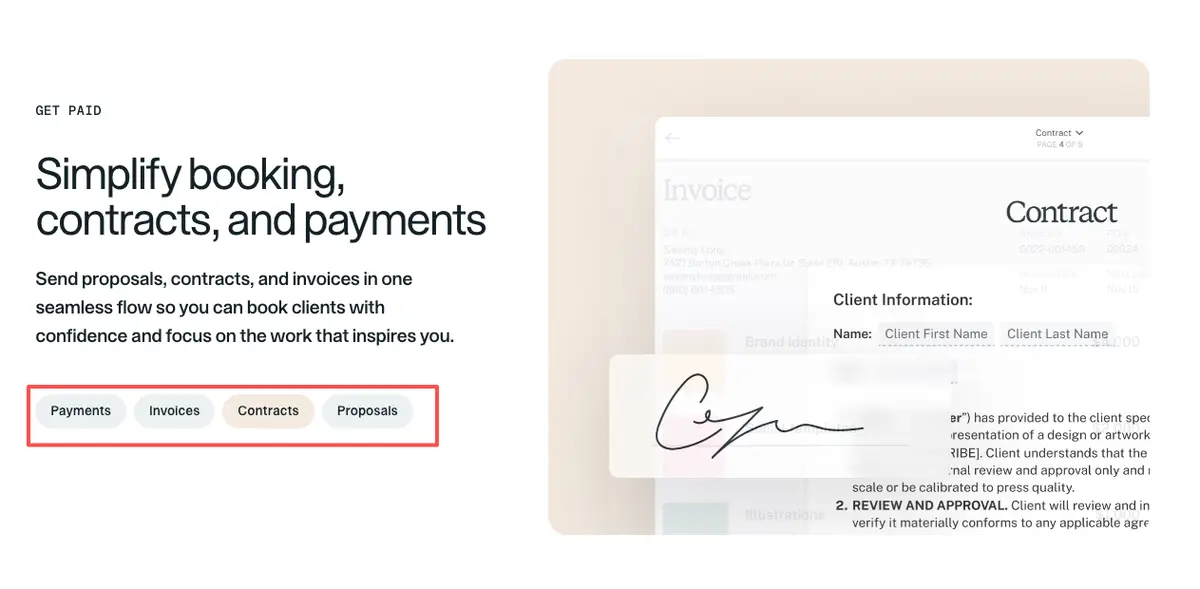
You can use both. But a front door won't quietly become a back office because you're hoping to skip a step. So before you compare tools, find your real bottleneck. If the holdup is that people can't easily reach you, that's a page problem. Drowning in invoices and contracts is a different beast. That's a suite problem, and a page won't touch it — so don't ask it to.
What a solo service page can handle
Used for what it's actually good at, a service page earns its keep quickly. It can:
- Lay out your services or packages so people can self-qualify before they ever message you.
- Answer the three questions you always get (price range, availability, what's included) so your inbox quits repeating itself.
- Swap the vague DM thread for a structured inquiry through a short lead form.
- Offer a booking step and route social, QR, and ad traffic to one clear next action.
That structured-inquiry bit is the part that quietly does the most work. A short form with the right questions turns "hey are you free?" into something you can actually book against. It also screens out the tire-kickers, so the messages that land are mostly the ones worth answering. Want something concrete?
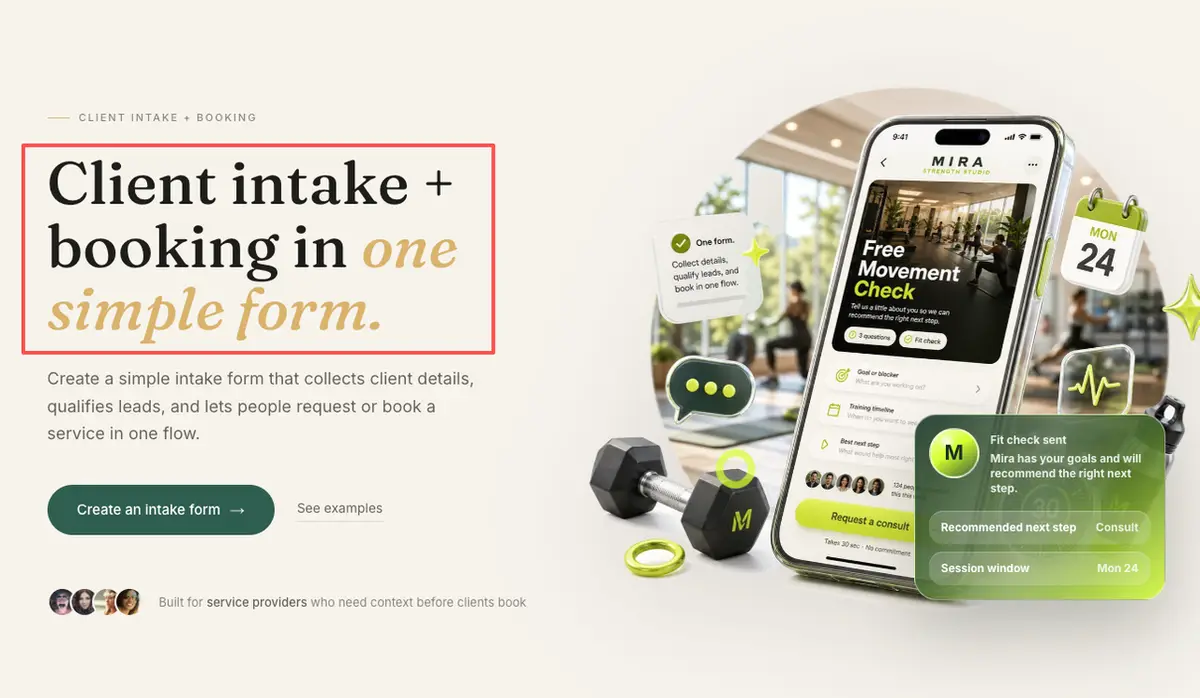
Here's one you could build: a page that lists your packages, knocks out the three questions you're sick of repeating, and ends in a short inquiry form or a booking step. CueCue's client intake card is one way to assemble that from a template — the card collects the inquiry and points people toward booking, while the contracts, invoices, and ongoing client work still live in whatever tool you use for that part.
What a lightweight page should not replace
This is the line to hold. A lightweight page should not be your contracts tool, your invoicing and payments system, your CRM, or your project pipeline. Those get complicated for good reasons — legal, financial, and organizational — which is exactly what a full suite is built to absorb.
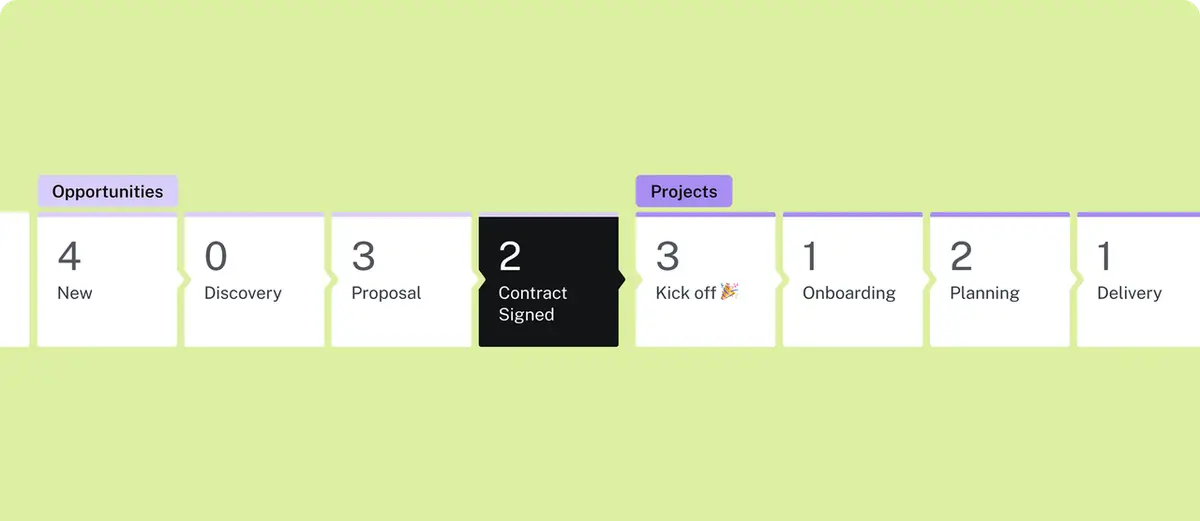
I learned this the slightly embarrassing way. I once tried to track a few clients with nothing but a tidy page and my own memory, and by the third invoice I honestly couldn't remember who had paid. A page is great at getting people in the door. It is not where you keep them organized once they're inside.
Choose by workflow complexity
The cleanest way to choose is to be honest about how complex your client process really is.
- Just collecting inquiries and occasional bookings. A simple service page with an inquiry form and a booking link is plenty.
- Inquiry, a booking page, and light follow-up. Still page-friendly. Pair the page with a dedicated scheduling tool and you're set.
- Contracts, invoices, payments, and multiple stages per client. You've outgrown a single page. This is where a suite built for solo operators, like 17hats, earns its price.
- A local service provider getting found on Google and socials. Point your Google Business Profile and your bio at one page with a clear inquiry action, then add the heavier tools only once the work actually calls for them.
Match the tool to how messy your process really is, not to whatever looks the most official. Most solo pros start simpler than they think they should.
FAQ
How do solo service providers collect inquiries online?
Usually with a structured inquiry page or lead form, shared from a bio, website, or Google listing, so prospects answer the key questions up front instead of starting a vague message thread.
What's the cheapest HoneyBook alternative?
Depends what you're counting as the job. Need contracts, invoices, and payments for real? Then the cheapest honest option is the lowest-priced full suite that still covers all three. But if you only need to take inquiries and bookings, a lightweight service page almost always costs less than a suite, since you're not paying for back-office features you'll never open. Either way, check the current pricing on each tool's own site before you decide.
What should a solo service page include before clients inquire?
Your services, a sense of price range and availability, what's included or how you work, a little proof, and one clear inquiry or booking action. For the exact features of any tool, check its official current documentation.
Can solo pros start with an inquiry page before adding client tools?
Yes. Many start with a simple inquiry page to stop losing leads, then add contracts, invoices, or a CRM later, once the client process is complex enough to actually need them.
The HoneyBook alternatives question gets a lot simpler once you separate "I need to collect inquiries" from "I need to run my whole client process." You don't need the whole suite to take your first clean inquiry. So here's your one move today: build a single page that turns every share into an action — what you offer, the three questions answered up front, and one button to inquire or book — and put its link where you already share. The contracts and invoices can wait until the inquiries are actually landing.
About this content
- Written by
- Mia Anderson, UGC Creator · Content Creator
- Reviewed by
- CueCue Team, Editorial review desk
- Last updated
- June 9, 2026
- Editorial standard
- CueCue articles are written for practical use, checked for clear sourcing, and updated when product or policy details change.