The best AI video generator for TikTok is not one universal model. It is the workflow that matches the video you need to make, gives you enough control to protect the subject or product, and produces a file you can legally and technically publish.
For a cinematic concept, model quality may dominate the decision. For TikTok Shop, reference research, product accuracy, vertical export, speed, and variant testing may matter more. This buyer's guide gives you a repeatable way to compare providers without relying on a ranking that will become stale.
Key Takeaways: Start with the job, not the model name. Test the same brief across shortlisted tools. Score product or identity consistency separately from visual appeal. Verify provider-specific model labels. Include review time, failed generations, and usable exports in the real cost.
What does best mean for your TikTok workflow?
Define the output before comparing tools. A creator speaking to camera, a stylized brand film, a product demonstration, and a remake inspired by a reference all require different controls.
Choose the primary job:
- Text to video for an original scene without a source image
- Image to video when appearance must start from an approved still
- Reference to video when motion, identity, or composition needs guidance
- Product URL to video when the workflow should extract product context
- Video editing when you already have footage to extend or revise
- Variant production when you need many controlled creative tests
The best AI video generator for TikTok should make the primary job easy without hiding the settings you need for review.
Which criteria should you compare?
Score each shortlisted provider from one to five on the same criteria. Do not use the provider's best gallery example as the benchmark; use your own representative brief and source assets.
- Input control: text, image, video, and audio references
- Subject consistency: identity, product shape, packaging, and wardrobe
- Motion quality: contact, hands, physics, and camera movement
- Audio quality: speech, ambience, effects, and synchronization
- Editing control: extension, replacement, reframing, and revision
- Export control: aspect ratio, duration, resolution, and watermark
- Rights workflow: terms, source tracking, and commercial-use clarity
- Operational fit: queue time, reliability, collaboration, and support
- Usable cost: total spend divided by outputs that pass review
ByteDance's official Seedance 2.0 launch documents multimodal references, multi-shot generation, audio, and editing capabilities. That makes it a relevant candidate when reference control matters. It does not prove that every third-party Seedance provider offers identical controls or results.
How should you compare models and platforms?
A model produces the media; a platform decides how you access it. The platform may add prompt assistance, product-page extraction, reference discovery, templates, storage, editing, publishing, and its own pricing. Compare both layers.
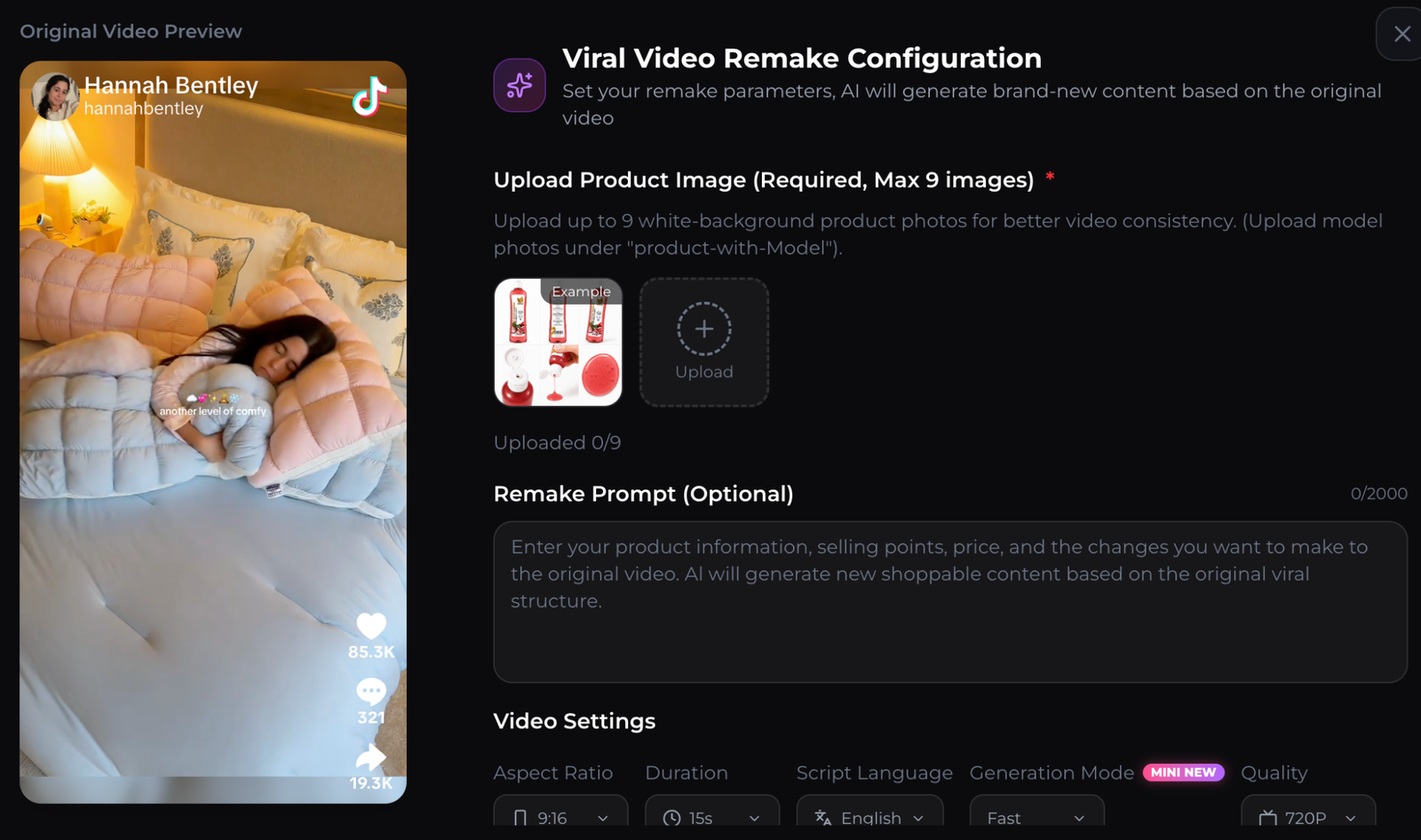
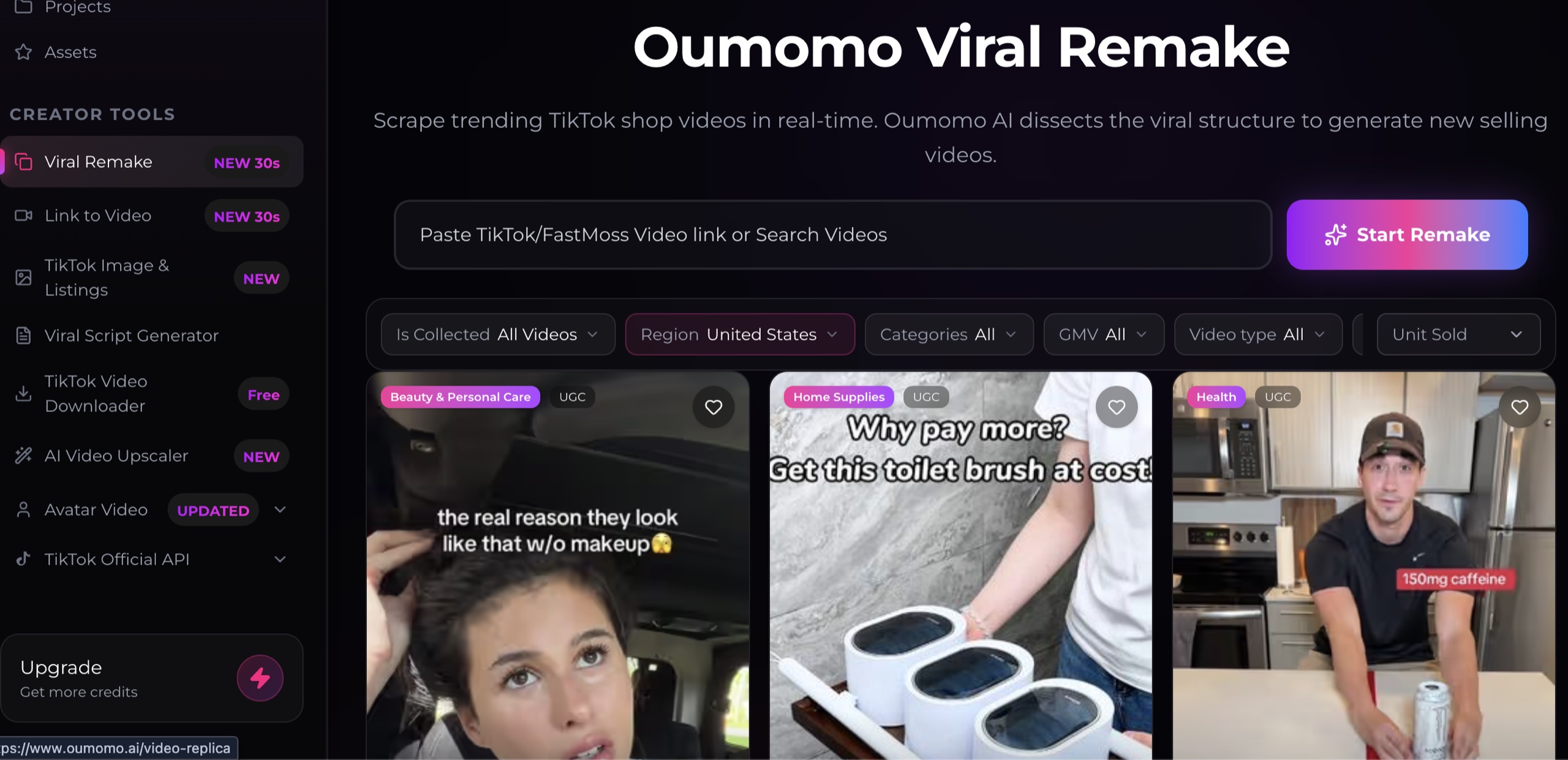
Oumomo is one platform that presents Seedance and commerce-oriented workflows in the same product. Its Viral Remake interface connects reference browsing, product images, prompts, and output controls. These are vendor-described capabilities; verify the current interface, supported models, and pricing before deciding.
Be careful with labels. ByteDance's official model pages currently document Seedance 2.0. If a provider advertises a “Mini” video tier, ask whether that is the provider's speed or cost tier, a routing choice, or a separately documented model. A familiar name is not a substitute for clear provenance.
How do you run a fair side by side test?
Create one test package and use it unchanged across providers:
- A 100-word creative brief
- The same approved reference images
- The same target duration and 9:16 format
- The same required product or character details
- The same prohibited changes
- The same audio requirement
- The same number of generations
Generate at least three attempts per provider. One lucky output is not enough to judge reliability. Record queue time, credits used, failed attempts, revision effort, and the number of outputs that pass review.
Score visual appeal only after checking accuracy. A beautiful product video with an altered label or impossible demonstration is not a usable commerce asset.
What should a TikTok ready output include?
TikTok's official ad guidance recommends vertical 9:16 video and at least 720 by 1280 pixels for the applicable format. Requirements vary by placement, so check the current TikTok specifications instead of assuming one export works everywhere.
Review these elements before upload:
- A comprehensible opening at normal phone size
- Accurate product, person, captions, and spoken claims
- Cleared music, images, footage, voices, and likenesses
- Captions placed away from interface overlays
- No watermarks or third-party marks you cannot use
- One next action that matches the landing destination
The destination can be a focused product landing page, a campaign web card, or a reusable link in bio. No generation tool can compensate for an unrelated or confusing page after the click.
How do you calculate the real cost?
Do not compare subscription prices alone. Calculate usable cost:
usable cost = total generation and editing spend / outputs approved for publishingAdd the human time spent preparing references, waiting, regenerating, correcting captions, and reviewing rights. A cheaper generation that needs many attempts can cost more than an expensive generation with a higher approval rate.
Run this calculation for your actual use case. A solo creator making four videos a month and a commerce team testing fifty hooks need different plans and operational features.
FAQ about AI video generators for TikTok
What is the best AI video generator for TikTok?
There is no universal winner. Choose based on your primary workflow, accuracy requirements, controls, rights process, export specifications, reliability, and usable cost.
Is Seedance 2.0 good for TikTok videos?
It is a relevant candidate because ByteDance documents multimodal references, multi-shot video, audio, and editing. Test the exact provider and brief you plan to use rather than relying only on model documentation.
Should I choose a model or an all in one platform?
Choose direct model access when you value low-level control or API integration. Choose a platform when its research, product input, editing, collaboration, or publishing workflow saves meaningful time.
Can a free trial identify the best tool?
It can support a first comparison if the trial lets you test the resolution, duration, references, and model settings you actually need. Confirm what changes on the paid plan.
About this content
- Written by
- CueCue, Editorial Team
- Last updated
- August 6, 2026
- Editorial standard
- CueCue articles are written for practical use, checked for clear sourcing, and updated when product or policy details change.