
By the time you finish reading this, you'll have a plan for one link you can paste into a brand's DM the second they ask "got any samples?" — three clips, your niche in a sentence, and a short form that asks your follow-up questions for you. That little gap is where most new creators lose the gig: a brand's interested, asks to see your work, and you're suddenly screenshotting your camera roll into a chat at 11pm, hoping it looks intentional. So if you're figuring out how to become a UGC creator, this is the part that matters most once people start noticing you. Here's how to build the one page that catches that interest before it cools off.
What brands need before they reply to a UGC creator
The first time a brand asked me for a media kit, I froze. My clips were scattered across three apps and a Google Drive folder I was a little embarrassed to open in front of anyone. That's when it clicked: brands aren't asking for a designed document. They're scanning for proof you can shoot the specific thing they need, fast.
So before anyone replies, they're really checking three things. What do your samples look like? What do you actually make videos about? And how do they reach you without a back-and-forth? A creator media kit can be exactly that, just on a page instead of a PDF.
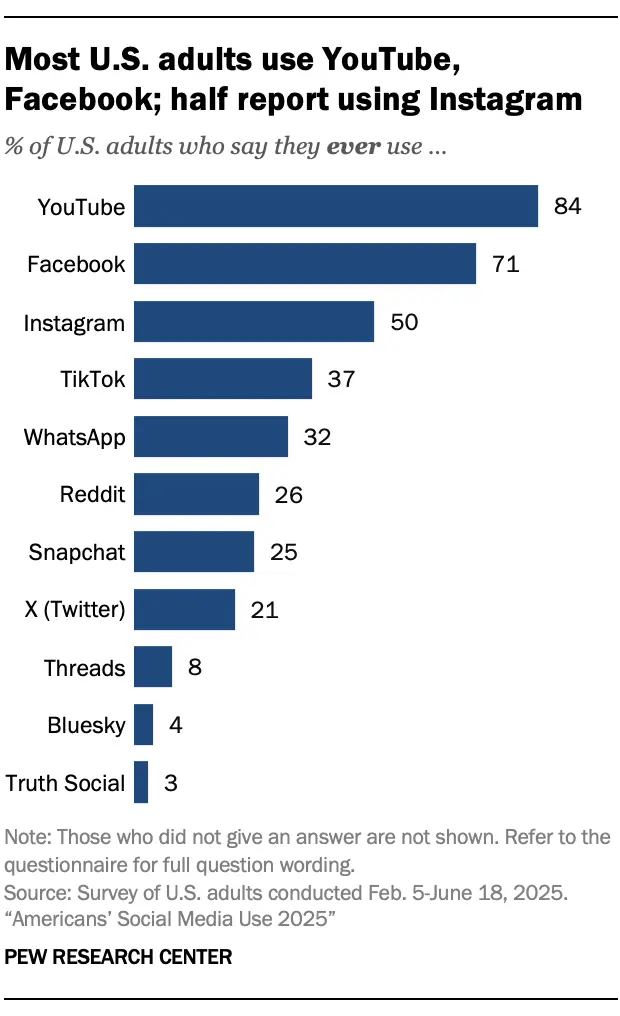
Which platform you create for matters too, because that's where their customers are. As of 2025, about half of U.S. adults use Instagram and roughly 37% use TikTok, with Instagram skewing young (around 80% of 18-to-29-year-olds). A brand selling to Gen Z wants to see you shoot for the feed those people actually scroll.
Your move here: write down those three things a brand needs to see. If your current setup doesn't show all three in one glance, that's the thing to fix first.
Build a one-page UGC profile brands can scan
You don't need a website. You need a page that loads fast and says one thing clearly. A full site is a project. A UGC portfolio that lands brand work is an afternoon.
Start from a template, not a blank page. A blank page is where most new creators stall out, rearranging fonts instead of shipping. A template hands you the structure and you just swap in your stuff.
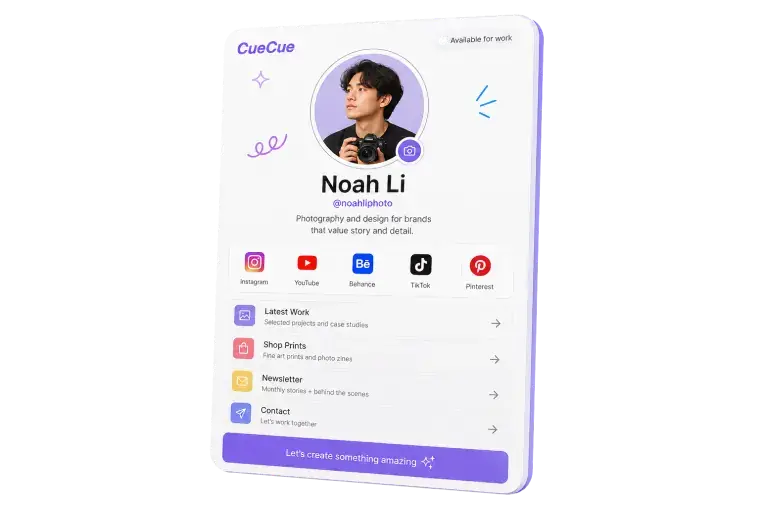
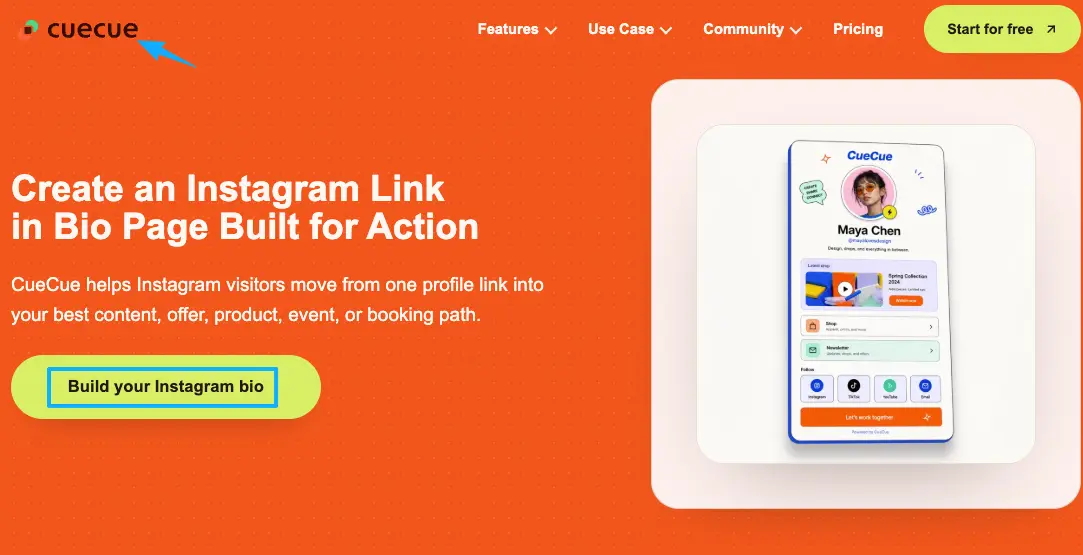
Here's an example you could build: an interactive card with your three best clips at the top, a one-line statement of what you shoot, and a short inquiry form underneath. That's the kind of action page you can make on something like CueCue without opening a website builder. Treat it as your creator landing page, the single link you hand anyone who shows interest.
Samples, niche, and inquiry path
Samples first. Put 2–4 clips up top, and make them relevant to the brands you want. If you want beauty work, lead with beauty. A great fitness video buried under unrelated content reads as "not my thing." Show the lane you're pitching for.
Niche in one line. Not a bio essay. One sentence a brand can repeat to their team: "I make short, punchy product demos for fitness and food brands." That sentence does more work than a follower count.
A clear inquiry path. This is the brand inquiry page part, and it's where most new creators leave money on the table. "DM me for rates" turns into answering the same three questions forty times a week. A short form with a few fields — budget range, timeline, platform — filters serious brands and saves you the repetitive replies. Make saying "I want to work with you" the easiest thing on the page.
Use the page in social bios and outreach
A page only works if it's the thing you actually link. Building it and then leaving your old wall of links up is the most common own-goal I see.
On Instagram, you can now add up to five links in an Instagram bio. Useful, but they show up as plain text and you can't see which one anyone taps. Pointing your bio at one focused page you control gives you something the native list can't: a single destination you can update anytime and a clear next step instead of a menu.
TikTok is stricter. To add a clickable link to a TikTok bio, you generally need 1,000 followers or a business/creator account. Until then, drop the page URL into your bio text and say "link in bio" in your captions so people know to copy it. The page is ready before TikTok lets you make it clickable.
Then use the same link everywhere else. Your pitch email, your DMs, the QR code on your laptop lid at a meetup. One link, one place for everything you want a brand to do next. When you reach out cold, that link is your proof, so you're never asking a brand to imagine your work.
Your move: replace whatever's in your bio right now with this one page, today.
Mistakes that make new creators look hard to hire
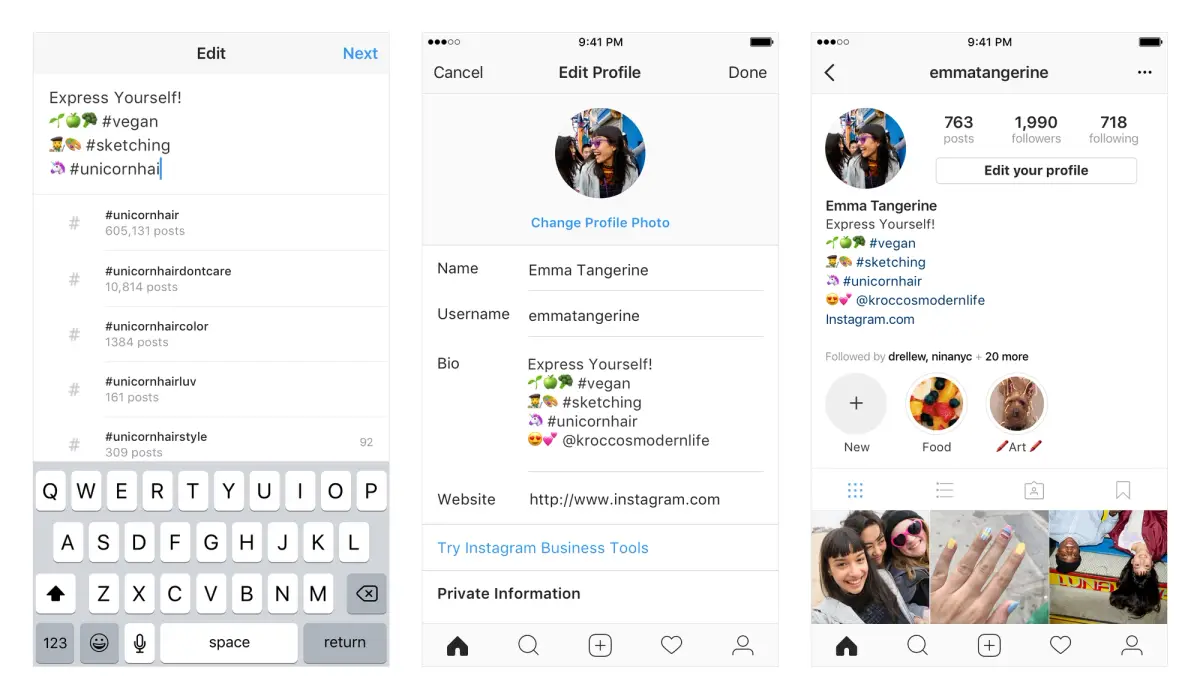
A bio crammed with everything is the first one. Instagram even lets you tag profiles and hashtags in your bio, and new creators love to fill every slot. But a wall of tags and links still doesn't tell a brand what to do. More options on the page usually means fewer decisions made on it.
The second is hiding the work. I've lost a collab to a creator whose content was honestly more ordinary than mine, because her page was instantly clear: samples, what she does, one button to book her. Mine made people hunt. Clarity beat quality that day, and it stung enough that I rebuilt everything.
The third is making yourself sound like an agency. You're a person who makes good videos. Corporate language ("end-to-end content solutions") reads as either a bot or someone overcompensating. Talk like you'd talk to a brand you actually like.
And the fourth, quietly: no way to contact you. I've seen gorgeous creator pages with zero booking path. The brand's interested, scrolls, finds nothing, leaves. Every page needs an obvious door.
If your page has any of these, fix the contact path before anything else. A plain page people can act on beats a beautiful one they can't.
What not to promise on a creator page
This is the part I'd protect new creators from most, because it's easy to oversell when you're hungry for the first yes.
Don't promise results you can't control. "My videos will get you X views" or "guaranteed engagement" sounds confident and ages badly. Brands who've worked with creators know views depend on the algorithm, the offer, the timing — things neither of you owns. Promising outcomes makes experienced brands trust you less, not more.
Don't lean on follower counts as the headline, especially early. UGC work is often about the content itself, not your reach. Plenty of brands hire creators to make videos they post on their accounts. Leading with "I have 800 followers" undersells a skill that has nothing to do with your follower number.
And don't lock in rates you'll regret. A page that screams a fixed price box you in before you know the scope. Let the inquiry come in, learn what the brand needs, then quote. Your page's job is to start the conversation, not close the deal for you.
What to do instead: show the work, state your niche, make contact easy, and let the quality carry it. That's how to become a UGC creator who looks bookable, not how to become one who looks desperate.
You're already doing the hard part: making brands stop scrolling and pay attention. What leaks that attention away is having nowhere solid to send it. So pick a template, put your three best clips, a one-line niche, and a short inquiry form on it, and get the link live tonight. That's the whole job, and you've already got the part most people never figure out.
FAQ
What does a UGC creator need to start?
Less than you think. A phone that shoots decent video, a handful of sample clips in the niche you want to work in, and one clean page to send brands to. You don't need a big following or pro gear to begin. You need work a brand can see and an easy way to reach you.
How do UGC creators show their work online?
The simplest way is a single page with your best clips at the top, a one-line description of what you make, and a contact or inquiry form. Skip the scattered Notion docs and folders of screenshots. One link you can drop in a bio, a DM, or an email does the job and looks intentional.
When should a UGC creator use a one-page portfolio?
From day one, before you feel "ready." The moment a brand might reach out is the moment you want somewhere to point them. A one-page UGC portfolio is faster to build than a website and easier to update as your work grows, so there's no reason to wait until you have a big body of work.
What should a UGC creator avoid putting on a pitch page?
Guaranteed results, fixed rates set in stone, and a wall of links with no clear next step. Avoid corporate-sounding language too. Keep it to samples, your niche, and one obvious way to get in touch. Everything else is noise that makes you harder, not easier, to hire.
About this content
- Written by
- Mia Anderson, UGC Creator · Content Creator
- Reviewed by
- CueCue Team, Editorial review desk
- Last updated
- June 5, 2026
- Editorial standard
- CueCue articles are written for practical use, checked for clear sourcing, and updated when product or policy details change.