
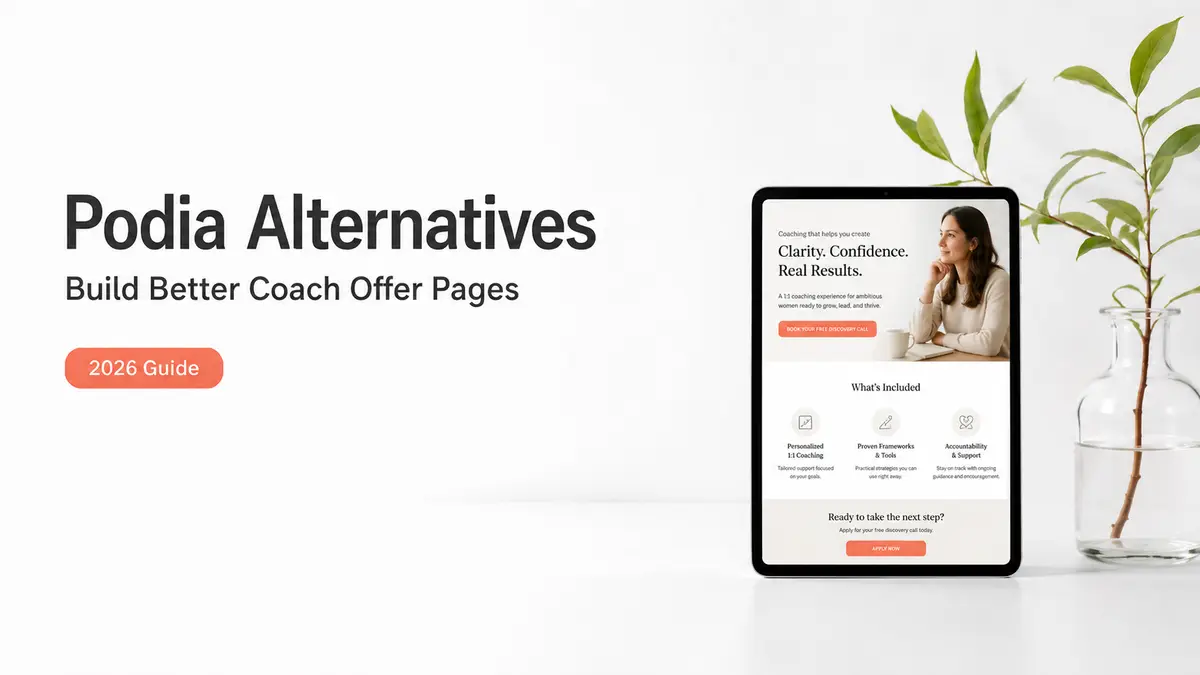
The third time a brand DM'd me the same question in one week ("wait, what's actually included, and how do we start?"), I stopped typing the answer out and built one page instead. The offer name. What's inside. Who it's for. One button to begin. The "how does this even work" messages mostly went quiet after that. If you coach, that page is the thing you're circling when you start pulling up Podia alternatives, even if the search that brought you here was about a course platform.
So let me save you the loop I ran. This walks through when a coach actually needs a full platform like Podia, and when a plain offer page does the job you were about to hire a platform for, before a half-built course sits in your dashboard for three months.

Short version, if you're skimming: got course videos to host, a membership to gate, or course payments to run? Keep a real platform on your list. Mainly need people to understand your offer and raise their hand? Start with an offer page. Most coaches I talk to need the second one first and reach for the first one way too early.
Why coaches compare Podia alternatives
Coaches land on Podia for a good reason. It bundles course hosting, checkout, email, and memberships into one dashboard, so you're not gluing five tools together. Its sales pages run the whole buy flow from page to checkout. For someone selling a self-paced course, that's real value.
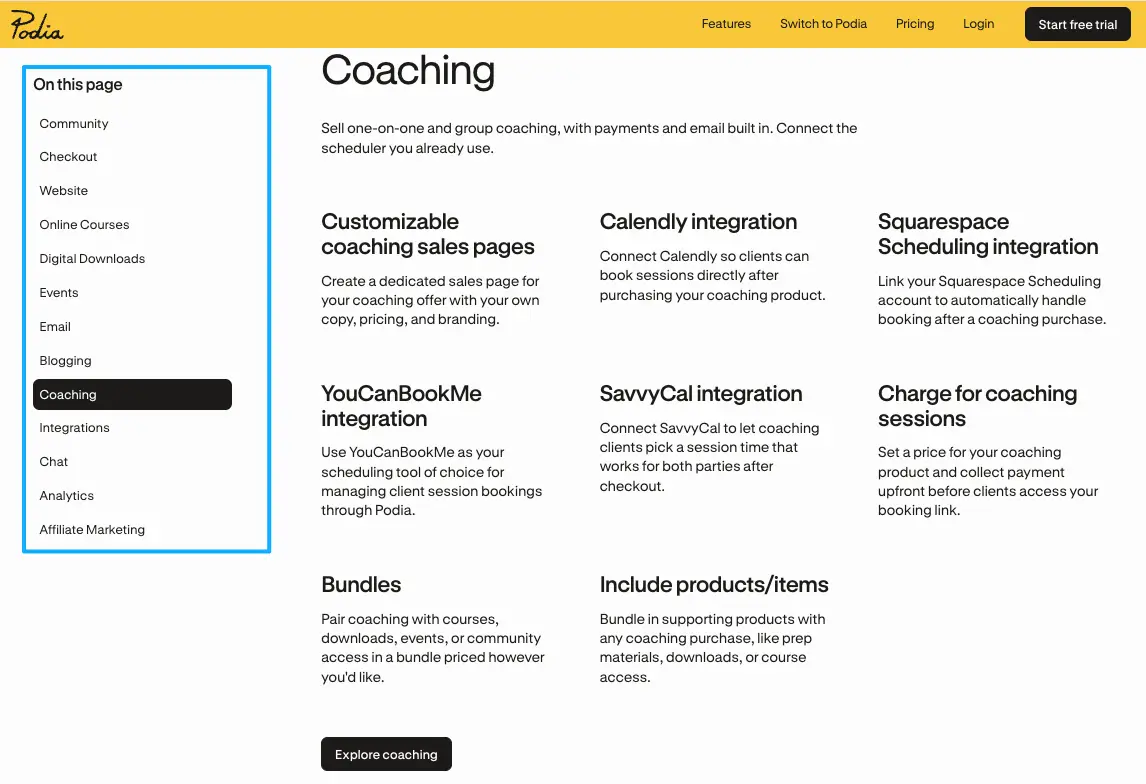
Here's where the search gets interesting. A lot of coaches typing "podia alternatives" don't have a course yet. They have an offer. One-on-one coaching, a small cohort, a strategy intensive — and they need people to find it, understand it, and book. That is a completely different job than hosting lesson videos and gating who gets in.
So the real fork isn't "which tool replaces Podia." It's whether you need a platform that holds and sells content, or a page that presents an offer and catches interest. Some podia alternatives are other full platforms, like Teachable, Thinkific, or Kajabi, for when you're genuinely hosting content. Others are just a focused offer page that does one thing well.
I went the heavy route first, by the way. Signed up for a content-and-checkout tool because it could do everything, then used about a tenth of it. The thing I actually needed was the page. Knowing which side of the fork you're on saves you a subscription you won't touch for months.
Figure out which job is in front of you this month. That answer picks your tool. Not the feature list.
Offer page vs course platform
Collecting interest vs hosting course content
A course platform's job is delivery. It hosts your videos, gates who gets access, charges them, and keeps members and emails in one place. Podia and its peers are built for exactly that. If the product is the content, you want that machinery under it.
A coach offer page has a narrower job. It explains the offer, answers the obvious questions before anyone has to ask, and gives one clear next step. The booking usually lives somewhere else. A scheduler like Calendly, where people pick a time from your booking link, handles the calendar part. The page's whole job is moving someone from "interested" to "took the next step," and nothing more.
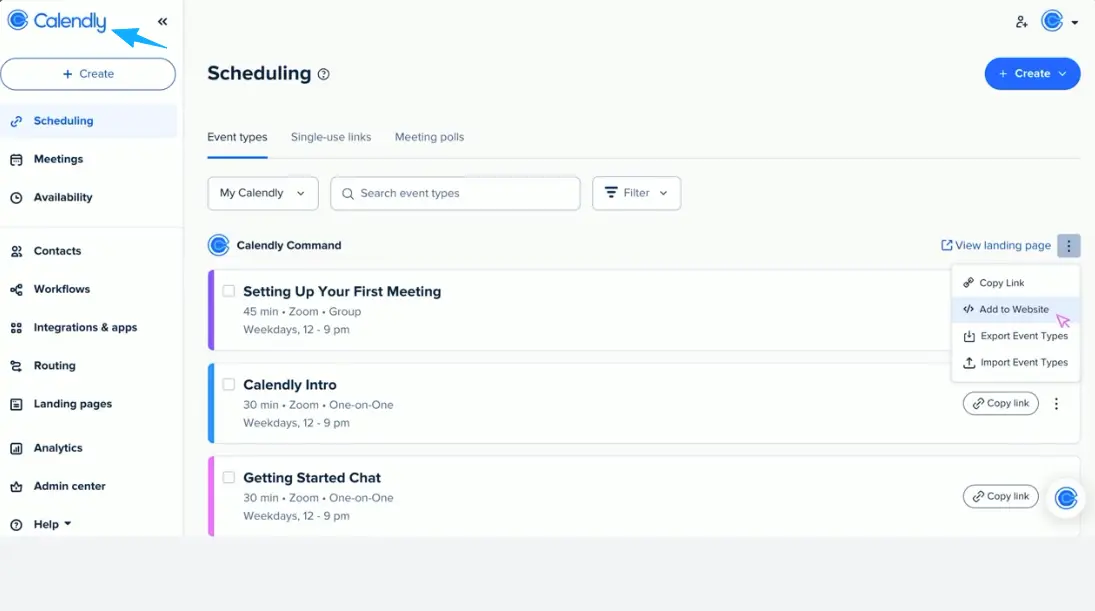
Picture two coaches. One sells a self-paced course with eight video modules and a private community: that's a platform, no question. The other sells a six-week 1:1 container and books discovery calls: that coach needs a page that explains the container and a link that books the call. Same word, "coach," totally different tool.
The mismatch I watch happen on repeat: a coach signs up for a full platform to do what a single page could do, never finds the time to build the course, and the dashboard sits half-empty while the monthly fee keeps quietly running. The page would have shipped that same afternoon.
Pick the job first. Hosting content is one tool. Presenting an offer and catching interest is another. They overlap less than the pricing tables want you to believe.
What a coach offer page should include
When I rebuilt mine, I cut it down to the things people kept asking for, nothing else. A good course creator landing page for a coach is short and answers fast:
- The offer name and a one-line outcome. What changes for the person who says yes?
- Who it's for. And, just as useful, who it's not for.
- What's included: format, number of sessions, rough timeline. Present it. Don't gate it behind a signup.
- One real proof point if you've got it. A result, a testimonial. Never invented.
- A single next step: an inquiry form, or a book-a-call link.
That last line is where most pages leak. Five buttons is not a next step. One is.
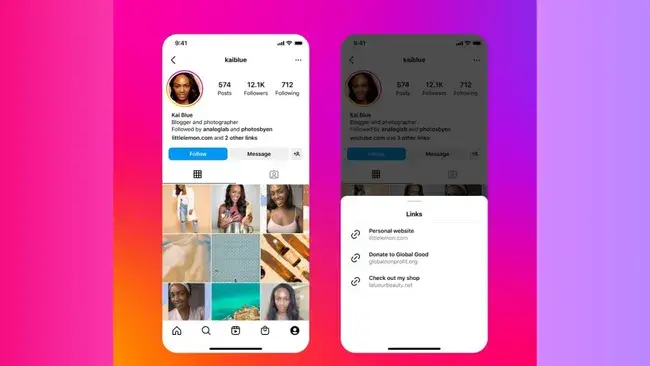
That next step doubles as your lead capture page. A short form with two or three fields, like name, what they want, and timeline, tells you more than a stack of links ever will. The most common mistake I see is a beautiful page that ends in "DM me," which means you'll answer the same three questions forty times instead of reading them off a form. Put the questions on the page. Then share that one page where people already are, like the link in your Instagram bio, which now holds more than a single URL.
Here's an example you could build: one CueCue card that holds the offer details, a three-field inquiry form, and a button to your Calendly, while any actual course content and payments stay on whatever platform you choose. The card is the front door. It's not the classroom, and it isn't trying to be.
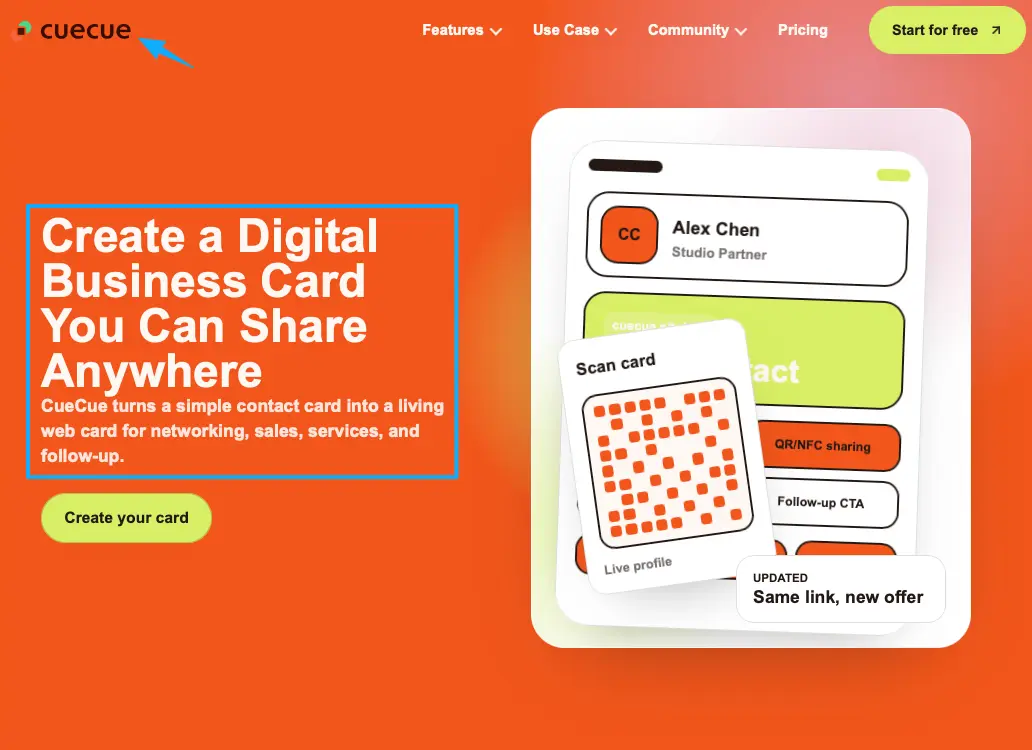
Write your five lines first. The page comes together fast once the words are settled.
When Podia-style platforms are still needed
I'm not going to pretend an offer page does everything. It doesn't, and selling it that way would be dishonest.
If you're selling a self-paced course, you need somewhere to host the videos and gate access by purchase. If you're running a paid membership or community, you need recurring billing and member management. If you're processing payments and delivering a digital product the moment someone buys, that's platform territory. Podia covers it. So does Teachable, built to host and sell courses. So do Thinkific and Kajabi. Those are the podia alternatives that genuinely stand in for Podia. A plain offer page will not do any of that, and you shouldn't ask it to.
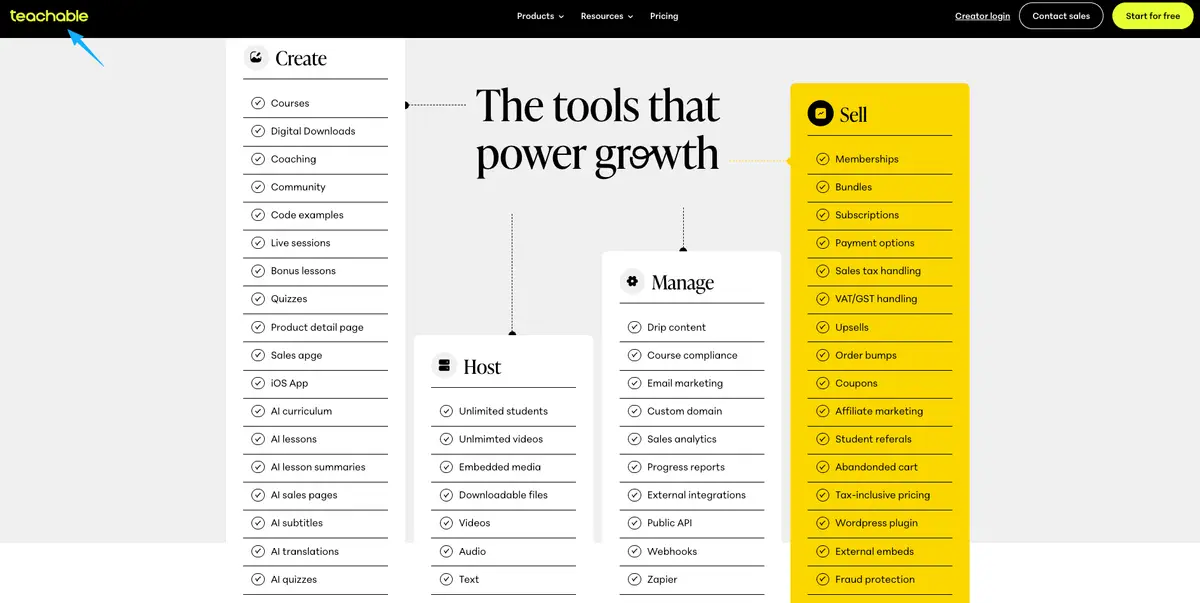
The point was never to dodge those tools. It's the order you reach for them. The offer page can sit in front of the platform: the page presents the creator offer and captures interest, the platform hosts and delivers the thing people bought. Validate on a page, then build the course on a platform once people are actually paying.
So if you've got content to host and sell right now, keep a real platform on your shortlist. The offer page just becomes its front door instead of its replacement.
Decision guide for coaches
You don't need a spreadsheet for this. A few honest answers sort it out:
- Do you have course content to host and deliver this month? Platform.
- Mainly need people to understand the offer and raise their hand? Offer page, first.
- Selling 1:1 coaching or discovery calls? An offer page plus a scheduler is usually plenty.
- Running a paid community or a self-paced course? Platform.
- Not even sure the offer will sell yet? Offer page, to test real interest before you commit to building anything.
The trap is reaching for the heaviest tool because it can do the most. That logic feels responsible and quietly stalls you for a season. Start with the tool that matches your next thirty days instead. You can always add the platform once the course is real and people are lined up for it.
You don't need more platform than your offer needs yet. You need the one page that turns every share into an action — every bio click, every DM, every QR scan, pointed at one next step. So write your five lines, build that page, and point your next "how do I work with you" straight at it.
FAQ
What is a Podia alternative?
Depends entirely on the job. For hosting and selling course content, a Podia alternative is another full platform, like Teachable, Thinkific, or Kajabi. For presenting your offer and collecting interest, it's a simple offer page. Plenty of coaches searching podia alternatives actually need that second kind well before the first.
How do coaches present an offer page?
One page, five things: the offer and its outcome, who it's for, what's included, one honest proof point, and a single next step like an inquiry form or a booking link. Then it goes where people already are — usually the link in your bio.
When is a course platform still needed?
Whenever delivery is the product. Hosting course videos, gating a membership, running recurring payments, managing a community: that's platform work no offer page can cover. Check each tool's current official documentation for exactly what's included before you decide.
When should coaches start with a simple landing page?
Early, honestly. If you're validating a new offer, selling 1:1 coaching, or just not ready to build a course, a simple landing page lets people understand the offer and act on it without you standing up a whole platform first.
About this content
- Written by
- Mia Anderson, UGC Creator · Content Creator
- Reviewed by
- CueCue Team, Editorial review desk
- Last updated
- June 11, 2026
- Editorial standard
- CueCue articles are written for practical use, checked for clear sourcing, and updated when product or policy details change.