
Mia here. For months my Instagram bio said "DM me for rates," and I answered the same three questions about forty times a week. Budget. Turnaround. Whether I shipped product. I set it up that way, so the mess was mine to clean up. A quiz lead magnet would've filtered those people before they ever hit my inbox. I'd have known what each one was actually after before I typed a word back. That's the whole pitch. By the end you'll have a few concrete quiz ideas you could run from a bio link or a campaign page, plus the checks that keep the lead part honest.
What a quiz lead magnet is
It's a short set of questions someone answers in exchange for a result, while you collect their contact details somewhere in the flow. The result is the reward. The email is the trade.
Think of it as the difference between a sign that reads "join my list" and a door that asks one friendly question first. People answer questions. They scroll right past sign-up boxes. That small gap in behavior is the entire reason a quiz tends to pull better than a flat opt-in for a lot of creators.
The mechanics are old. Magazines ran "what kind of traveler are you" quizzes for decades before any of this was digital. What changed is where the answers go. They can drop straight into your email tool now, tagged by exactly what the person picked, so a lead shows up already sorted instead of as a blank name you have to decode later. Nielsen Norman Group calls the step-by-step version of this a wizard: each screen can hinge on the one before it, and the person just keeps tapping next.
One thing to keep straight from the start. A quiz is the hook, not the home. It still needs a page to live on and a place for the email to land.
Quiz lead magnet ideas by creator goal
The right quiz hangs on what you want the person to do afterward, not on how clever your questions are. So pick the goal first. Here are three that map cleanly onto the work creators and coaches are already doing every week.
Coaching fit

If you sell coaching or consulting, build a quiz that tells someone whether they're ready for it. Something like "which stage are you in?" Three or four questions, then a result like "you're in the build phase, here's what to focus on next." Anyone who finishes is pre-qualified, and you find out where each one's stuck before the first call even happens. That one thing is what quietly killed off most of my repeat DM questions.
Product recommendation
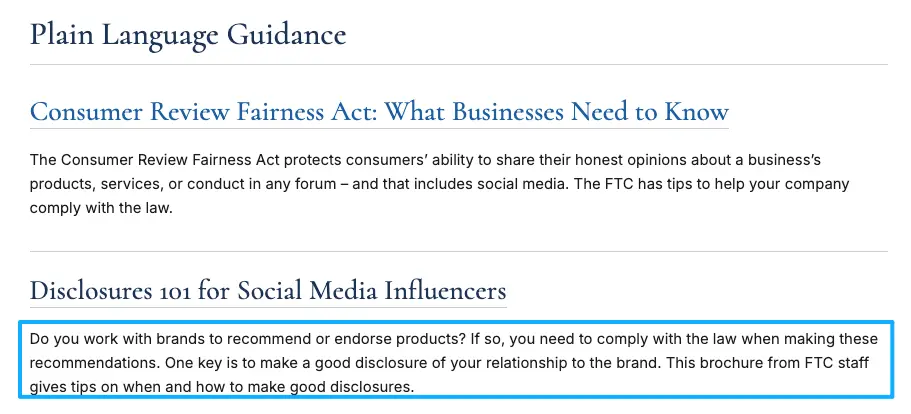
Selling presets, templates, or a small product line? A "find your match" quiz routes people to the right one and captures the email so you can send it. If your quiz recommends anything you're paid to promote or have an affiliate tie to, disclose that inside the result itself, not in a buried footer nobody reads. The FTC's endorsement guidance is blunt about this: the disclosure has to sit with the recommendation, in plain language, where people will actually see it before they act on what you suggested.
Event interest
Running a workshop or a cohort? A quiz like "is this workshop right for you?" doubles as interest collection. You find out who's warm, what they want covered, and you walk away with their email for the invite. This is creator lead capture and quick audience research happening in the same thirty seconds.
Lead capture flow after the quiz
The quiz is the easy part. The flow after it is where leads quietly leak out the bottom.
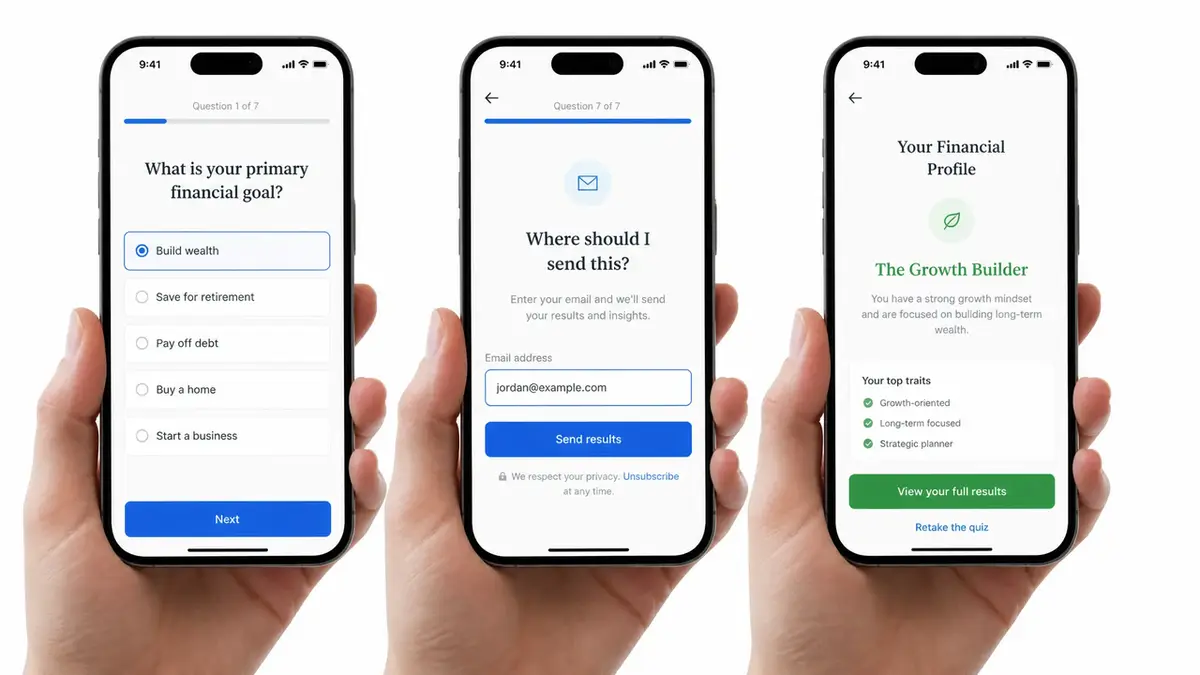
This is the sequence that works for me. Question screens first, kept light and fast. The email ask lands right before the result, framed as a simple "where should I send this?" instead of a cold sign-up wall. Then the result page, which is also your very first pitch. Then a tagged contact in your email tool, so your follow-up can speak to whatever that person actually picked rather than blasting everyone the same thing.
Two failure points show up again and again. One, asking for the email too early, before the person has invested anything and has a reason to hand it over. Two, a result page that just says "thanks" and dead-ends. The result is your best real estate. Put one next step on it. One.
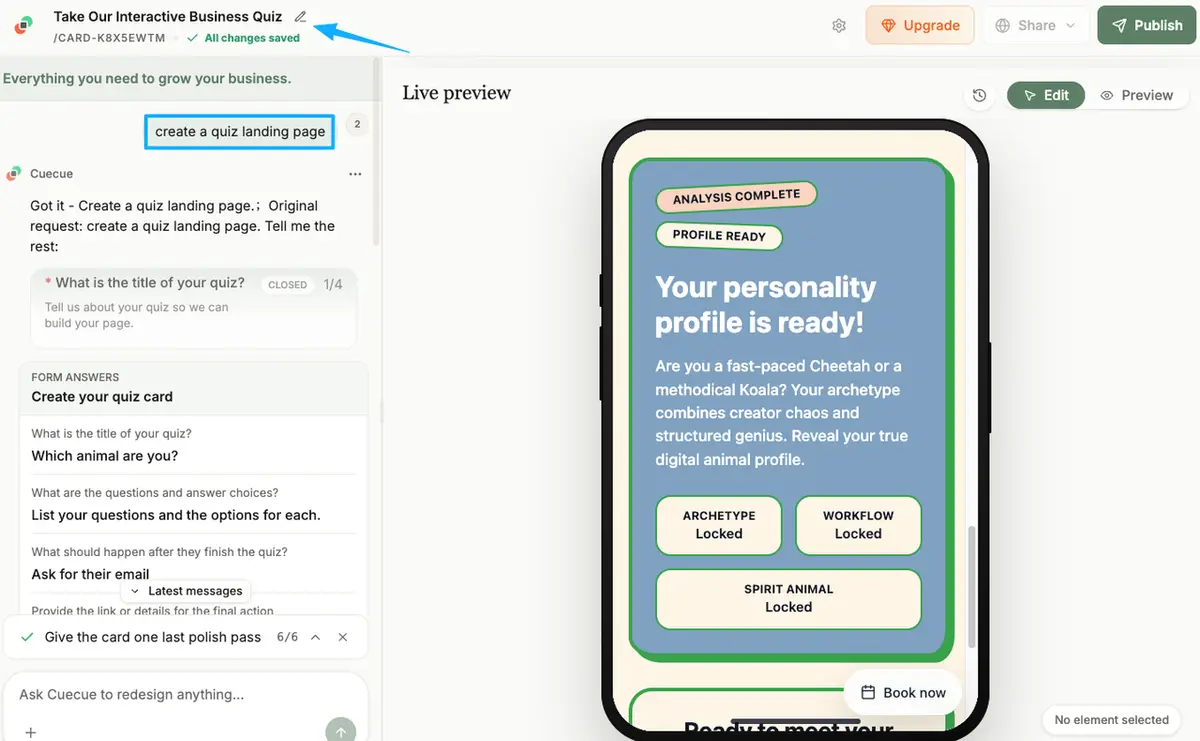
All of this has to sit on a quiz landing page that loads fast on a phone, since most of your traffic is arriving from a bio link or a story. Here's an example you could build: the destination page holding the form and the lead capture can run on a card tool like CueCue, using its form and lead-capture modules, with the quiz result sending people there. Just check whether your tool actually offers a quiz or multi-step format before you commit, because not every card builder handles that part. Check whether your tool actually offers a quiz or multi-step format before you commit to the idea, because not every card builder handles that part.
When a simple lead form is better
A quiz is not always the right call. Sometimes it's just friction wearing a fun hat.
If your offer is obvious and your audience already knows what they want, a quiz adds steps for no payoff. A photographer whose followers mostly want pricing and a date doesn't need a personality test. They need a name, an email, a date, in that order. A plain short form converts better in that situation, and the research on form length backs it up: fewer fields, more finishes, especially on a phone.
So use a quiz when the value is in the sorting. Use an interactive lead form, or even a flat one, when the value is in the speed and there's nothing to sort. If you can't name what the quiz teaches you or your reader, skip it and ship the simple version this week.
Feature and policy checks before publishing
Before any quiz goes live, walk three checks. Boring, but this is the part that bites people months later.
Consent. Adding quiz-takers to an email list? Then you usually need a clear opt-in, not a pre-ticked box that decides "yes" for someone. The rules vary country to country, and they shift, so treat your platform's settings and your own region's regulator as the source of truth, not some blog post. The UK's ICO has plain-language consent guidance that works as a decent model even if you're somewhere else, but for your own region, always check the current official documentation.
Data. Know where the quiz answers go, whether you can export them, and how someone asks to be removed from your list. If you can't answer those three, don't start collecting the data yet.
Platform support. Confirm your card or page tool genuinely handles the quiz format and the lead capture you're planning, and read its latest help docs rather than assuming a feature exists. Features and policies move, and last year's tutorial is not proof it still works the way it did.
One quiz, not a funnel
You don't need a seven-stage funnel and a spreadsheet to babysit it. What you need is one quiz lead magnet that sorts the right people toward the single thing you actually want them doing. That's what turns a share into an action, instead of one more click that leads nowhere and leaves you guessing. Build that one. Build that one.
FAQ
What is a quiz lead magnet?
A short set of questions that hands the person a result and hands you their contact details in exchange. The result is the value they walk away with. You get a lead that's already tagged by what they answered, which is a far warmer starting point than a cold name dropped on a list.
How do creators use quizzes for leads?
Usually as the front of a flow: questions, an email ask framed as "where do I send this," a result page, then a tagged follow-up. Coaches lean on them to qualify. Sellers use them to recommend a product. Event hosts use them to gauge interest before they open the doors.
When is a simple lead form better than a quiz?
Whenever speed beats sorting. If your audience already knows what they want and your offer is clear, extra questions just cost you finishers for nothing. A short form with a name, an email, and one detail will out-work a clever quiz that nobody completes.
What should creators check before using quiz data?
Three things: how consent is captured, where the data lives and whether you can export or delete it, and whether your platform supports the format. Rules on consent and data differ by region and get updated, so check your platform's settings and your local official documentation before you publish, not after a problem shows up.
About this content
- Written by
- Mia Anderson, UGC Creator · Content Creator
- Reviewed by
- CueCue Team, Editorial review desk
- Last updated
- June 23, 2026
- Editorial standard
- CueCue articles are written for practical use, checked for clear sourcing, and updated when product or policy details change.