
How many of the people you actually talked to at your last trade show did you follow up with afterward?
For most exhibitors there's a painful gap between those two numbers. At a creator meetup last year I gave up swapping handles at the door, because everyone fat-fingers them. I stuck a QR code on the front of my laptop instead, and it opened one tiny page with a spot to drop a name and email. The booths around me were still stacking business cards they'd never type up.
This is the trade show lead form template version of that fix. A QR a visitor scans. A short page that catches the contact. A follow-up you can actually send before they forget you.
Why a trade show lead form template needs a fast flow
At a booth you have seconds, not minutes. Someone's curious, the next person is already hovering, and a long form burns the moment. The flow has to be quick enough to finish mid-conversation: point the camera, tap a few fields, done.
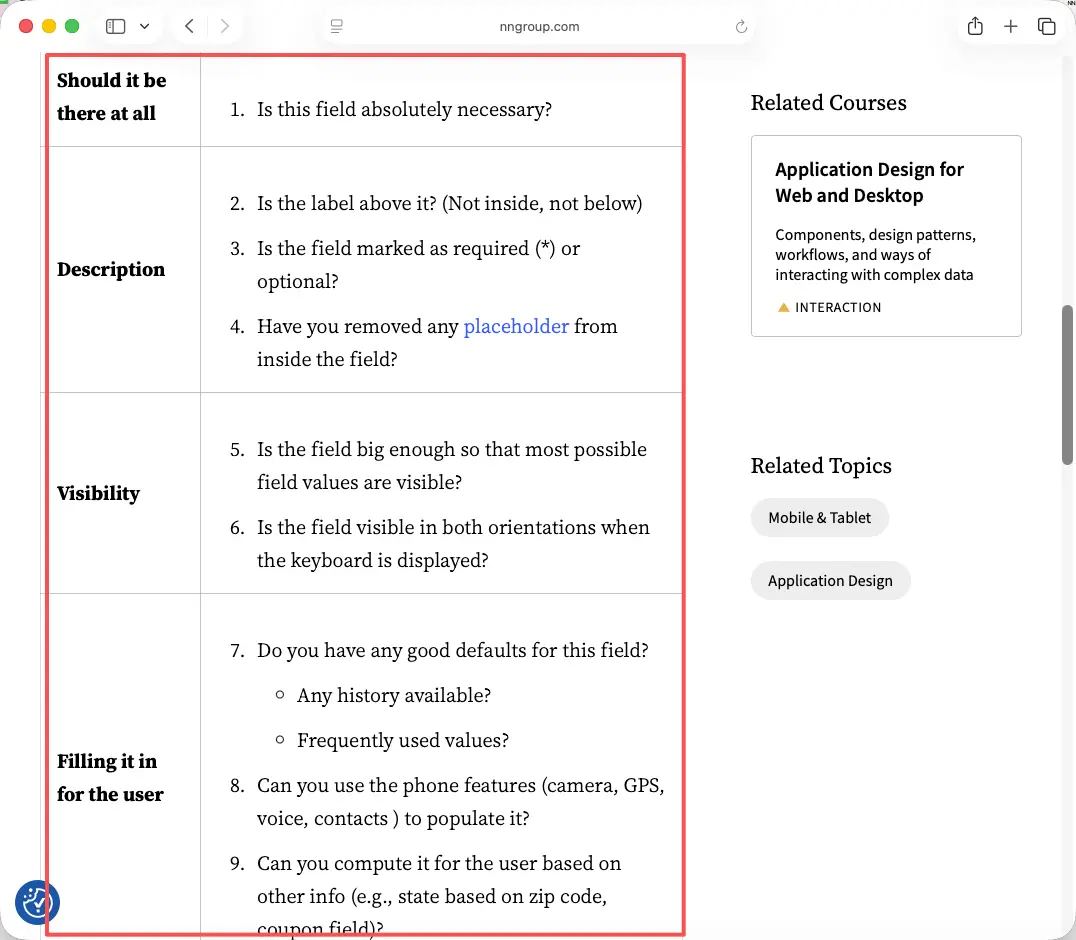
That speed comes from cutting, not adding. Every extra question is one more reason for a busy visitor to hand the phone back half-finished. Mobile input is fiddly even on a good day, so the rules that make a form fast on a small screen are worth following closely. The mobile input usability checklist from Nielsen Norman Group is a solid reference for the small stuff that quietly trips people up. A page that stalls for a few seconds, or a field that fights the keyboard, and the visitor just hands the phone back. They won't re-scan. You get one shot per conversation, so spend it on a form that loads clean and asks little.
So build for the thumb, in line, with the next person watching. If your form can't be finished while you're still talking, it's too long. Trim it.
Simple trade show lead form template
The form has one job. Catch enough to follow up well, and nothing else. A bloated event lead capture screen at a booth is where good conversations go to die.
Contact, lead intent, and follow-up preference
Three small parts, and that's really it.
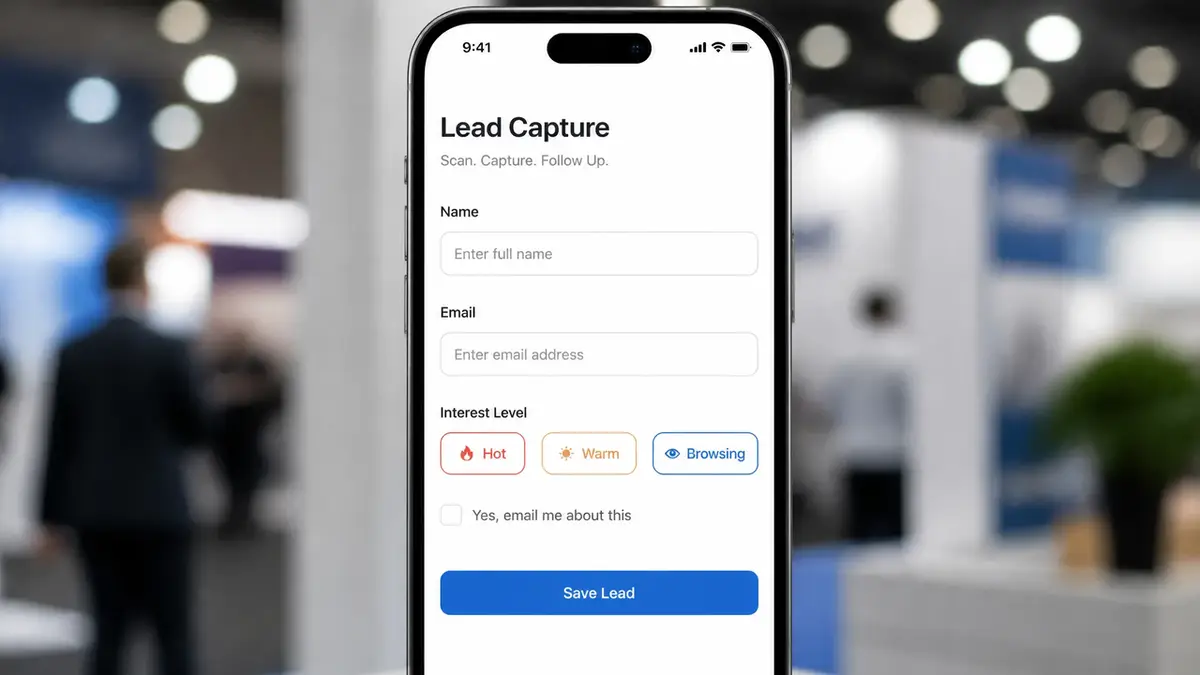
Contact. Name and email, or name and phone if your follow-up is a call. This is the spine of the whole thing. Don't ask for a mailing address you'll never post anything to.
Lead intent. One quick field that tells future-you why this person mattered. Which product they asked about. Hot, warm, or just-browsing. A two-button choice or a tiny dropdown does it. This is the field that lets you chase the right people first when you're staring at a list on Monday.
Follow-up preference. A single, unticked checkbox: "Yes, email me about this." That box is your permission to reach out later, and it carries real weight once the show's over. Treat it as part of the form, not an afterthought stuck at the bottom.
That's the whole trade show form. Swap the intent options for your booth, keep it to those three parts, and resist the urge to bolt on more.
One note on the intent field. Make the options match how you'll sort leads later, not how your catalog is organized. "Ready to buy," "wants a demo," and "just curious" will serve you better than a list of fifteen product names, because at the booth you're tapping fast and your thumb wants the obvious choice.
Build the QR-to-mobile-page path
A QR code lead form is only as good as where the code points. Send people to your homepage and they land on a menu, not a form. The QR has to open one focused mobile lead page that shows the form first.
Here's the path, start to finish. Build the page with the form on it. Generate a QR code that points straight at that page's link. Then put the code where hands and eyes already are: the table tablet, the banner, a card by the samples, even the back of your own badge. Make it big. A tiny code on a glossy banner under hall lights is one nobody scans, so size it up and add a short prompt beside it, like "Scan for the deck" or "Scan to get the show offer," so people know what they're getting before they bother to lift their phone.
Test it on a real phone before you ever leave for the show. Bad hall lighting. A thumb that's been shaking hands all day. If the page is slow or the form sits below a wall of text, fix that now, not at the booth.
You don't need a real website behind that QR. A single shareable page does the job, and the form lives right inside it instead of one tap away on some other URL.
Keep it to one code, not five scattered around the booth. One destination. One form. No second-guessing about which thing to scan. And have a plan for dead signal, because big halls eat connections. Keep a few paper cards in your pocket as a backup, then type those handful in yourself that night.
After the form submission
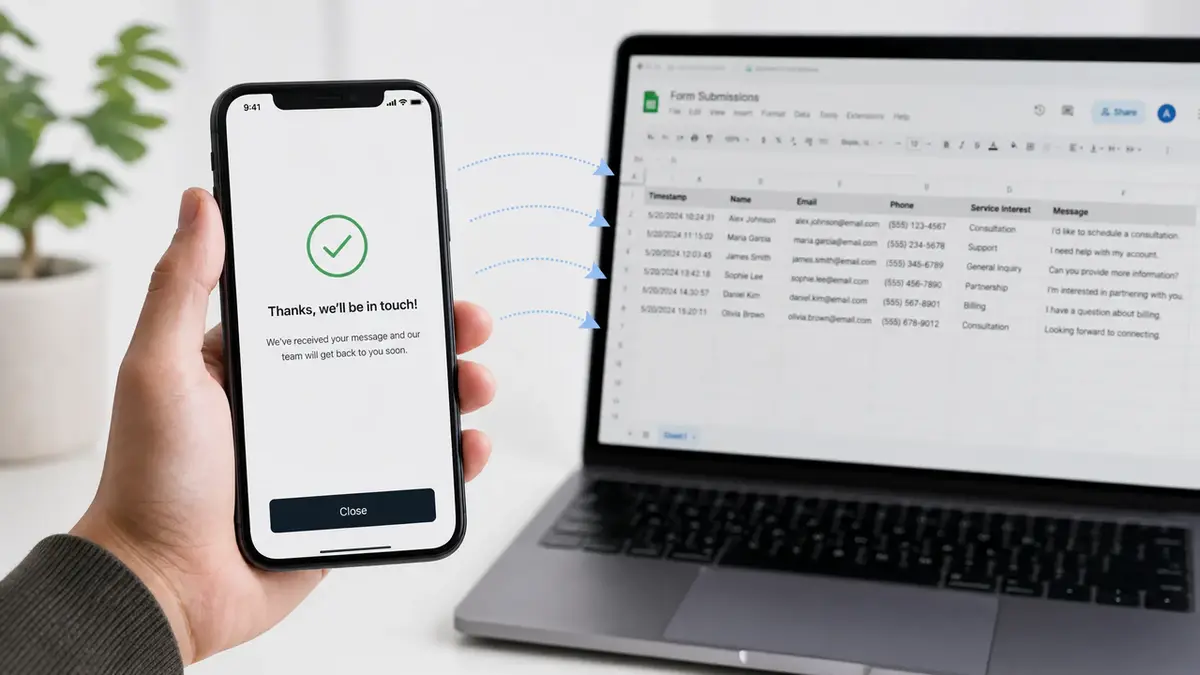
The second someone hits send, two things should happen at once. They see a clear "thanks, we'll be in touch." And the lead lands somewhere you'll actually work it.
Don't let those contacts sit inside the form tool until the dust settles. Pull them into wherever you run follow-up. Most form tools let you send responses to a spreadsheet you own, which you can then import into your CRM or just work straight from. The point is that the data is yours and it's portable.
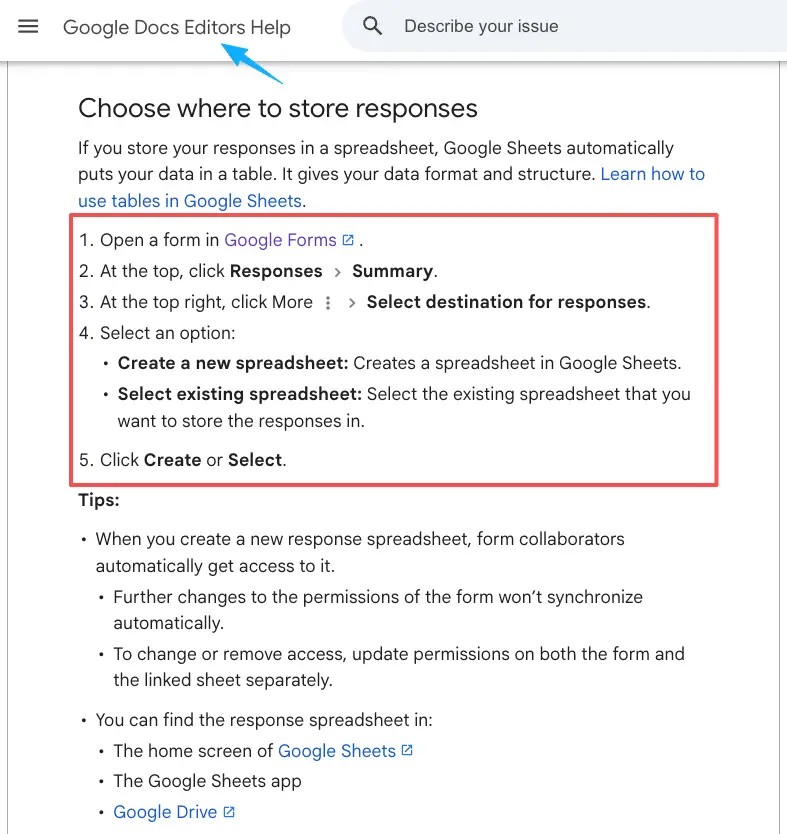
Then move fast. The follow-up that goes out a day or two after the show, while your booth is still a fresh memory, beats the one that arrives three weeks later by a mile. Write the email before you go, leave a blank for the one detail you'll remember about each person, and send. Tag every lead with the show name, too. Every single time. Next quarter, when someone asks which event was actually worth the booth fee, you'll have an answer instead of a shrug.
Write the actual follow-up email before the show even starts. A short hello, a line about what you talked about, one clear next step. At the booth you just fill the blank. The night you get home, you hit send. Prep beats memory, and that small bit of prep is the gap between a list that turns into meetings and a list that turns into nothing.
Privacy and data handling checks
You're collecting personal information from strangers at a booth, so a few checks keep this clean and out of trouble.
Consent comes first. That follow-up checkbox isn't decoration. For it to count, the yes has to be freely given and specific, which is what the ICO means by valid consent under data protection rules. Pre-ticked boxes don't cut it.
Be upfront, too. One plain line on the form about what you'll do with their details, who you are, and that they can opt out later does more for trust than the fanciest scanner. People hand over a real email when they can see what's coming next.
Then the email itself. Following up with a lead you scanned still has to play by anti-spam rules, and in the US the CAN-SPAM rules apply even to business email, with a clear way to opt out in every message.
Two more habits. Collect only what you'll use, so you're not sitting on phone numbers you never call. And remember that big shows pull international visitors, so the rules can shift by country. Check the current official guidance for the regions your visitors and your data live in rather than guessing from what the booth next door is doing.
You've got this
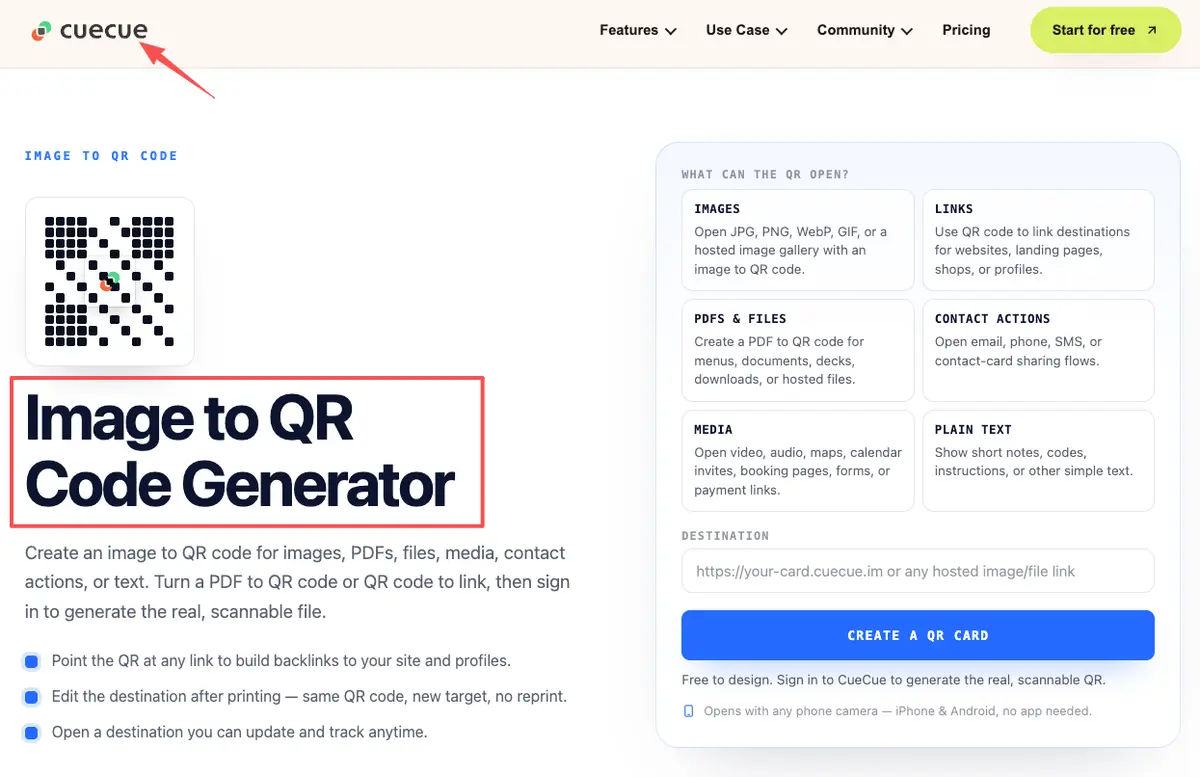
You already did the hard part. You stood at the booth and got people talking. Don't let those conversations dry up in a pile of cards on your kitchen table. Build one short form, point a QR at it, set up the follow-up before you go, and you'll be reaching out while the show is still fresh in their minds. Here's an example you could build: a tool like CueCue lets you put the form on one scannable card, so the QR and the page are the same thing. No full website needed. Just the one page that turns a scan into a real conversation.
FAQ
What is a trade show lead form?
The short capture form an exhibitor uses to turn a booth chat into a contact worth following up. Name, a note on what they wanted, and permission to email. It lives on a page that a QR points to, instead of a clipboard you have to transcribe later.
How do QR code lead forms work at events?
Point a phone camera at the code, and your mobile page opens. They fill in a few fields, the response lands in your results, and that's it. No app to download, no URL to type. The one thing that breaks it: a QR that opens a generic site instead of going straight to the form's page.
When is a mobile lead page better than paper forms?
Almost always at a busy booth. Paper has to be typed up later, picks up coffee rings, and loses the visitor's intent by the time you're home. A mobile lead page captures it cleanly and stamps the time. Paper only wins if your venue genuinely has no signal, so keep a small backup either way.
What privacy rules should exhibitors check?
Consent to follow up, anti-spam rules for the emails you send, and collecting only what you need. These vary by country and change over time, so check the official documentation and current guidance for the regions your visitors come from rather than copying someone else's setup.
About this content
- Written by
- Mia Anderson, UGC Creator · Content Creator
- Reviewed by
- CueCue Team, Editorial review desk
- Last updated
- June 22, 2026
- Editorial standard
- CueCue articles are written for practical use, checked for clear sourcing, and updated when product or policy details change.