
My first "creator page" was a Notion doc. I'd dig the link out of old DMs every time a brand asked for it. One time I sent the wrong version: last season's rates, a dead collab link, a pinned video I'd already deleted. Not a great look when someone's deciding whether to work with you.
That mess is what a football creator hub fixes. When your match content is pulling in new eyes, the worst setup is your videos, your fan group, your merch, and your brand emails all living in five different places. This walks through what goes on one hub page, how to stop traffic leaking between platforms, and where to keep it light.
What a football creator hub should organize
Think of the hub as your home base, not your whole house. It's the one page you point everything at, so a new viewer can find what matters without hunting.
A good creator landing page pulls together a handful of things you're already juggling. Your latest content. The place fans gather. Whatever you're selling. And a clear way for brands to reach you. That's it. The hub's whole job is to take a scattered set of links and give them one address.
Here's the reframe that took me too long to get. The goal isn't to show everything you do. It's to make the next step obvious for whoever just landed. A fan wants the group. A brand wants your inbox. The same page can serve both if you lay it out with intent.
Core sections for World Cup creator traffic
The World Cup 2026 is running across the US, Canada, and Mexico right now, and football content is getting a spike of attention it doesn't usually see. New people are finding your reactions, your analysis, your match-day clips. A hub catches that surge and gives it somewhere to go. Three sections do most of the work.
Latest videos and featured content
Lead with what you're posting this week. Not a static "about me" block.
During a tournament, your freshest reaction or breakdown is the thing people came for. Put it up top. Link a playlist of your tournament coverage so someone who liked one clip can binge the rest. Keep this section short and rotate it often, because nothing says "inactive" like a featured video from three matches ago.
Fan group and newsletter links
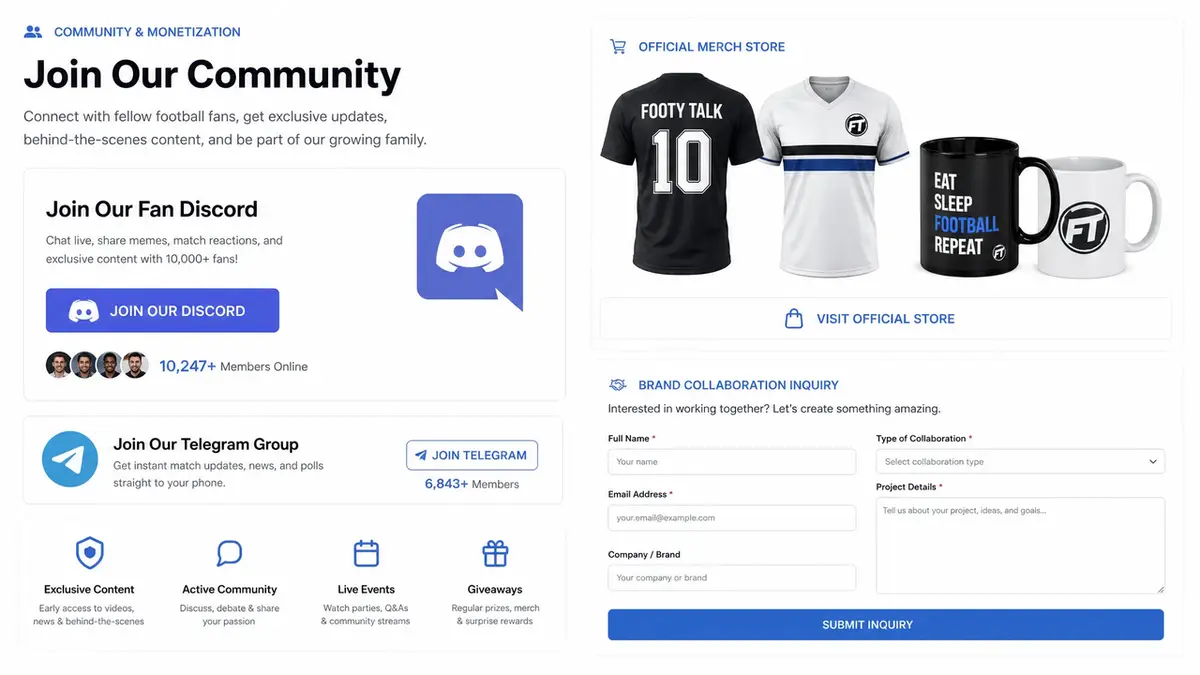
This is where casual viewers become a community you actually own. A fan group, a Discord, a newsletter signup: pick the one place you want people to gather and make it prominent.
The why matters here. Platform reach comes and goes. A fan group and an email list are yours, and they're how you reach people again after the tournament hype fades. Give that link real estate, not a footnote.
Merch, offers, and sponsor contact
Two different jobs share this block. One is selling. One is getting hired.
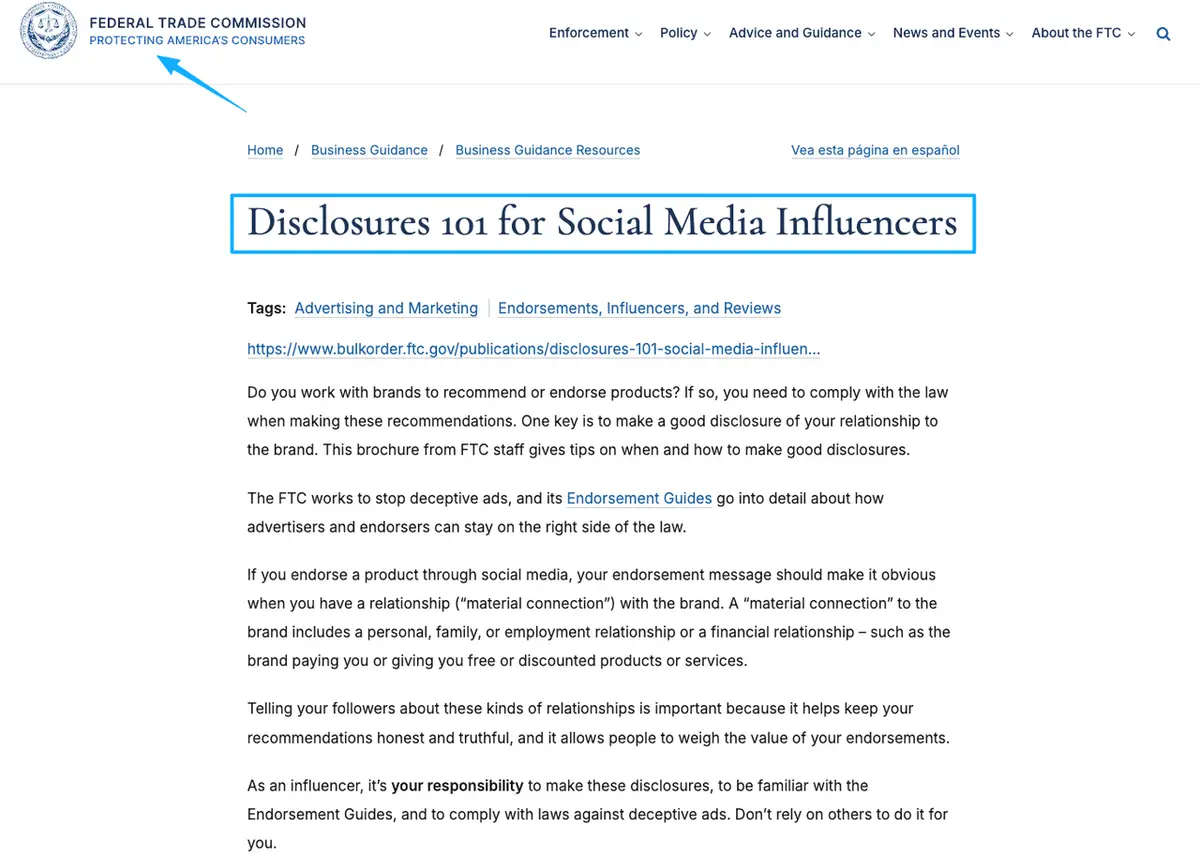
For merch, link out to wherever you actually sell. A hub is a front door to your merch page, not a replacement for a real store with checkout and inventory. For brand work, give sponsors a clean way in: a short inquiry form or a contact button beats "DM me" buried in a comment. If you ever post a paid partnership on the page, disclose it. The FTC's disclosure guidance covers doing that in plain language, placed where people will actually see it.
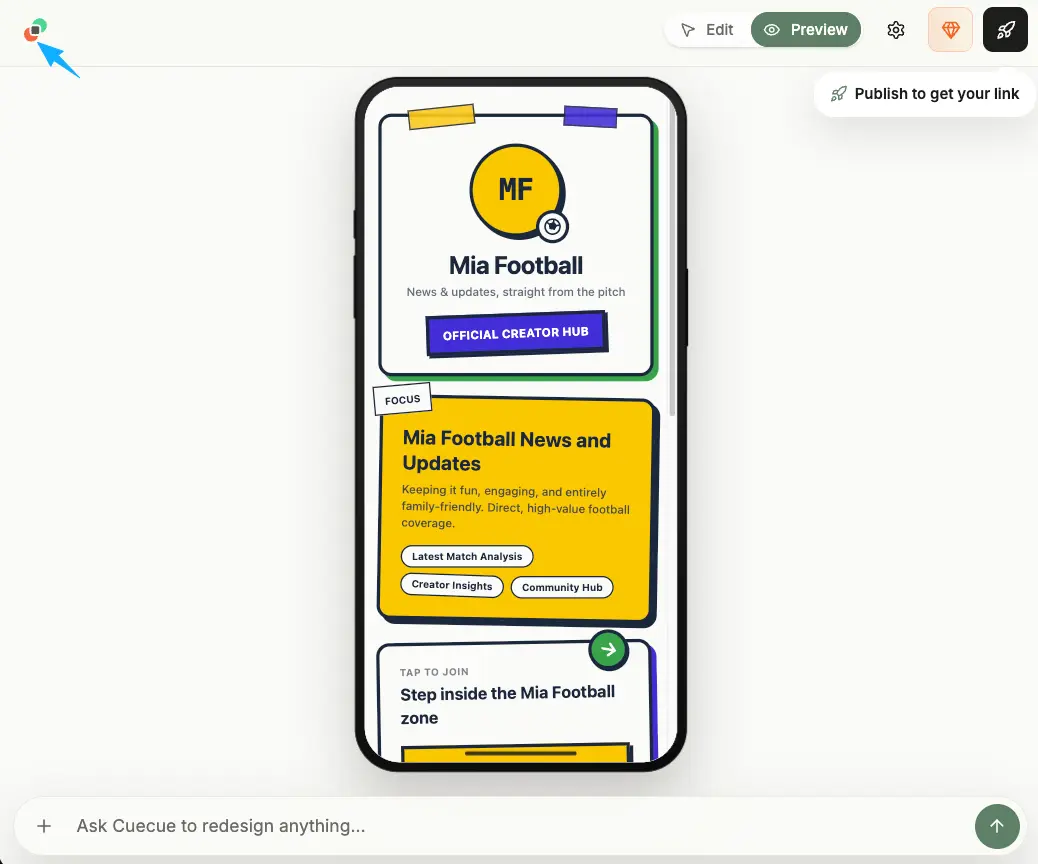
Here's an example you could build for this whole layout, where a tool like CueCue is one way to put these sections on a single page.
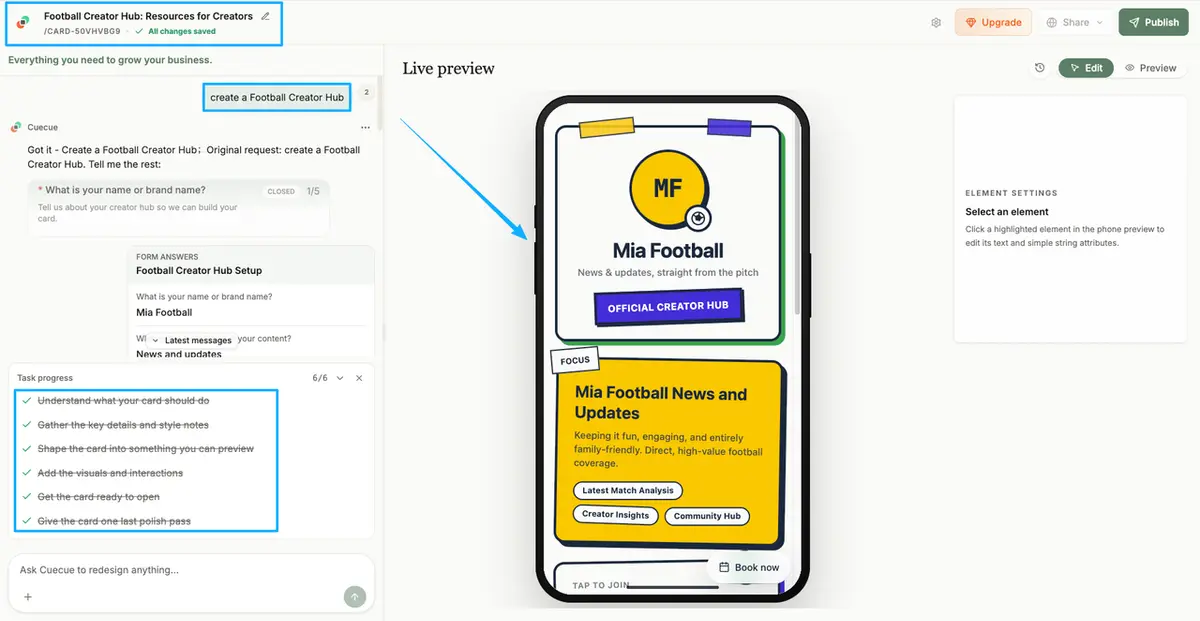
How creators keep traffic from splitting across platforms
You post on three platforms. Your audience scatters across all of them. The hub is how you pull those streams back to one place instead of losing people in the gaps.
Bio link placement
Your bio is the one reliably clickable spot on most profiles, so it's the anchor. Point it at the hub, not at a single video or a random store link. A proper link in bio for football creators sends every new follower to the same organized page, whether they found you through a goal reaction or a tactics thread.
Set it once. Update the hub, not the bio. That's the whole point.
Pinned posts and video descriptions
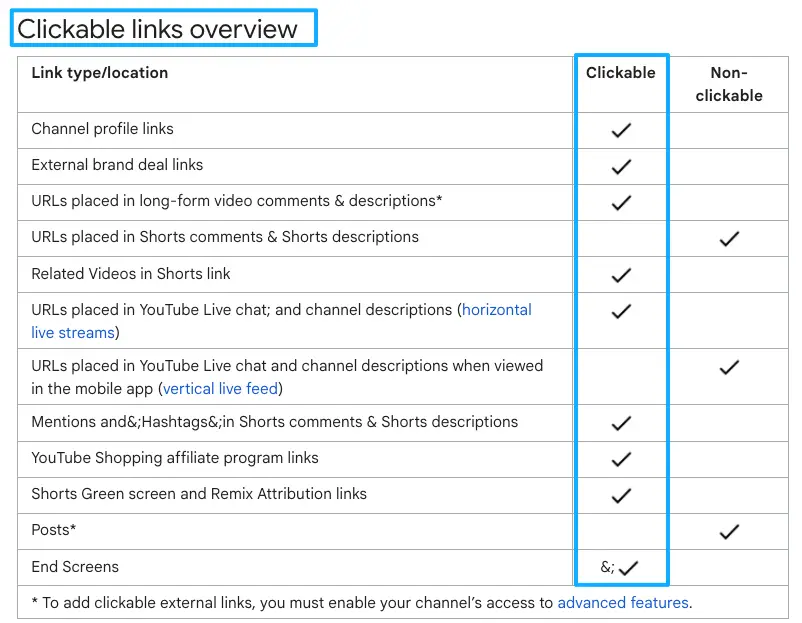
Bios aren't the only door. A pinned post can carry your hub link to the top of your profile, and your video descriptions can do the quiet work of routing viewers who scrolled past the bio. On YouTube you can share clickable links with your audience in descriptions and on your channel page, so a viewer who's three matches deep still has a path to your group and your merch.
Same link, every surface. Consistency is what keeps people from falling through.
Short links and QR codes
For anything offline, a QR code turns your hub into something scannable. Stick it on a watch-along flyer, a meetup table, a jersey you're giving away. A short, memorable link does the same job in a podcast or a livestream where nobody can click. One destination, lots of on-ramps.
Where a football creator hub should stay lightweight
A hub earns its keep by being fast and obvious, so resist stuffing it. Every extra button competes with the ones that matter.
Skip the full site rebuild. You don't need an about page, a blog, and ten navigation tabs. You need the four or five things a new fan or a brand is actually looking for, laid out so the next step is unmissable.
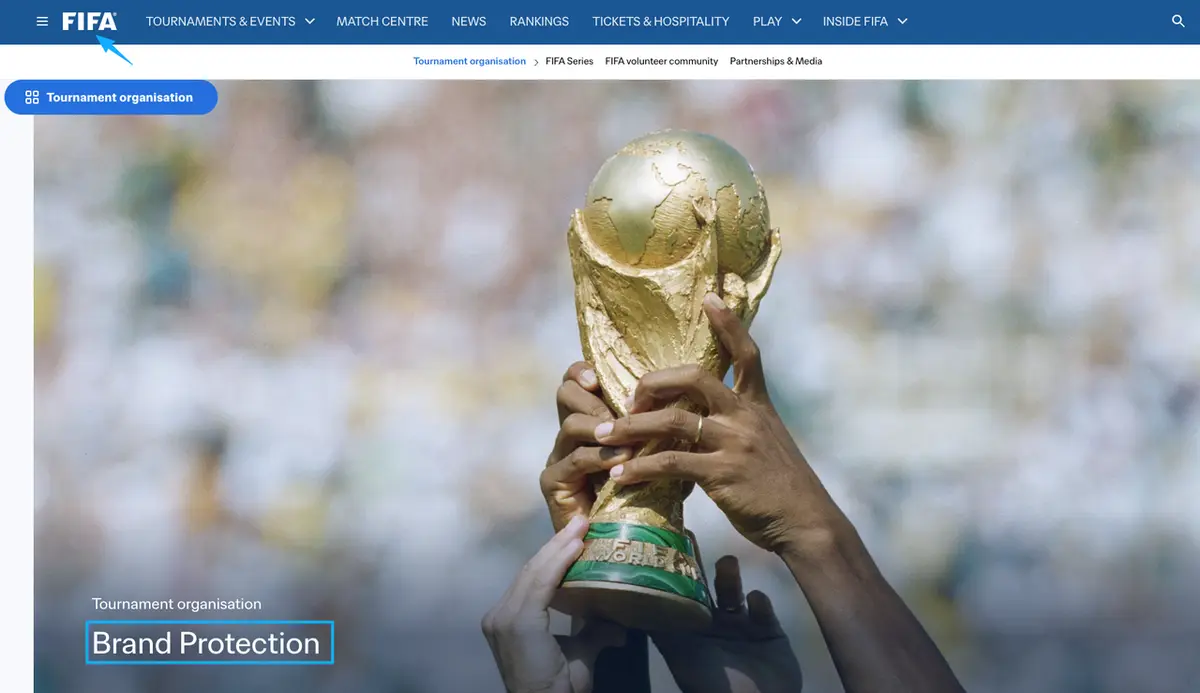
One real caution for football specifically. Be careful with official tournament logos, emblems, trophy art, and team or player imagery, because those carry usage rules and protected marks you don't want to guess at. You can talk about the matches and your reactions in your own voice. For what's actually allowed, check FIFA's brand protection guidance and treat it as the source of truth, since it's updated and enforced closely around the tournament.
You've got this
Here's the encouraging part: you're already doing the hard thing, which is making people care about your football content during the one month everyone's watching. Don't let that attention scatter the second they leave the video. Build one football creator hub, point your bio at it, and give your fans and the brands chasing you a single place to land. You can start rough and tidy it as the tournament rolls on. No full website needed.
FAQ
How do creators keep a hub from feeling cluttered?
Cut, don't add. Every link you put up makes the others harder to find. A useful test: if a new follower landed right now, could they spot your fan group and your contact in two seconds? If not, something on the page is in the way, and the fix is usually deleting, not redesigning.
How often should creators update a World Cup hub?
Match the rhythm of the tournament. Group stage moves fast, so your featured clip and any match-day offer should rotate every few days. A hub still leading with a fixture that's already been played reads as abandoned, which is the last impression you want while new people are arriving.
What should creators do with expired match content?
Archive it, don't delete the work. Move finished match reactions into a playlist instead of leaving them as your featured video. That keeps the catalogue browsable for fans who want more, while the top of your hub always points at whatever's next on the calendar.
When should creators create separate pages for sponsors?
Once brand inquiries outgrow a single contact button. A dedicated page with your rates, past collabs, and a proper inquiry form makes sense when you're fielding real deal flow. Until then, a clean contact section on the main hub is plenty, and a separate sponsor page just splits your traffic again.
What should creators verify before using team imagery?
Whether the mark is protected and whether your use looks commercial. Team crests, federation badges, and official tournament assets sit behind rights you don't hold, and a creator page that promotes merch or sponsors counts as commercial use. Check the official guidance before posting anything with a logo, and when in doubt, use your own footage and generic football visuals instead.
About this content
- Written by
- Mia Anderson, UGC Creator · Content Creator
- Reviewed by
- CueCue Team, Editorial review desk
- Last updated
- June 18, 2026
- Editorial standard
- CueCue articles are written for practical use, checked for clear sourcing, and updated when product or policy details change.