
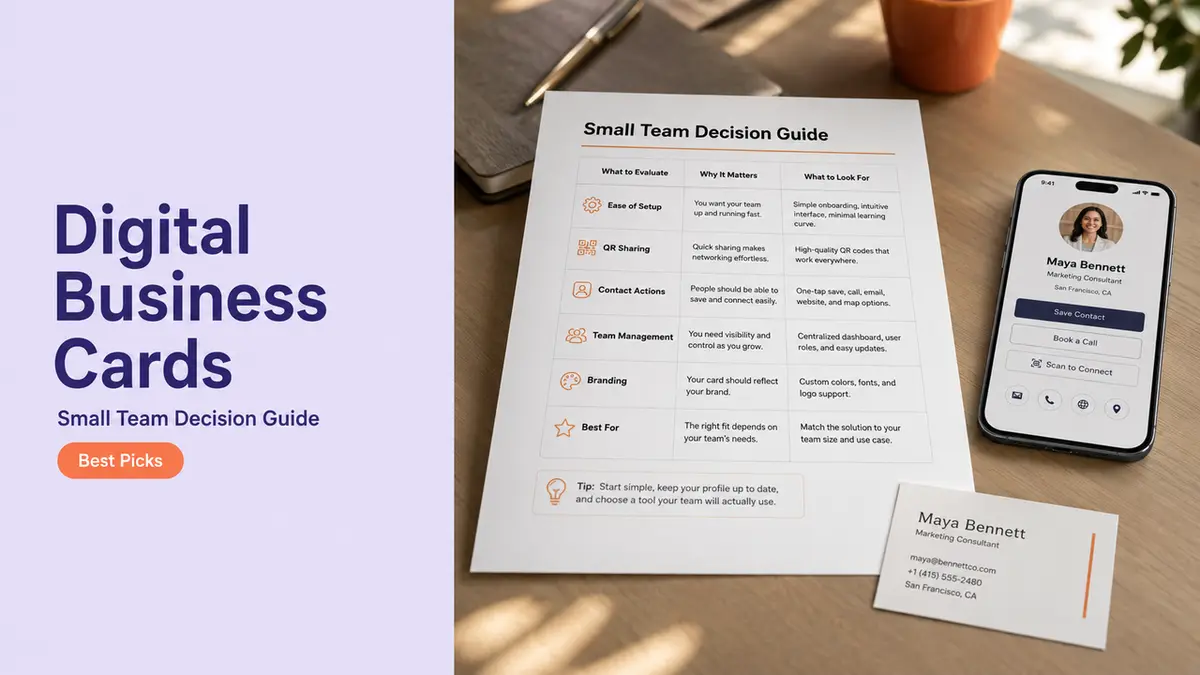
The best digital business cards for a small team are not always the fanciest ones.
Annoying, I know.
A solo creator can get away with a cute card, a QR code, and one booking link. A team cannot. The second you have three people sharing cards at events, in email signatures, on printed materials, and inside sales conversations, the question changes.
It is no longer “Which card looks best?”
It becomes: who can update this, who owns the links, what happens when someone leaves, and will the free plan survive real team use?
Hi, I am Mia, and that is the decision guide I would use.
Quick Decision Guide for Small Teams
If you are choosing a digital business card platform for a small team, start with the boring questions first.
I mean that kindly.
| If your team needs... | Prioritize this |
| Everyone has the same title format, links, and branding | Shared card structure |
| Cards printed on badges, signs, or packaging | Editable QR destination |
| Sales or service staff change often | Clean handoff and access control |
| Contractors need limited visibility | Separate card setups |
| You are testing before budget approval | Free-plan limits that do not break the workflow |
| Leads, inquiries, or booking requests matter | A mobile page, not only contact saving |
The best choice is usually the one your team can maintain without a tiny panic every time someone changes roles.
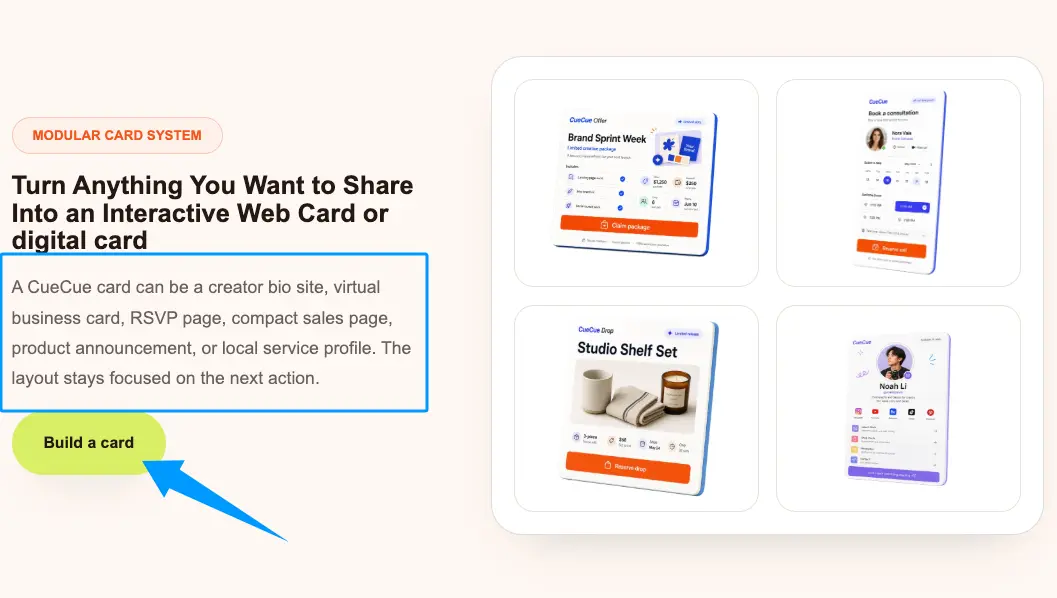
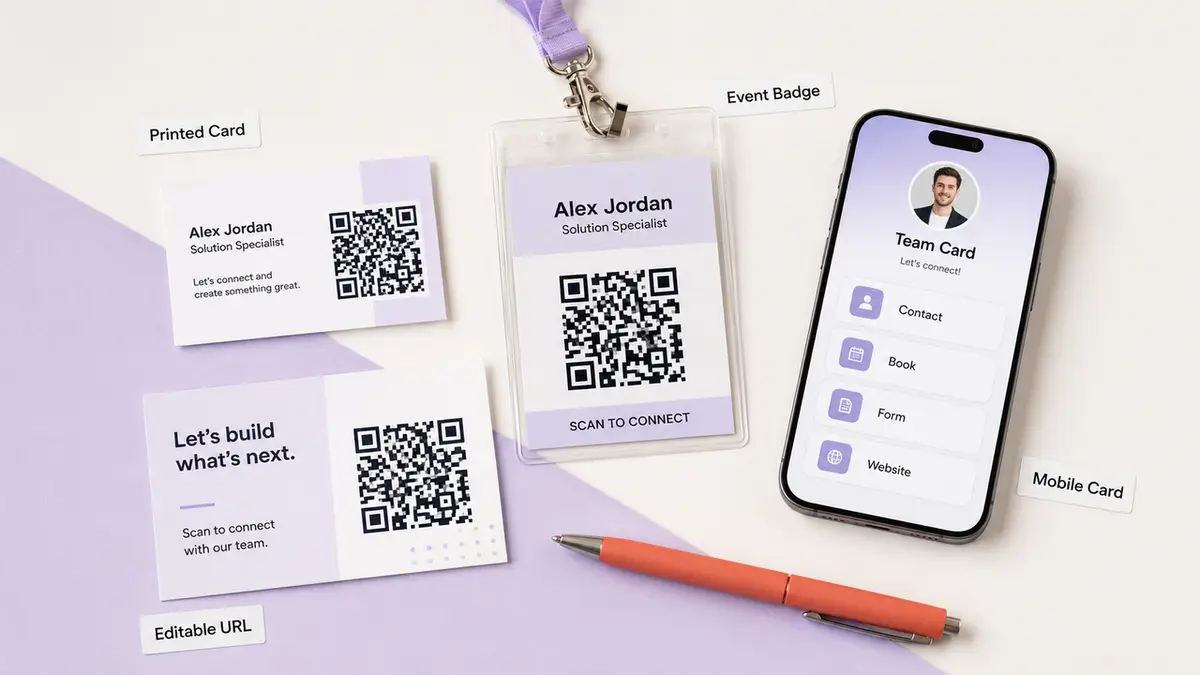
For example, CueCue can work as a lightweight option when the goal is a mobile card that includes contact paths, booking links, QR sharing, forms, and lead capture in one place. That matters for teams that do not want a full website project just to make employee cards useful.
But this page is not a “top 10 tools” list. I would rather help you pick the right decision criteria than pretend one app is magically right for every team.
What Small Teams Actually Need
A single card is easy.
A shared card system is where things get weird.
One person forgets to update their job title. Another uses an old QR code on a flyer. Someone leaves the company, but their card still routes leads to a personal inbox. A contractor adds a private phone number because the form asked for one.
Tiny mistakes. Very public.
Shared contact updates
The first thing I would check is whether your team can update shared details without rebuilding every card by hand.
Small teams change faster than their printed materials do. Roles shift. Booking links move. Locations change. New service pages go live. The best digital business cards for a team should let you update the card behind the link or QR code, instead of treating every shared card like a frozen file.
For basic contact saving, vCard still has a role. The RFC 6350 vCard specification covers address book information like names, phone numbers, email addresses, photos, logos, and URLs. Useful. Just remember what it is good at: saving contact details.
If your team needs bookings, lead capture, offer links, event pages, or portfolio sections, a live mobile card will usually carry the work better than a static contact file.
The test I use: can one person fix a wrong link across the team before lunch?
If not, keep looking.
Consistent card structure
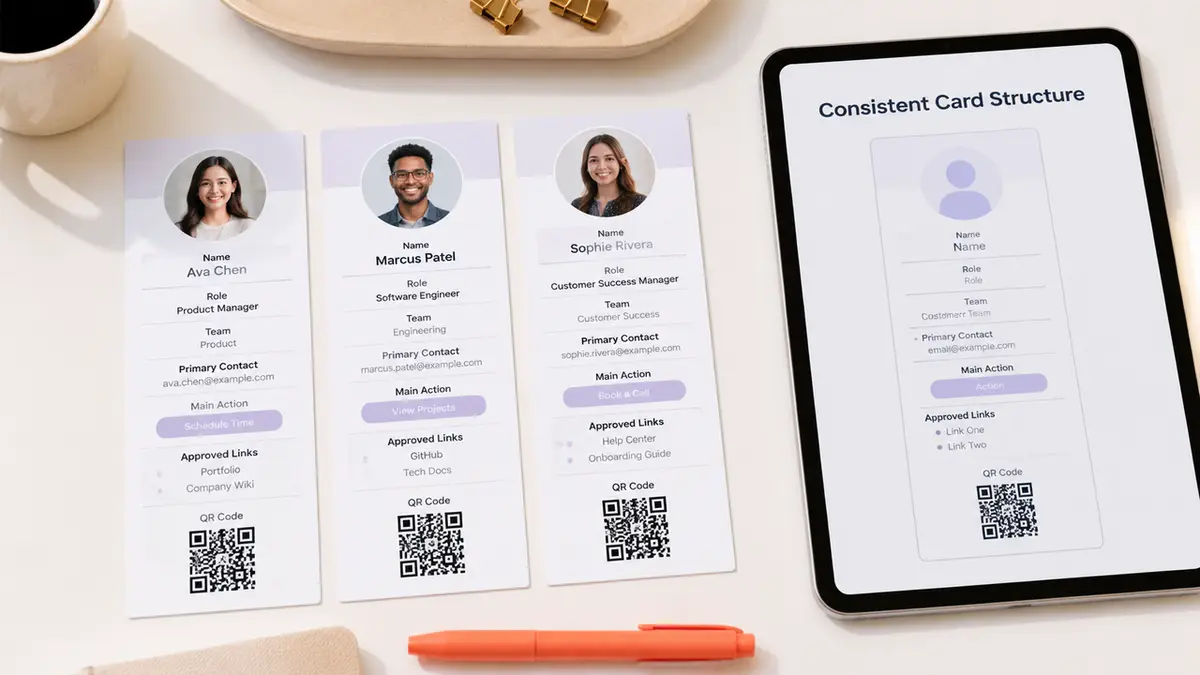
A small team does not need every card to look identical.
It does need every card to feel like it belongs to the same business.
That means the card structure should be boringly consistent:
- Name
- Role
- Team or location
- Primary contact path
- Main action
- Approved links
- Optional proof or portfolio section
- QR code or share link
This is where digital business card apps can quietly save you from brand drift. Without a shared structure, one card becomes a mini website, one becomes a phone number dump, and one still has a dead Instagram link from two campaigns ago.
Please do not make your customer decode that.
For a small team, I would rather have a simple card that everyone uses correctly than a beautiful card system nobody maintains.
QR and link handoff
QR codes are where team cards get expensive if you make the wrong call.
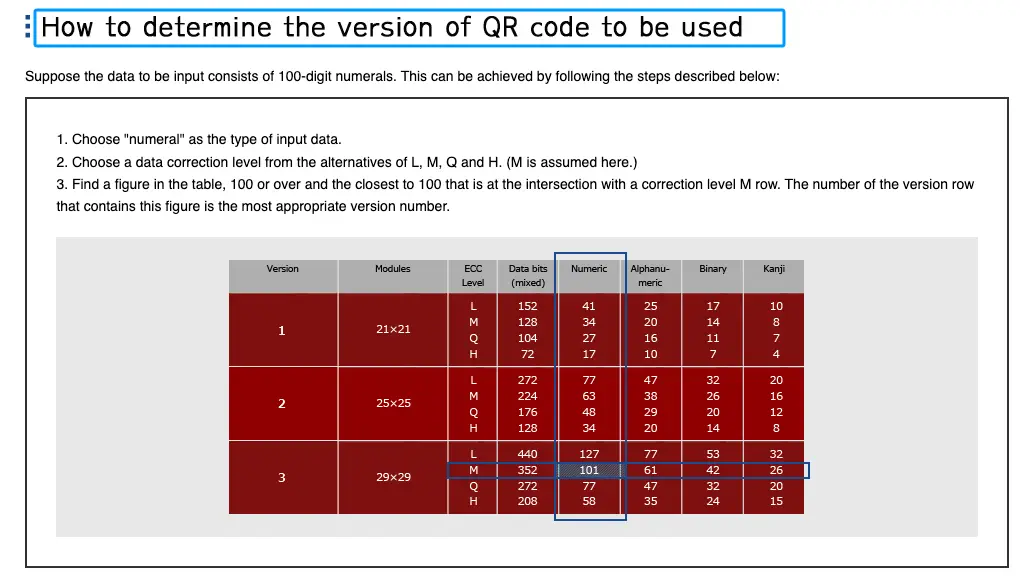
A QR printed on a business card, badge, postcard, booth sign, or packaging insert should point to something you can still edit. DENSO WAVE explains that QR code capacity changes by version, character type, and error correction level, and more data makes the code larger and denser on its QR code version guide. Translation for normal humans: do not stuff the whole world into the QR.
Point it to a clean URL.
Then let the card page handle the details.
For a team, handoff matters too. If Alex leaves sales, what happens to Alex’s card? Can the company redirect it? Can the email change? Can the leads route to a manager? Can the QR still work on printed cards already floating around?
That is not a design question.
That is an ownership question.
Free-plan fit
Free is not bad. Free is just not the same as team-ready.
A free digital business card app can be perfect for testing the workflow. I would absolutely use one to answer questions like:
- Will staff actually share these cards?
- Do QR scans turn into inquiries?
- Which links get used?
- Do people prefer booking, phone, or form contact?
- Does the card reduce repeated questions?
But free-plan fit should be judged against the team workflow, not the landing page promise.
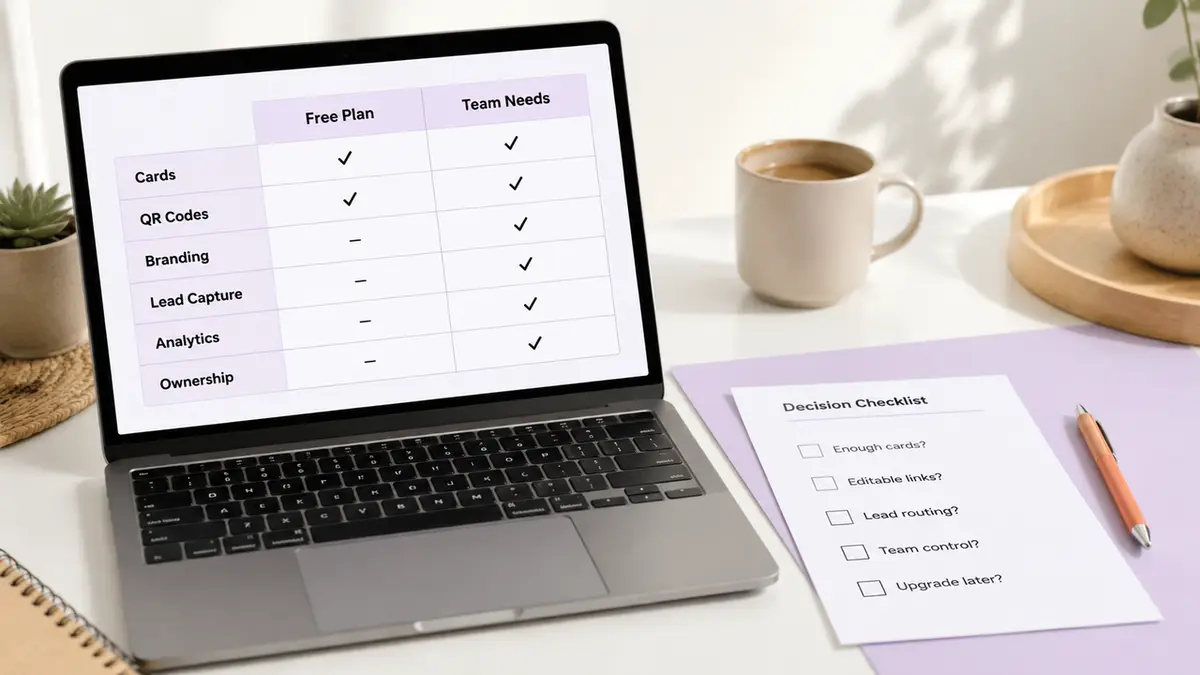
For a small team, check whether the free plan supports enough cards, editable links, QR use, branding needs, analytics, lead capture, and ownership control. If one missing feature creates manual cleanup every week, it is not really free. It is just unpaid admin work.
A good early path: test with one role or one location first. Then upgrade only when the team behavior is real.
Team Scenarios That Change the Choice
The “right” card setup changes depending on who is using it.
A local service business may need cards by staff member and location. A real estate team may need agent cards that keep company branding but allow personal contact paths. An event team may need temporary cards for sponsors, volunteers, or booth staff. A creator agency may need contractor cards that expire after a campaign.
Those are different jobs.
Here is how I would think about it:
| Team scenario | What matters most |
| Sales team | Lead routing, CRM or form handoff, role changes |
| Local service team | Location, booking links, phone numbers, reviews |
| Event team | Temporary cards, QR signs, easy post-event cleanup |
| Contractor network | Limited access, separate card ownership, expiration |
| Founder-led startup | Fast setup, consistent brand, low admin |
| Multi-location business | Location selector or separate cards per branch |
A small team does not need enterprise software language.
It needs fewer loose ends.
If the card will be used by people who come and go, choose a setup where the business owns the card infrastructure. If the card is tied to one permanent solo professional, personal ownership may be fine.
Small distinction. Big headache later.
Limitations and Trade-Offs
Digital business cards free up a lot of mess, but they do not remove every trade-off.
A simple card is easier to maintain, but it may not hold every campaign link. A richer card can capture leads and bookings, but someone has to keep it clean. Printed cards still work nicely in face-to-face settings, but the QR destination has to survive updates. Team controls are useful, but they may live behind paid plans.
Also, public cards can expose more personal information than people realize.
The FTC’s guide for businesses recommends keeping only the personal information you need and limiting access to it in its Protecting Personal Information guide. That applies nicely here. Do not publish personal phone numbers, private calendar links, home addresses, or staff details just because a card template has fields for them.
For mobile usability, check the card like a real person would use it. W3C’s WCAG 2.2 says pointer targets should be at least 24 by 24 CSS pixels, with exceptions. I would go bigger for buttons on a card people open from a QR code at an event.
One more limit: the phrase “best digital business cards” can trick teams into shopping for polish before process.
Do not do that.
Pick the process first.
Conclusion
The best digital business cards for small teams are not the ones with the longest feature list.
They are the ones your team can keep accurate.
Look for shared updates, consistent card structure, editable QR destinations, clear team handoff, and free-plan limits that match the way people will actually use the cards. Then test with one small group before rolling it out everywhere.
Your one move today: choose one team scenario, one card owner, and one primary action before you compare any digital business card platform.
FAQ
What happens when an employee leaves?
The company should be able to update, redirect, or retire that employee’s card. If the card collected leads, check where those submissions go. If the QR code appears on printed materials, keep the destination alive and route it to the right team contact instead of letting it break.
Should contractors use separate card setups?
Usually, yes. Contractors often need limited access, campaign-specific links, or cards that can be retired cleanly. Do not mix contractor cards into the same structure as permanent staff unless ownership, lead routing, and expiration rules are clear from the start.
Can teams keep printed cards too?
Yes. Printed cards still work well at events, counters, meetings, and local service visits. I would keep the printed card simple: name, role, brand, short URL, and QR code. Let the digital card handle booking, forms, updates, and extra links.
How often should shared links be reviewed?
Review shared card links monthly, and any time roles, offers, locations, phone numbers, booking tools, or campaign pages change. Quick route: scan one QR code from each team type and follow the main action like a customer would.
What public details should teams avoid sharing?
Avoid private phone numbers, home addresses, personal calendar links, internal documents, unapproved social profiles, and anything a staff member would not want a stranger to save. For teams, the safer default is a business contact path plus a form or booking link.
About this content
- Written by
- Mia Anderson, UGC Creator · Content Creator
- Reviewed by
- CueCue Team, Editorial review desk
- Last updated
- July 9, 2026
- Editorial standard
- CueCue articles are written for practical use, checked for clear sourcing, and updated when product or policy details change.