
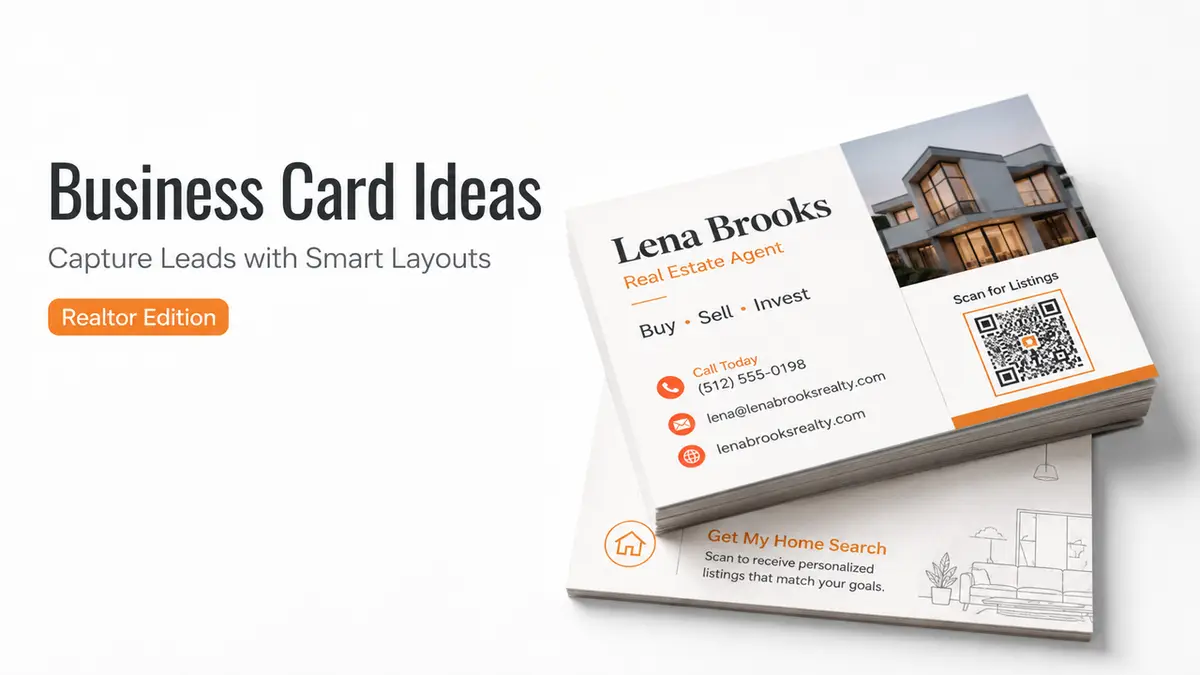
At a creator meetup, I watched three people repeat their Instagram handles while everyone else tried to type them correctly. One missing underscore was enough to end the follow-up.
Mia here. I stopped spelling mine out and held up a QR code instead.
That moment changed how I think about realtor business card ideas. The card is not finished when someone accepts it. Its real job begins later, when that person finds it in a pocket and decides whether contacting you feels easy enough to do right now.
A good card should help them remember the conversation, reach the right page, and take one useful next step.
What Realtor Business Card Ideas Need to Do Now
A printed card still works. It is familiar, quick to hand over, and does not ask anyone to take out a phone in the middle of a conversation.
The trouble starts afterward.
A name, phone number, and logo give the recipient contact details, but no context. They may not remember whether you discussed selling, buying, relocation, an open house, or a neighborhood question. By the next morning, your card has become a tiny guessing game.
Modern real estate contact cards need to do three jobs:
- Remind the person why they met you.
- Give them a low-effort way to continue.
- Send them somewhere that matches the conversation.
That does not mean squeezing your biography, listings, reviews, slogan, headshot, five social icons, and every credential onto a 3.5-inch card. Leave the deeper information behind a short URL or QR code.
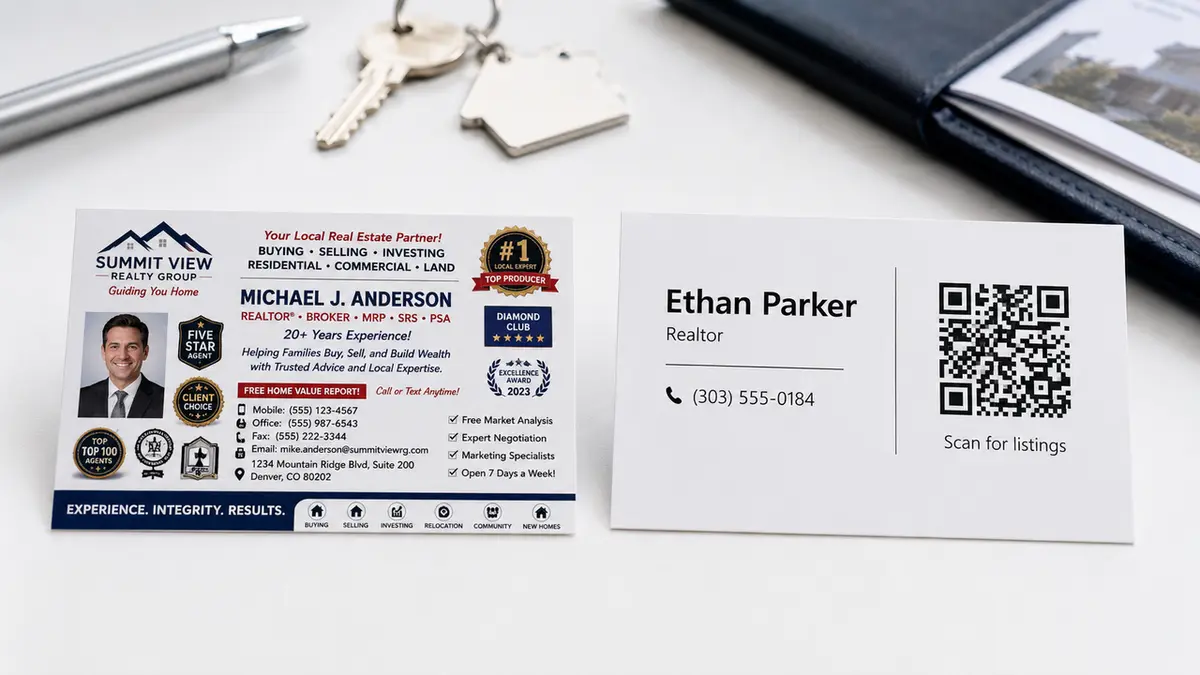
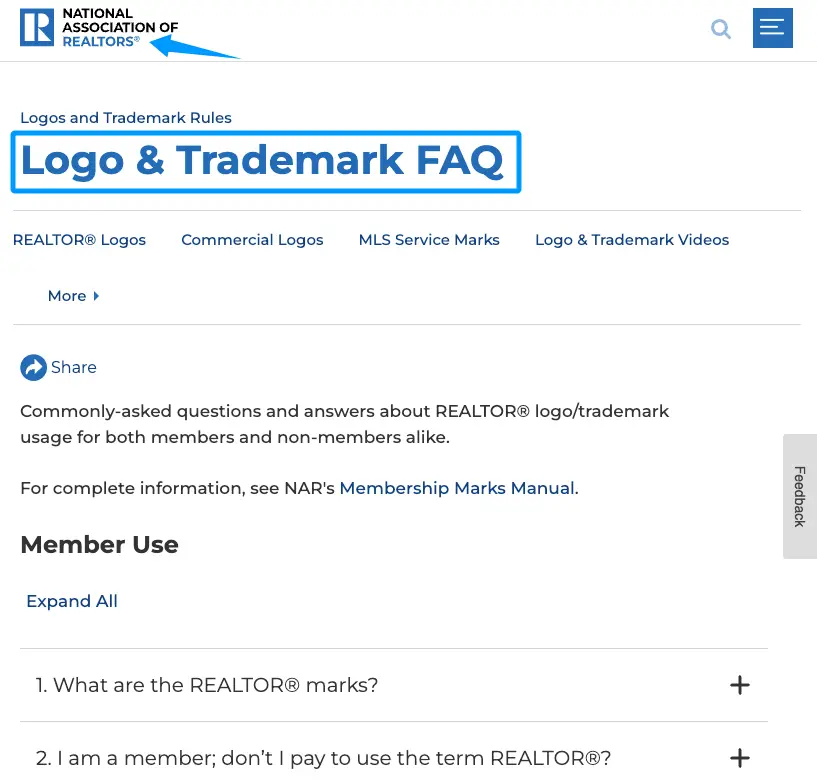
Keep the printed side readable. Use your name, accurate professional role, brokerage identity, one direct contact option, and one lead path. A small line such as “Scan for current listings and a consultation” gives the code a reason to exist. If you use REALTOR® or the block “R” logo, check NAR’s business card trademark guidance before finalizing the layout.
For REALTORS®, public marketing must be honest and present a true picture under Article 12 of the NAR Code of Ethics. That standard belongs on a business card too, especially when the design includes specialties, awards, sales figures, or claims about market position.
Business Card Ideas by Lead Path
The best creative real estate business cards are not creative because they use an unusual shape or a clever house-shaped cutout. They are creative because the path after the handoff fits the moment.
Pick one of these three routes based on where you exchange the card most often.
QR Card to Agent Profile
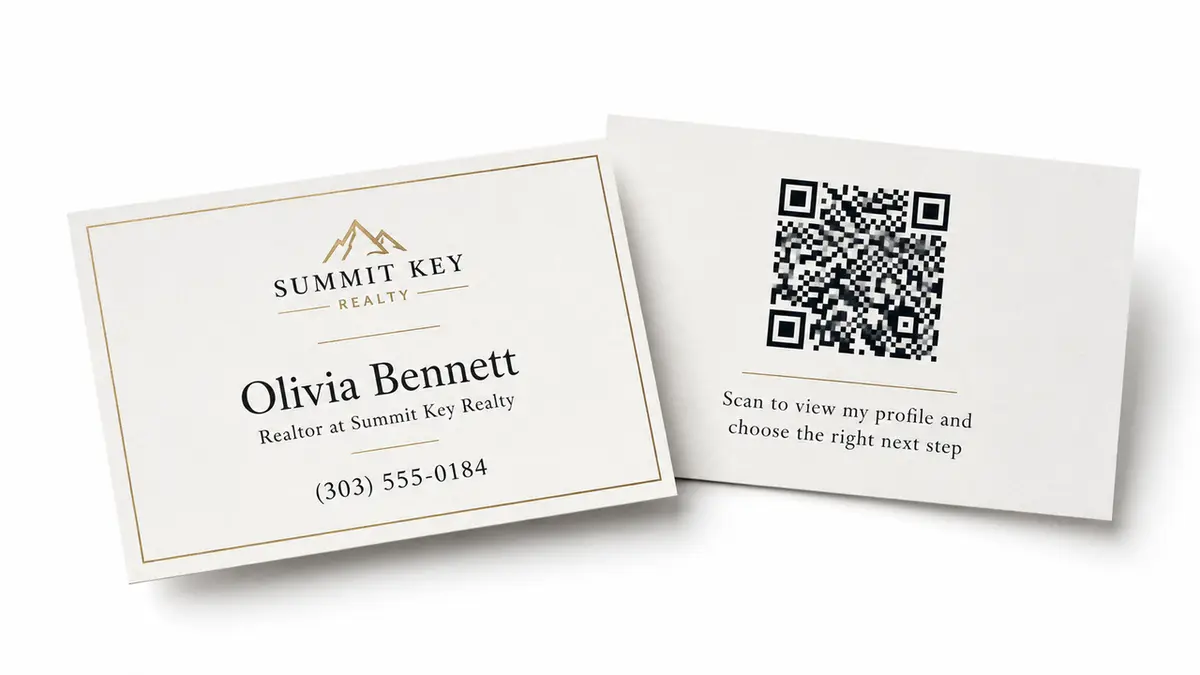
This is the most flexible idea for networking events, community meetings, coffee introductions, and casual referrals.
The printed card stays simple. A QR code opens a mobile agent profile with a short bio, service area, brokerage details, direct contact options, and one primary action. The visitor can still call or email, but they also understand what kind of help you offer before starting the conversation.
Front:
[Name] [Accurate role] at [Brokerage] [Phone or email]
Back:
Buying, selling, or planning ahead in [Area]? Scan to view my profile and choose the right next step.
Do not send the QR code to a generic brokerage homepage. The person met you, so the page should explain you first.
A digital business card for realtors can sit behind that printed QR and remain current after the cards are printed. CueCue currently supports QR sharing, contact actions, listing links, testimonials, booking paths, and real estate profile cards designed for open-house use.
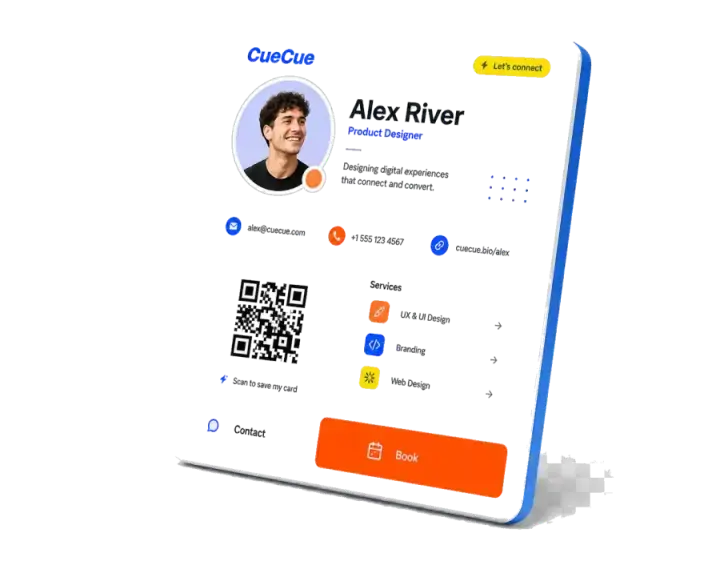
Keep a written short URL beneath the code. Some people prefer typing. Others may have a cracked camera, weak signal, or an old screenshot of the card. The backup route costs almost no space.
Listing or Service-Area Card
Use this version when most conversations begin around a specific market, property category, or local service.
Instead of making the whole card about your personal brand, give the recipient a reason to keep it:
Exploring homes in [Area]? Scan for current listings and local search notes.
Or:
Thinking about selling in [Area]? Scan for a property-planning conversation.
The QR destination should match the promise. A buyer-facing card can open to selected listings, a map or area guide, and an inquiry button. A seller-facing card might lead with your process, a short preparation checklist, and a consultation request.
Be careful with the word “current.” The page needs regular attention if the printed card promises live listings or availability. One useful advantage of a web card is that the URL and QR can stay the same while the page behind them changes. CueCue confirms that published cards can be updated without replacing the shared code or link.
This is also where realtor business card quotes usually cause clutter. A line about home, trust, or dreams may sound warm, but it rarely helps someone decide what to do. Use that space for a service area, a clear question, or a reason to scan.
Open House Follow-Up Card
An open house creates a more specific lead path. The visitor has already shown interest in a property, area, or upcoming move. Your card can continue that exact conversation.
Try a small card or postcard with:
Thanks for visiting [Property Address]. Scan for property details, similar homes, or a private follow-up question.
The QR page can show the featured property, your accurate role in the listing, a link to similar homes, and a short form. Let visitors choose why they are following up rather than forcing everyone into the same “Book a call” button.
Useful options might include:
- I have a question about this home.
- Show me similar listings.
- I may need to sell before buying.
Keep the form short. Name and preferred contact method may be enough at first. Add one question that changes your reply, such as the area they are considering or whether they already own a home.
Do not make the form feel like a mortgage application wearing a party hat.
CueCue supports form, booking, and lead-capture modules inside a mobile card, so an open-house QR can move from property context to an inquiry without sending the visitor across several tools.
How Digital Cards Extend Printed Cards
Print handles the physical introduction. The digital layer handles everything that changes afterward.
That distinction matters in real estate. Listings move. Availability changes. A new guide becomes more useful than last month’s guide. You may want to switch the main action from buyer consultations to an upcoming open house without throwing away a fresh box of cards.
A digital card can hold the pieces that do not fit comfortably on paper:
- a fuller profile and service area;
- live contact and booking actions;
- current listing or resource links;
- a short lead form;
- verified testimonials or credentials.
CueCue’s current product pages also state that paid plans add custom domains and analytics. That means the QR destination can use a more branded address, while performance data can help you see whether the card is being opened. Check the active plan details before publishing because product packaging can change.
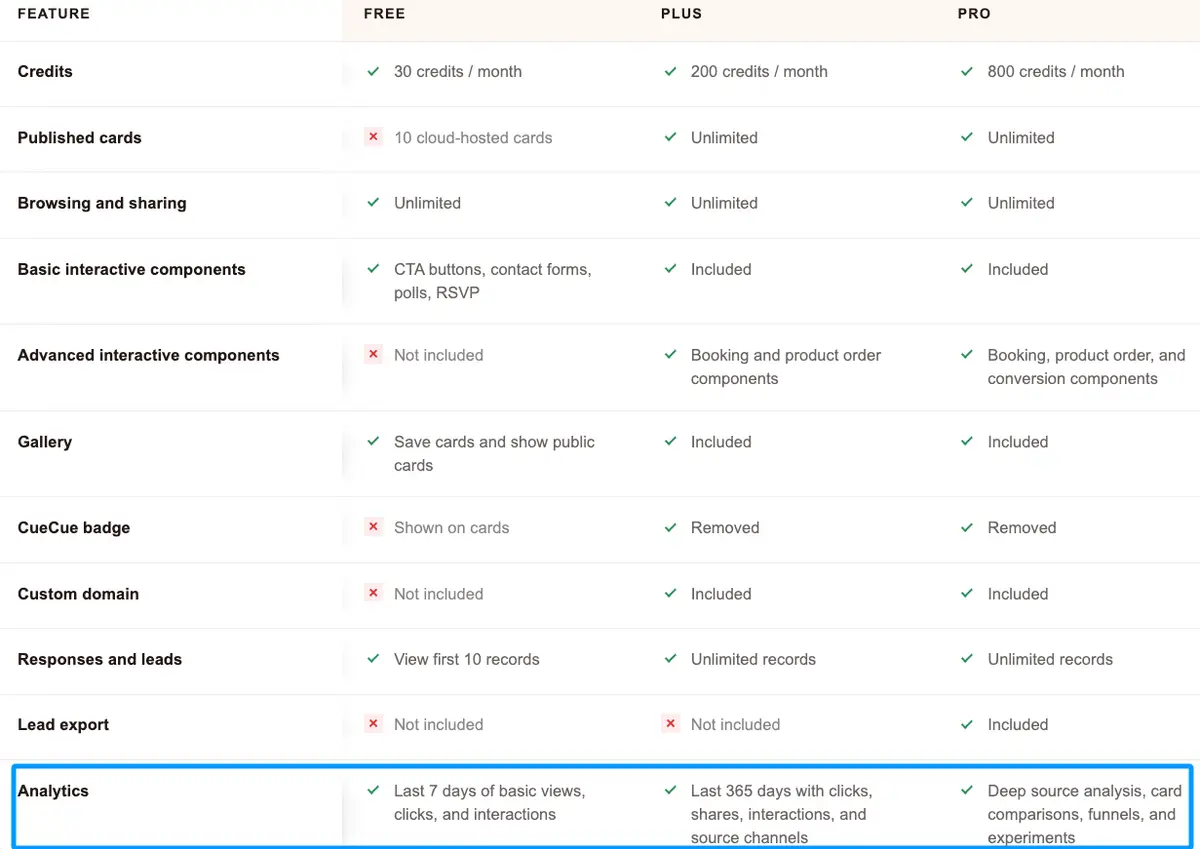
Analytics need context, though. A scan is not automatically a lead. The more useful question is whether the page gives that visitor a sensible action after the scan.
I would keep one primary CTA at the top and move supporting links lower. For a networking card, that might be “Tell me what you’re planning.” For an open house, it may be “Ask about this property.” The card becomes easier to use because it remembers the conversation for them.
Risks: Crowded Design, Broken QR Codes, and Compliance Details
A business card is tiny. Every extra element charges rent.
Crowded designs usually begin with reasonable additions: a second phone number, another logo, more social handles, a slogan, a photo, a badge, and a QR code. Together, they make the name harder to find and the code harder to scan.
Print a test copy at actual size. Scan it with more than one phone, under indoor light, and from a natural hand-held distance. Leave clear space around the code. Avoid placing it across a fold, glossy glare, textured stock, or a busy photo.
Then test the destination. A working QR code can still lead to a broken page, an expired calendar, or a listing that disappeared months ago. Add QR checks to your normal profile update routine.
Compliance is not one national checklist. State advertising rules may govern license numbers, brokerage names, team names, font size, and what counts as a first point of contact. California, for example, includes business cards among first-point-of-contact solicitation materials. Its real estate advertising guidelines explain the applicable license identification and responsible-broker disclosure requirements. Texas follows a different framework. TREC’s business card advertising requirements require the license holder or team name and the broker’s name to appear in a readily noticeable location, with specific size rules for the broker’s name.
Check your state regulator, MLS rules, brokerage policy, and compliance contact before printing. Tiny type does not make a required disclosure optional.
Use the REALTOR® mark only when you are entitled to use it and follow NAR’s formatting rules. NAR specifically addresses use of its marks and logo on business cards, including restrictions for non-members.
The strongest realtor business card ideas do not ask paper to perform digital gymnastics. Let the printed card reopen the conversation, then let one focused page handle the details and lead capture.
Your one move today: choose the conversation where you hand out the most cards, then write the single action your QR page should support after that exchange.
FAQ
Should realtors put QR codes on business cards?
Yes, when the code opens a useful mobile page and the card still includes a readable backup contact method. Label the destination so people know whether they will see listings, your profile, or an inquiry form.
Can one business card serve buyers and sellers?
It can when the QR page lets visitors choose a path. Keep the printed message broad enough to fit both, then separate buyer and seller actions on the page. A heavily listing-focused card is better reserved for seller conversations.
What should not go on a realtor business card?
Leave off unsupported rankings, outdated awards, unverified sales claims, crowded social handles, and any title or designation you cannot currently use. Skip vague quotes when that space could explain the QR action. Required license and brokerage details depend on your jurisdiction and brokerage policy.
About this content
- Written by
- Mia Anderson, UGC Creator · Content Creator
- Reviewed by
- CueCue Team, Editorial review desk
- Last updated
- July 1, 2026
- Editorial standard
- CueCue articles are written for practical use, checked for clear sourcing, and updated when product or policy details change.