
Last spring I changed my rate packages and missed one thing. An old Calendly link was still live in two spots I'd stopped checking. A client booked the wrong session. Showed up expecting the half-day shoot, when I'd only quoted an hour. My fault, not theirs, because the right info existed but the wrong version was still floating around with my name on it.
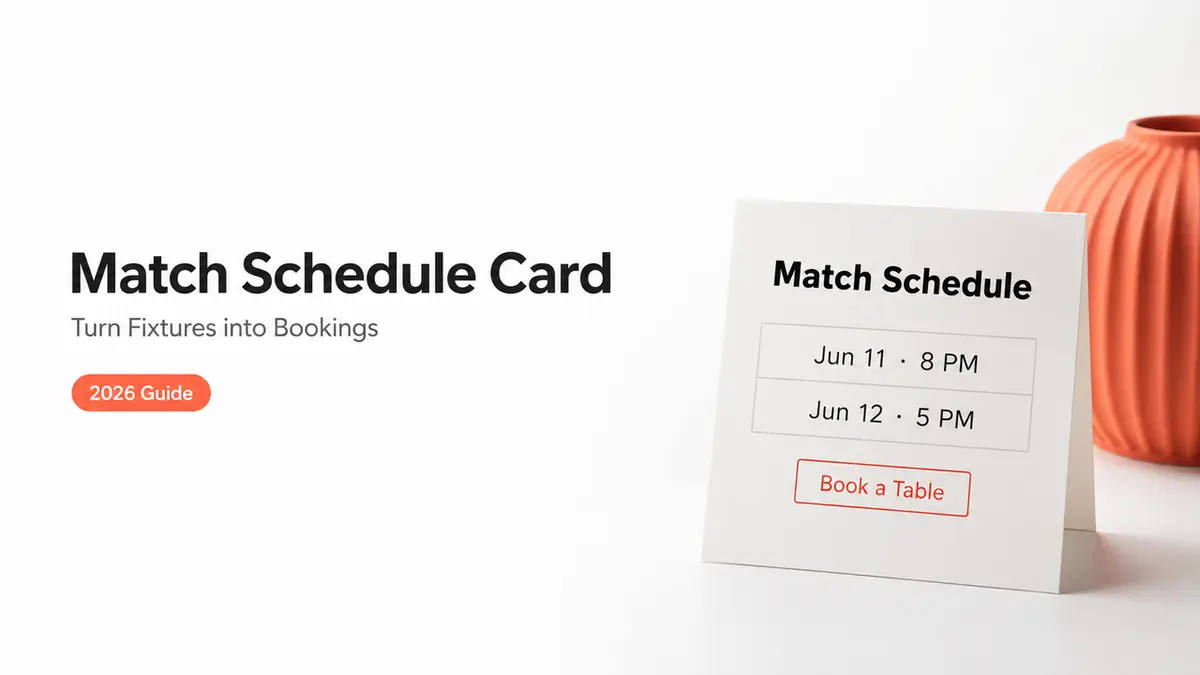
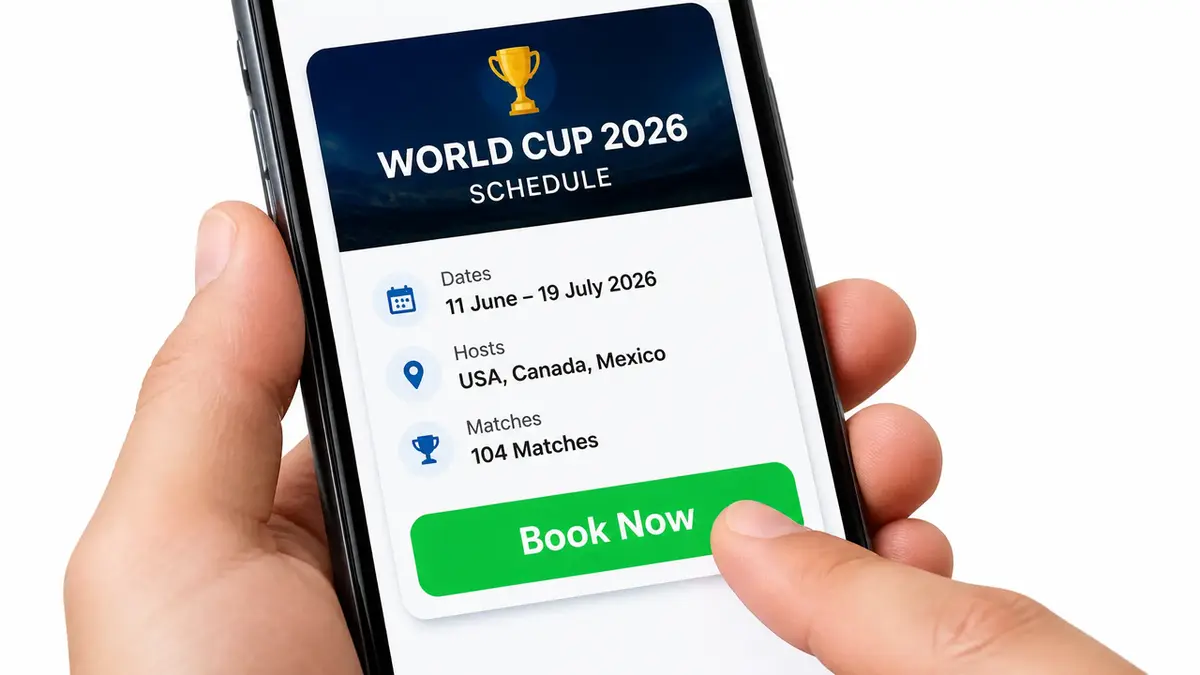
That mix-up is the exact trap a match schedule card is built to dodge. One page. One source of truth. Not match times scattered across a story, a chalkboard, and a group chat that's already wrong by kickoff. Below is what to put on the card, and how to turn "when's the game on?" into a booked table or a claimed offer.
What a World Cup match schedule card does
A schedule card is not a poster you print once and forget. It's the single link you hand someone the second they ask what you're showing and what to do about it.
The tournament is running across the United States, Canada, and Mexico this summer, and the attention is already there. People are checking which matches are on, where, and at what hour their local time. The card catches that exact moment of interest and points it at one next step instead of letting it drift.
So keep the job narrow. List the matches you're showing. Say where and when. Then give people one obvious thing to do. That's the whole card.
It's worth being clear about what this card is not. It isn't a full event page with ticketing and a guest list. It isn't a registration system. If you need formal sign-ups with caps and reminders, that's a separate build. This card has a lighter job: catch the schedule searcher and hand them an action.
Card sections that turn schedule interest into action
Three blocks do most of the work. A match module, an action button, and a way to capture the people who aren't ready to act yet. Here's an example you could build, where a tool like CueCue is one way to put these on a single page.
Match list and viewing details
Lead with the fixtures you're actually showing. Not all 104 matches. Just yours.
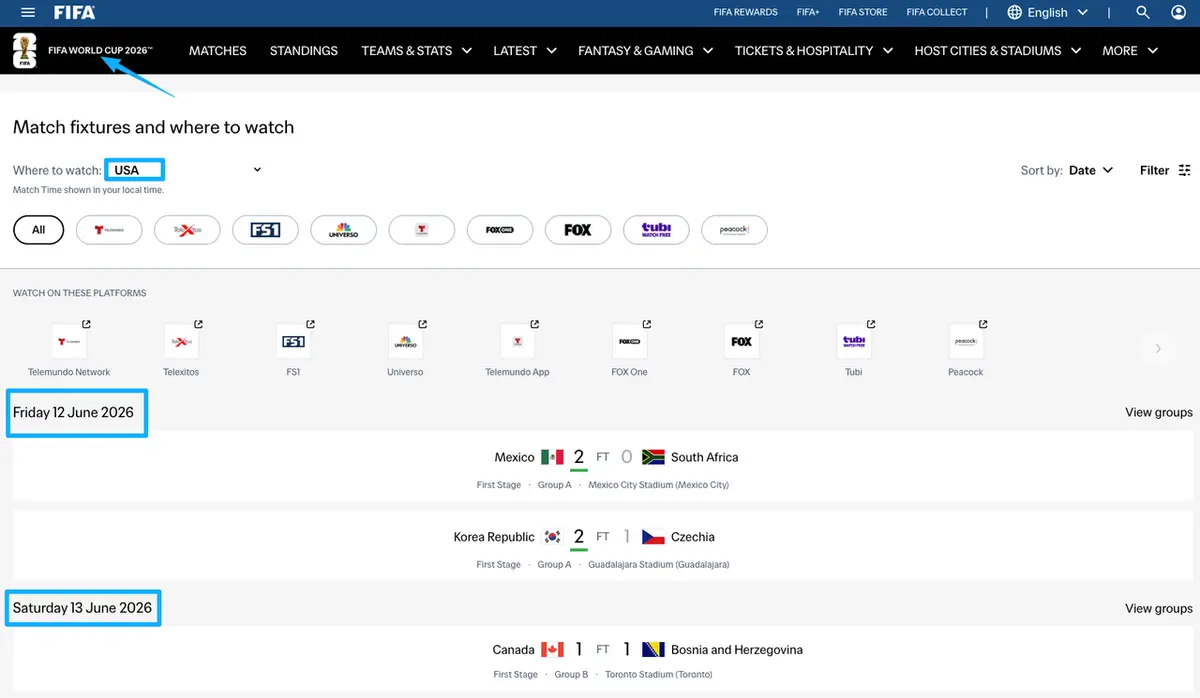
Each line needs the teams, the date, and a kickoff time in the local timezone of whoever's reading. Add the channel or stream if you know it. One caution: fixtures, kickoff times, and venues get adjusted, and host-city venues use official names that differ from the stadium names people know. Don't hard-code anything you can't verify. Pull the canonical details from the official FIFA World Cup schedule and treat that as your source of truth, since it updates as the tournament moves through the rounds.
A quick note on branding. You can say, truthfully, that you're showing the matches. Keep the page factual and skip official tournament logos, emblems, and trophy art, because those carry usage rules you don't want to guess at.
Booking or offer CTA
This is the part most people skip, and it's where a schedule card earns its keep. After the match list, put one action. One.
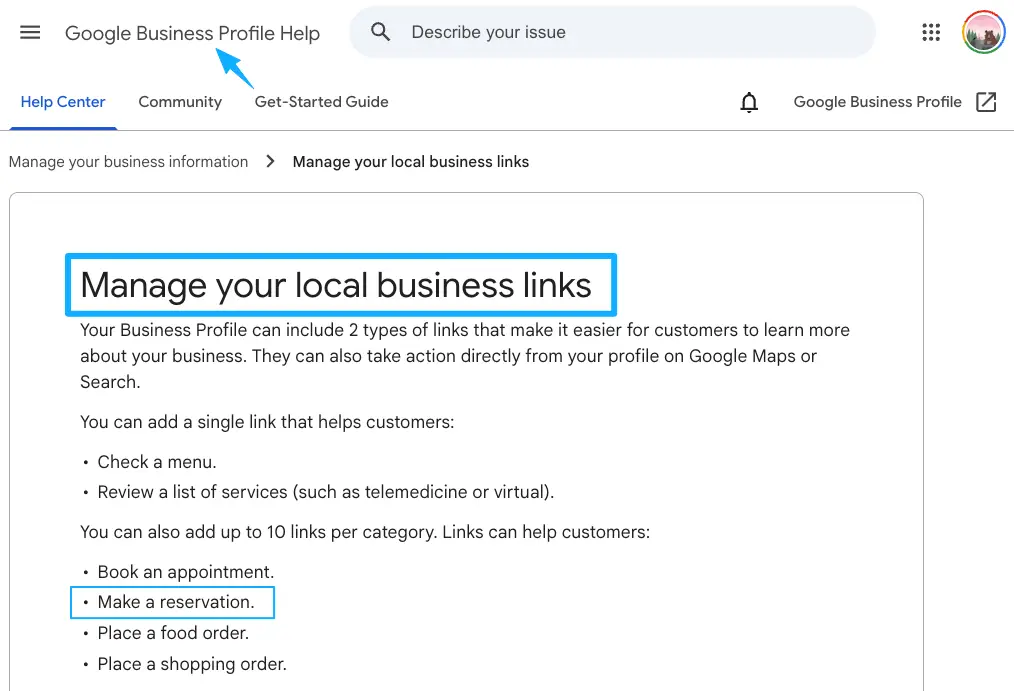
For a venue, that action is usually a booking page: reserve a table for the Saturday fixture. If you run on Google, you can route people straight to a reservation link on your Google Business Profile so the booking lives where they're already searching. For a creator or a shop, the action might be a product card instead, like a match-day bundle or a limited offer tied to a specific game.
Whatever it is, name it plainly and make it the loudest thing under the fixtures. A card with five competing buttons is a card nobody acts on.
Lead capture and contact options
Some people won't book three days out. They want a nudge closer to kickoff. Catch them with a short lead capture page right on the card.
Keep it tiny. A name and one contact field, maybe which match they're into. That's a list you can message the morning of the game. Resist the urge to turn it into a survey, because every extra field is another reason to bounce. The point is one low-friction way to say "tell me when it's on," not a questionnaire.
Who can use a World Cup match schedule card
The format flexes across pretty different situations. The blocks stay the same; the action changes.
Bars and restaurants
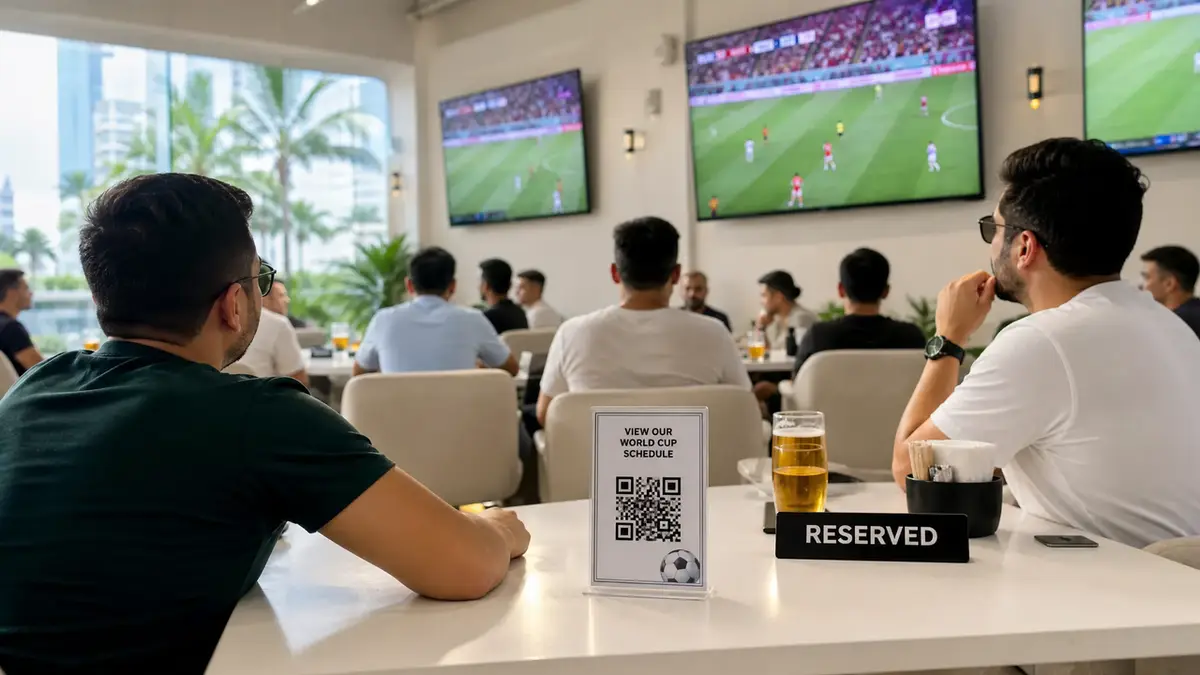
This is the most direct fit. You're showing matches, you have tables, and you want them full. The card lists your fixtures, leads to a booking, and quietly collects the people who want a reminder. When kickoff times land at odd hours because of the North American timezones, a card that shows the local time for your spot saves you forty "what time?" replies.
Creators and fan communities
If you run a fan account or a local supporters' group, the card becomes a hub. Which watch-along you're posting, which match you're reacting to, where the link in bio sends people next. The action here is often content or a community sign-up rather than a table.
Sponsors and pop-up events
A local brand or a pop-up sponsoring a viewing can use the card to show fixtures alongside their offer. One thing to handle carefully: if there's a paid relationship on the page, disclose it. The FTC's disclosure guidance lays out doing that in plain language, placed where people will actually see it, not buried at the bottom.
Where to share the card before match days
A schedule card only works if people find it before kickoff, not after. So put the link where the schedule-curious already are.
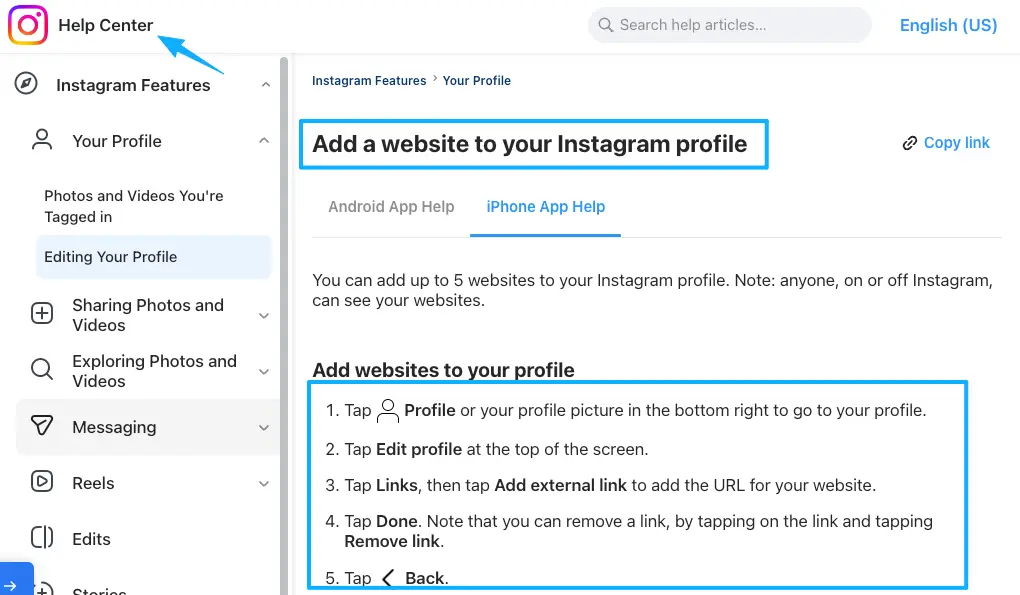
Drop it as the link in bio across your accounts, since that's the one reliably clickable spot on most profiles. Here's how to add the link in your Instagram bio if you haven't set one. Print it as a QR on the door, the table tent, or the poster, so anyone walking past can scan straight to your fixtures and book. And paste it into the group chats and community threads where people are already asking who's showing what. One link, every channel, always pointing at the same up-to-date page.
Your move
Pick the next match you're actually showing. Open a schedule-card template, drop in that one fixture with its local kickoff time, and add a single action under it: a table booking or a match-day offer. Share the link tonight in your bio and your group chat. No full website needed, and you can add the rest of the fixtures tomorrow once the first one's already live and catching people.
FAQ
How do businesses keep schedule cards accurate during changes?
Edit the one page, everywhere updates. That's the whole reason to use a single card instead of separate posters. Pull your fixture details live from the official FIFA source rather than typing them in by hand, so a venue change or a knockout-round reshuffle doesn't leave you with a stale poster taped to the window.
What happens if a listed offer gets canceled?
Pull it off the card the moment you know. Because the offer lives on one page and not across five reposts, taking it down is a single edit instead of a scavenger hunt. Swap in whatever's still running, or just lead with the booking action until the next offer's ready.
What signs show a schedule card is driving useful actions?
Look at what people do, not how many landed. Bookings that mention a match, reminder sign-ups, scans off the door QR the night of a game. If traffic is high but nobody's booking, the action button is buried or unclear, and that's a fix you can make in minutes.
When should a schedule card link to an event page?
Once you need caps, ticketing, or a managed guest list, a lightweight card has hit its ceiling. A ticketed final-night party with limited seats wants real event software. Keep the schedule card as the front door, and let it link out to that heavier page for the one event that needs it.
What should be updated after a match ends?
Roll the card forward. Drop the finished fixture, surface the next one you're showing, and refresh any offer tied to a specific game. A card that still leads with last Tuesday's match tells visitors you've checked out, which is the opposite of what you want heading into the next kickoff.
About this content
- Written by
- Mia Anderson, UGC Creator · Content Creator
- Reviewed by
- CueCue Team, Editorial review desk
- Last updated
- June 18, 2026
- Editorial standard
- CueCue articles are written for practical use, checked for clear sourcing, and updated when product or policy details change.