
At a creator meetup last year, a dozen of us stood around spelling our handles out loud. Half got typed wrong. Nobody actually connected. Then one person just held up a QR code. Scanned, done. Honestly, that memory pops up whenever I see a bartender trying to shout drink specials over a noisy crowd—while everyone is just staring at their screens anyway. This disconnect is exactly why setting up a FIFA campaign page makes sense. You just need a single, scannable link to convert all that distracted match-night energy into actual reservations, claimed discounts, or at least a solid lead for next week.
Let's break down some specific campaign angles for different business types, the essential layout blocks, and a quick checklist to review before going live.
What makes a FIFA 2026 campaign page different
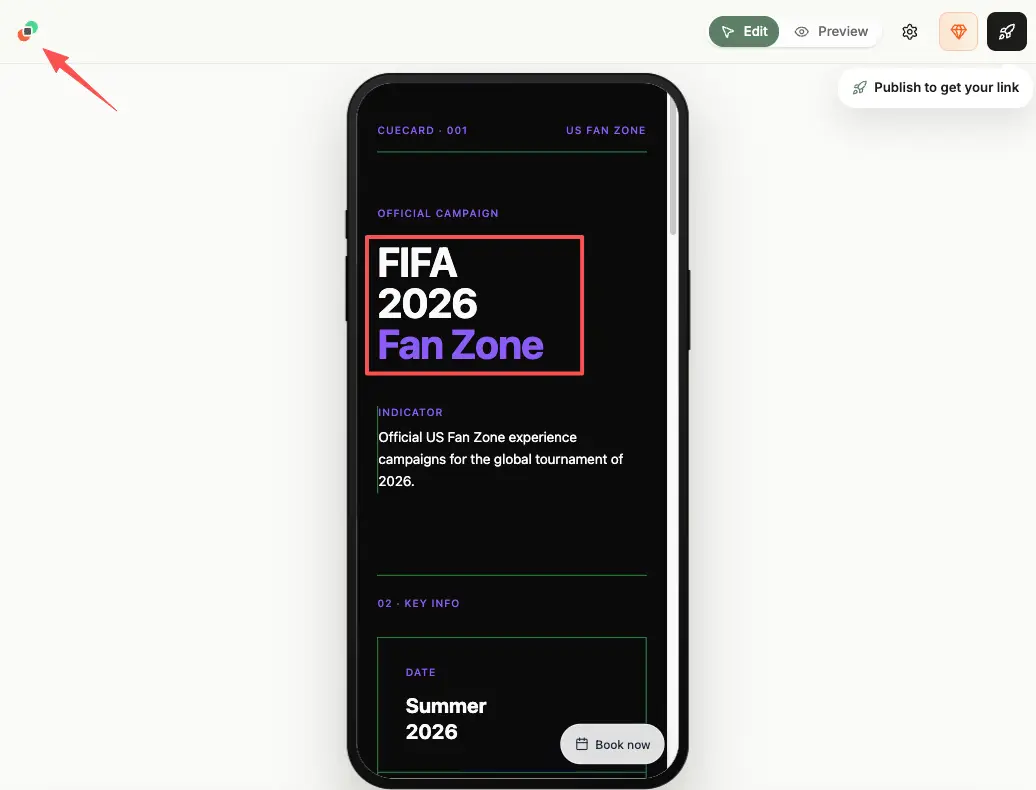
A campaign page isn't your homepage and it isn't a menu. It's a single-purpose page built around one match night and one action you want people to take while the excitement is high.
A general world cup campaign might run for weeks across a bunch of channels. A local business campaign like this is smaller and sharper. You're catching the crowd that's in your spot, or scanning your poster, right now, and giving them one easy thing to do before the final whistle. Tournament energy is real, but it's brief, so the page has to make the next step obvious in a glance.
Here's the shift that matters. Stop thinking "page about my business." Start thinking "page that does one job tonight." That reframe alone cuts most of the clutter.
FIFA 2026 campaign page ideas by business type
The structure stays the same across businesses. The action changes. Pick the one that matches what you actually want from a match night.
Bars and restaurants
This is the obvious fit. You're showing the games, you have tables and a kitchen, and you want both full. A football event page can list which matches you're showing, the match-night deal, and a button to reserve. Stick the QR on the table tent and the door. One scan gets someone the fixtures and the booking without flagging down a server.
Quick idea: a different small offer tied to each match day keeps regulars checking the page instead of guessing.
Local shops and service businesses
You're not showing matches, but the foot traffic and the mood are still there. Lean into the moment without overreaching. A bakery can run a themed item. A barber can do a "before the game" booking push. A shop can bundle a match-night offer and point a QR at a product card so people can grab it on the spot.
The action here is usually a claim or a booking, not a reservation. Keep it to one.
Creators and pop-up sellers
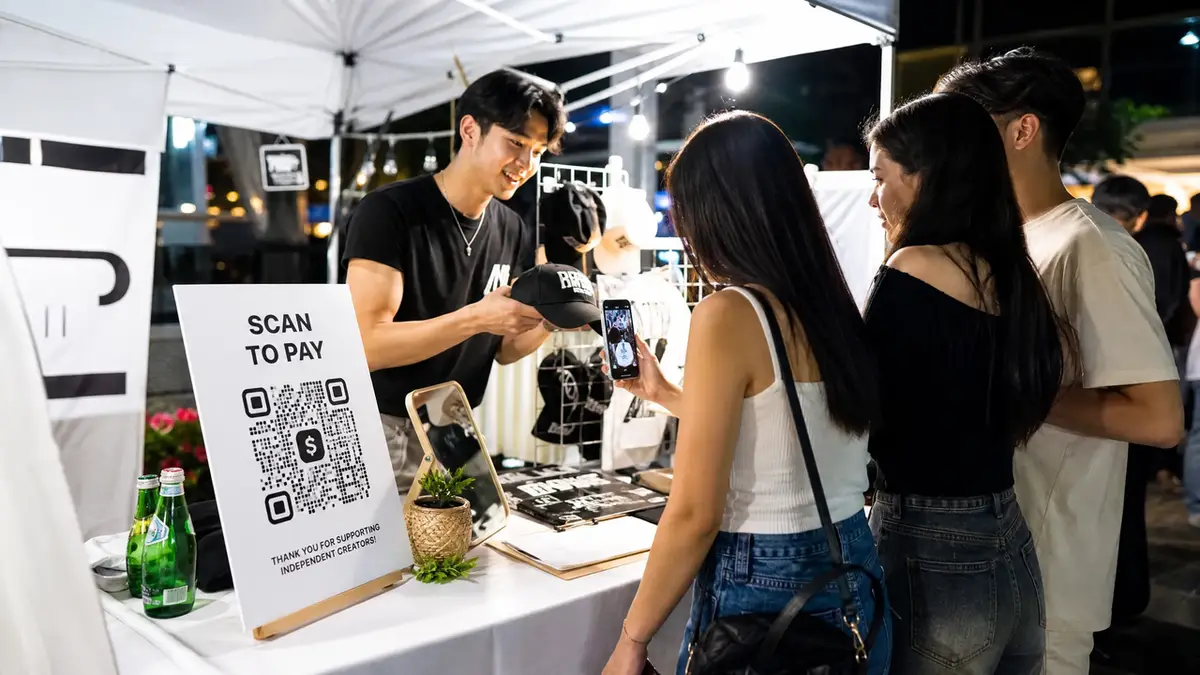
If you're a creator or running a pop-up, your campaign page is your stall and your checkout in one. Put your latest drop, exclusive bundle, or daily promo front and center. Seriously, make the 'Buy' or 'Claim' button practically jump off the screen. Toss the link into your IG bio and slap a printed QR code right on your pop-up table. Doing this funnels both your digital followers and random foot traffic straight to the exact same checkout flow.
Campaign blocks for QR and social traffic
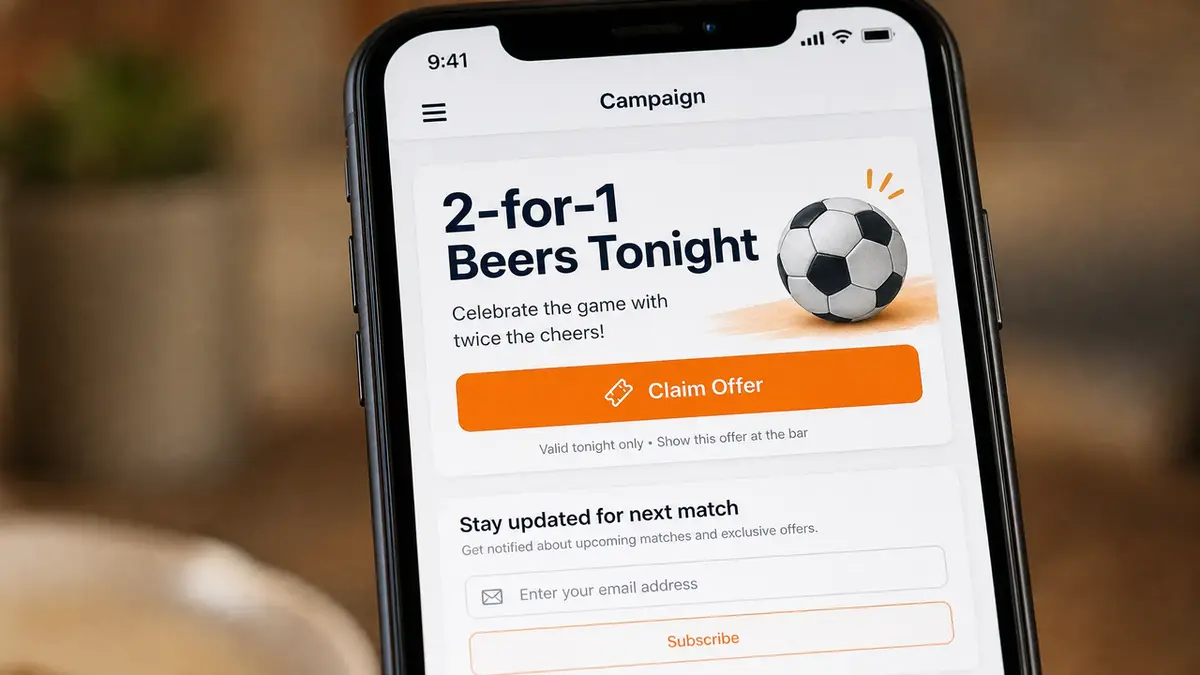
Once you know the goal, the page is just a handful of blocks in the right order. A QR code event page, scannable and mobile, built for one night only. Here's an example you could build, where a tool like CueCue is one way to put these on a single mobile page.
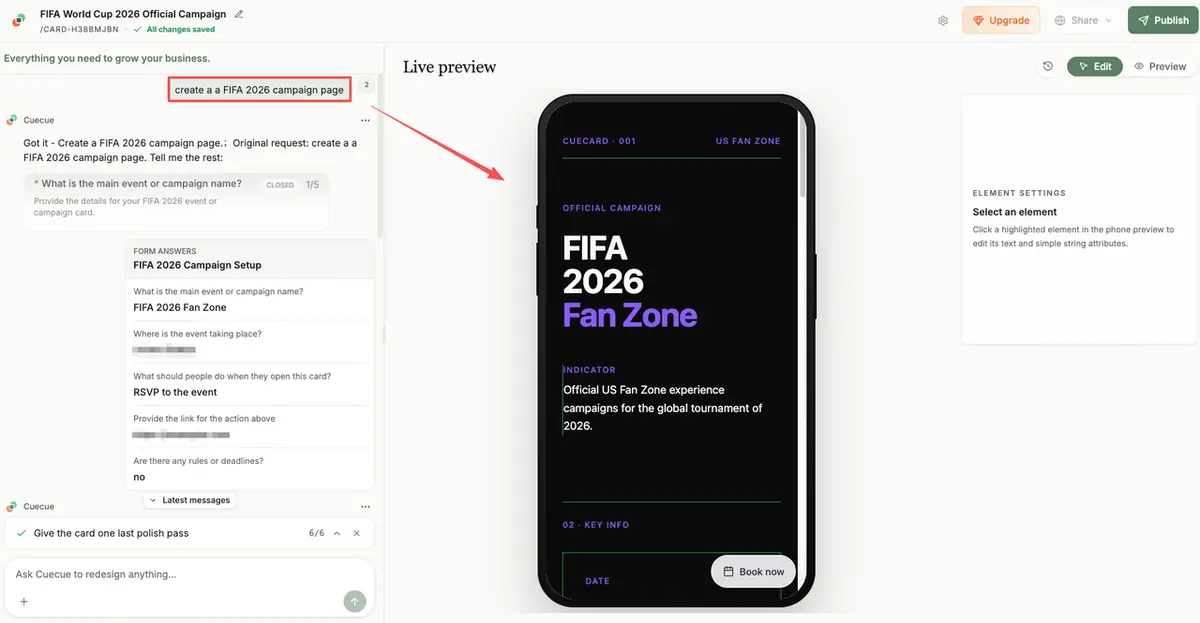
Offer or product card
Lead with the offer. Not your story. A short line on what they get and why tonight, sitting at the very top where a thumb lands first.
For something you're selling, a product card with the item, the price, and one button does the job. Make the value obvious before anyone scrolls, because scanned traffic decides fast and bounces faster.
RSVP or claim action
This is the one thing the page exists for. A reserve button, a claim button, a sign-up. Just one. Big and clear.
For a venue taking bookings, you can route people to a reservation link on your Google Business Profile so the action lives where they're already searching. Whatever the action is, don't bury it under five competing buttons.
Follow-up contact path
Not everyone acts tonight. Give the on-the-fence crowd a low-key way to stay in the loop, like a quick form to hear about the next match-night offer. That turns a one-night scan into someone you can reach again next match. Keep this lower on the page so it never competes with the main action.
What needs extra caution before publishing
Speed is the point, but a couple of things deserve a second look before this goes live.
First, the football stuff. Be careful with official tournament logos, emblems, trophy imagery, and team or player photos, since those sit behind protected marks and usage rules you don't want to guess at. You can say you're showing the matches in your own words. For what's actually allowed, check FIFA's brand protection guidance and treat it as the source of truth, because it's enforced closely around the tournament.
Second, anything that smells like a promotion. If your match-night offer is tied to a sponsor or a paid partnership, disclose it. The FTC's disclosure guidance covers doing that in plain language, where people will actually see it. And if you're running a prize draw or giveaway, the rules vary by location, so get it reviewed before you publish rather than after.
Your move tonight
Here is the game plan for your next match night: pick one fixture and use a template to spin up a quick, single-offer landing page. Give them one giant button to click, with a basic email capture hiding at the bottom. From there, it’s all about distribution. Print QR codes for your venue's tables, and push the actual link to your group chats and Instagram Stories that afternoon. The secret here is momentum, not perfection. Having a working page live before the referee blows the whistle beats agonizing over pixel-perfect details that a distracted bar crowd won't even notice. Put it out there, see what converts, and adjust your strategy later.
FAQ
How do local businesses manage offers across match nights?
One page, edited in place. Instead of reprinting a flyer for every fixture, update the single campaign page and the QR keeps pointing at the current deal. A version that still shows last week's offer is the quiet way to look out of touch, so swap it the moment the night's done.
What should businesses track after sharing QR campaign pages?
Watch what people do, not just how many scanned. Claimed offers, reservations made, sign-ups collected the night of a game. If scans are high but nobody's acting, the offer or the button is unclear, and that's a fix you can make in a few minutes before the next match.
Can one campaign page stay live after a match ends?
It can, with a quick refresh. Roll the page forward to the next fixture and the next offer instead of letting it sit on a finished game. The link stays the same, so any QR you've already printed or posted keeps working without a reprint.
When should prizes or giveaways get legal review?
Before anything goes public, honestly. Sweepstakes and contest rules differ by location and can be stricter than people expect, especially once a purchase or a sponsor is involved. When a giveaway is part of your campaign, route it past someone qualified first, and lean on official guidance rather than a guess.
What should change if a campaign sells out quickly?
Switch the message fast. The moment an offer's gone, take it off the page so nobody scans into a dead end, and swap in a waitlist, the next match's deal, or a simple "back soon." Because everything lives on one page, that's a single edit, not a scramble across five posts.
About this content
- Written by
- Mia Anderson, UGC Creator · Content Creator
- Reviewed by
- CueCue Team, Editorial review desk
- Last updated
- June 18, 2026
- Editorial standard
- CueCue articles are written for practical use, checked for clear sourcing, and updated when product or policy details change.